







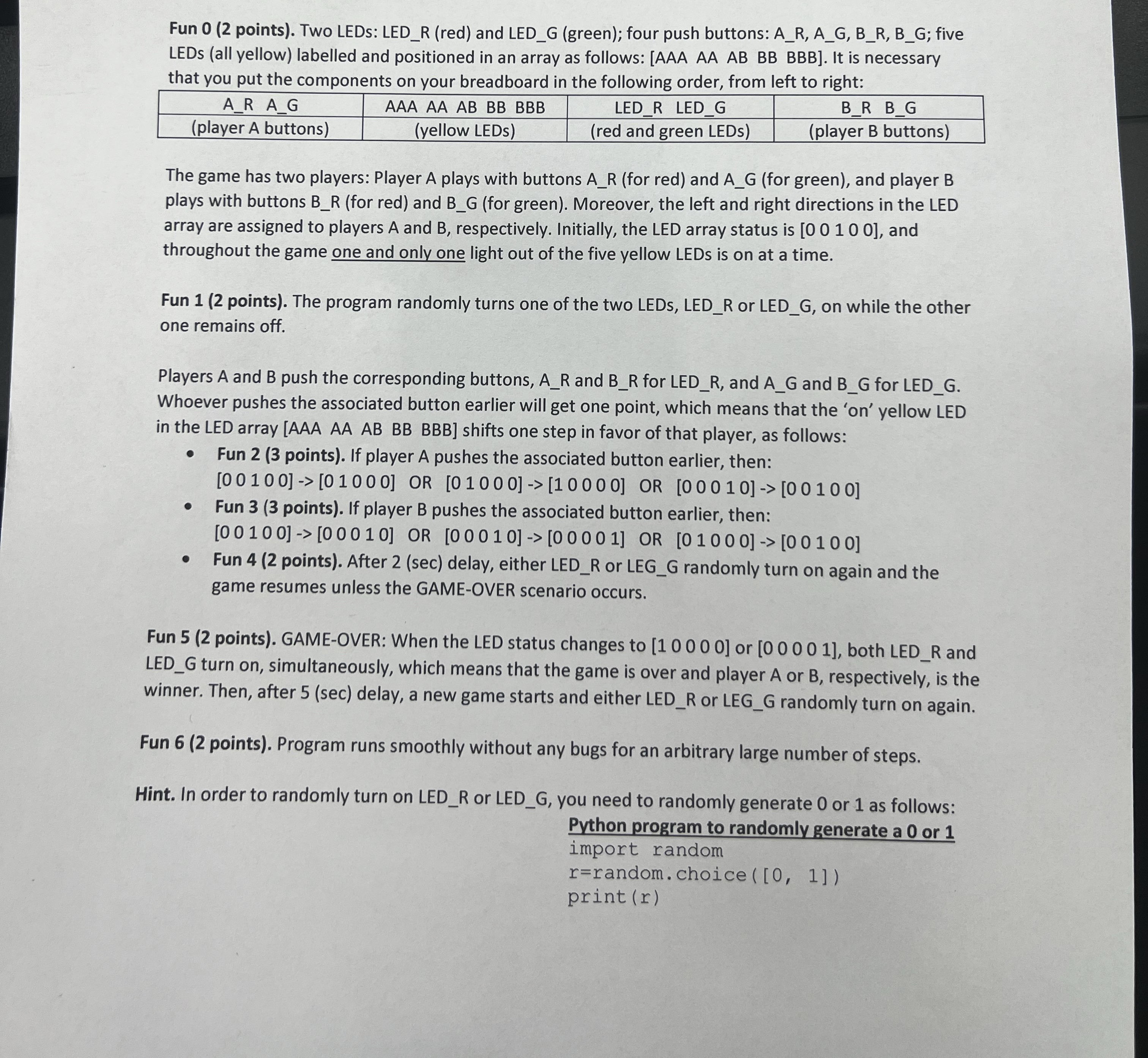
Question: In python: Fun 0 ( 2 points ) . Two LEDs: LED _ R ( red ) and LED _ G ( green ) ;
In python:
Fun points Two LEDs: LEDR red and LEDG green; four push buttons: AR AG BR BG; five
LEDs all yellow labelled and positioned in an array as follows: AAA AA AB BB BBB It is necessary
that you put the components on your breadboard in the following order, from left to right:
The game has two players: Player A plays with buttons for red and for green and player B
plays with buttons for red and for green Moreover, the left and right directions in the LED
array are assigned to players A and B respectively. Initially, the LED array status is and
throughout the game one and only one light out of the five yellow LEDs is on at a time.
Fun points The program randomly turns one of the two LEDs, LEDR or LEDG on while the other
one remains off.
Players A and push the corresponding buttons, and for LEDR and and for LEDG
Whoever pushes the associated button earlier will get one point, which means that the on yellow LED
in the LED array AAA AA AB BB BBB shifts one step in favor of that player, as follows:
Fun points If player A pushes the associated button earlier, then:
Fun points If player pushes the associated button earlier, then:
Fun points After sec delay, either LEDR or LEGG randomly turn on again and the
game resumes unless the GAMEOVER scenario occurs.
LEDG turn on simultaneously, which means that the game is over and player or respectively, is the
winner. Then, after delay, a new game starts and either LEDR or LEGG randomly turn on again.
Fun points Program runs smoothly without any bugs for an arbitrary large number of steps.
Hint. In order to randomly turn on LEDR or LEDG you need to randomly generate or as follows:
Python program to randomly generate a or
import random
rrandom.choice
printr
Step by Step Solution
There are 3 Steps involved in it
1 Expert Approved Answer
Step: 1 Unlock

Question Has Been Solved by an Expert!
Get step-by-step solutions from verified subject matter experts
Step: 2 Unlock
Step: 3 Unlock
 Study Help