







Question: In python, i have a .txt file that has rows of numbers. For example: I need to import this file above .txt file and sort
In python, i have a .txt file that has rows of numbers. For example:
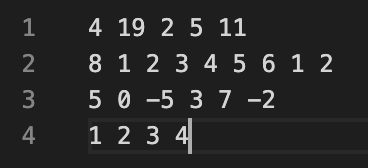
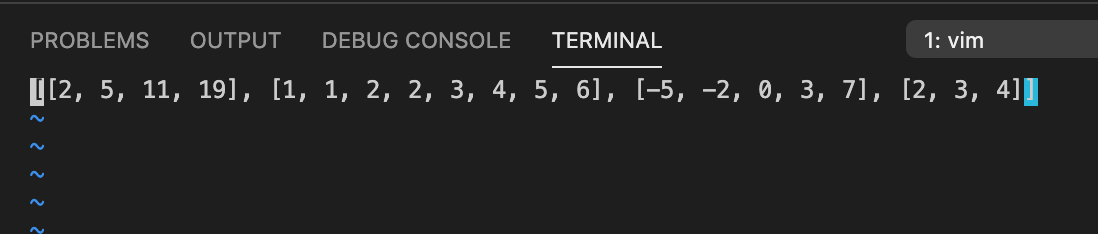
I need to import this file above .txt file and sort the integers in each row and then output the sorted row into a .txt file. The problem I have is that the output file needs to match the exact format as above, but it is currently in string format which is incorrect. I don't know how to change it to match the above. This is my incorrectly formatted output:
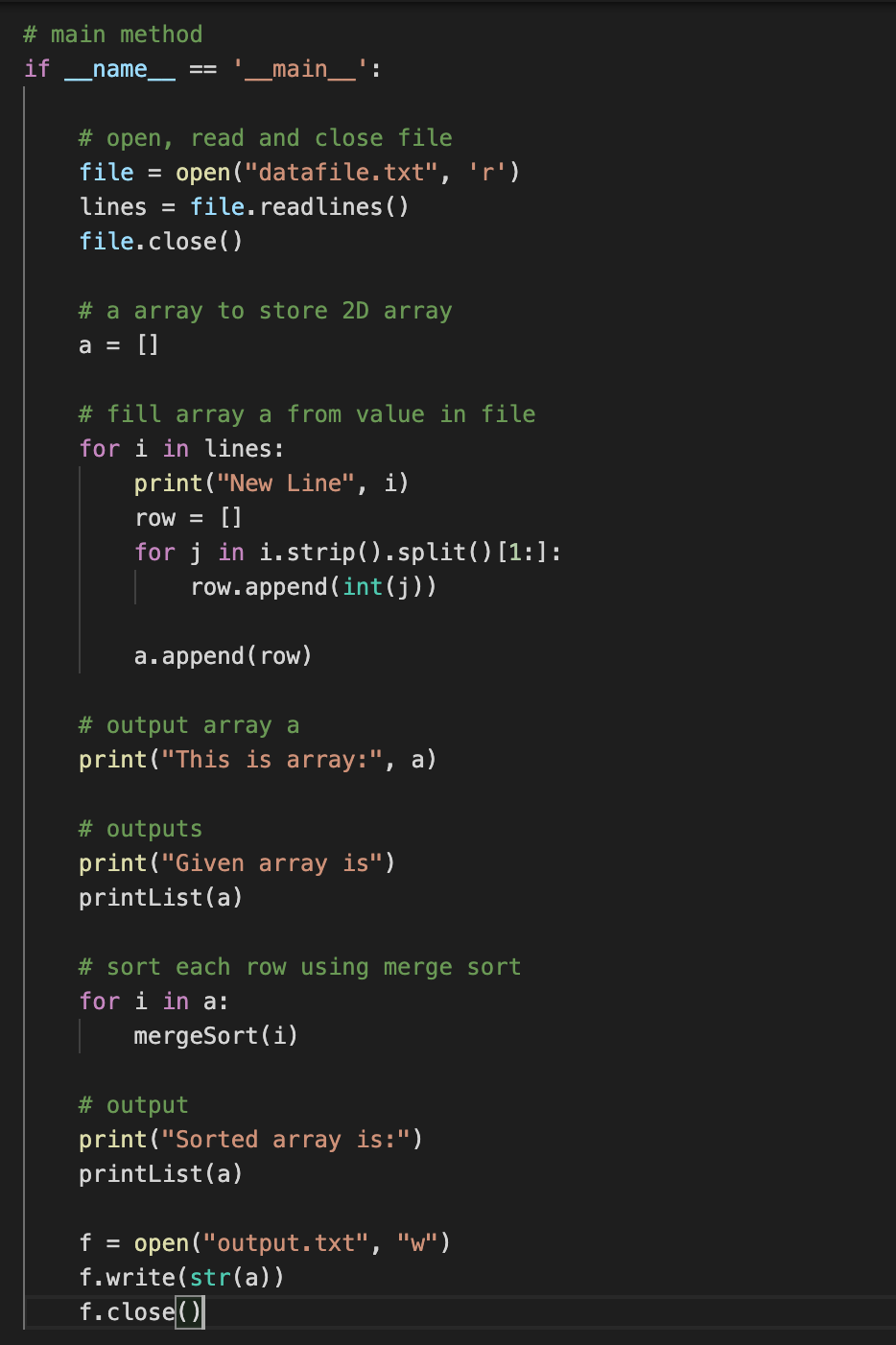
This is my driver code (the very end is where I write the output to the file):
1 2 3 4 14 192511 812345612 50 -537-2 1234 PROBLEMS OUTPUT DEBUG CONSOLE TERMINAL 1: vim [[2, 5, 11, 19], [1, 1, 2, 2, 3, 4, 5, 6], [-5, -2, 0, 3, 7], [2, 3, 4]] # main method if name _main__': # open, read and close file file = open ("datafile.txt", 'r') lines = file. readlines () file.close() # a array to store 2D array a = [] # fill array a from value in file for i in lines: print("New Line", i) row = [] for j in i.strip().split() [1:] : row.append(int(j)) a.append( row) # output array a print("This is array:", a) # outputs print("Given array is") printList(a) # sort each row using merge sort for i in a: mergeSort(i) # output print("Sorted array is:") printList(a) f = open("output.txt", "W") f.write(str(a)) f.close()]
Step by Step Solution
There are 3 Steps involved in it

Get step-by-step solutions from verified subject matter experts
 Study Help