







Question: In PYTHON Railway Safety Data Part 2 - Summarize and Visualize The previous problem imported and selected the Norfolk-Southern Railway safety data into an easier
In PYTHON
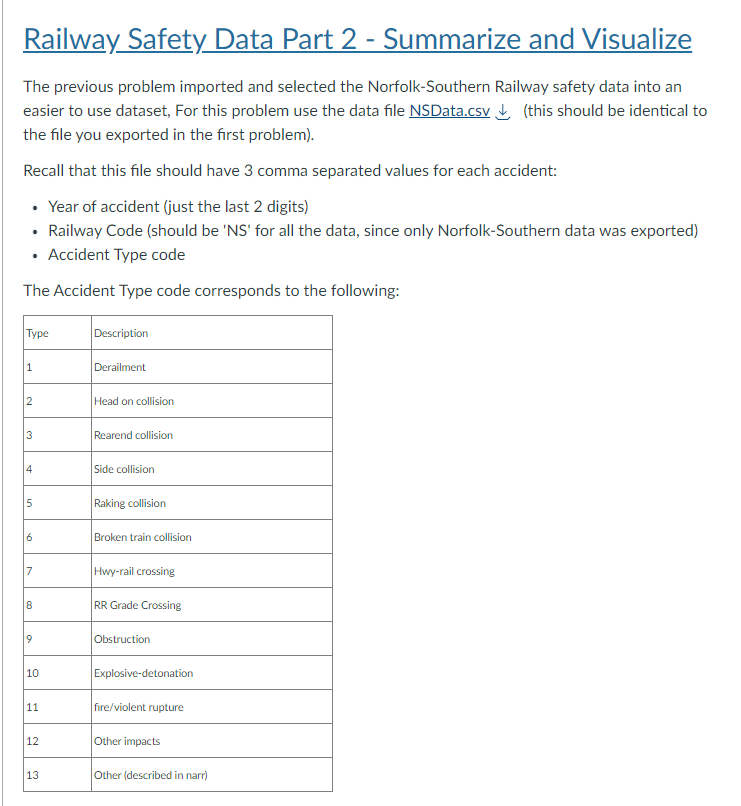
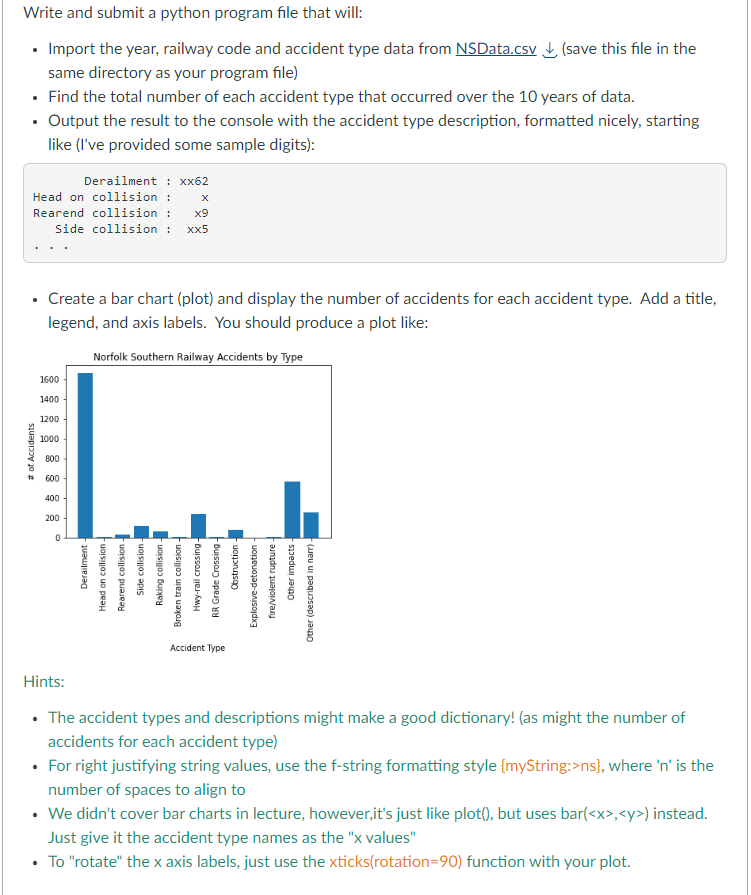
Railway Safety Data Part 2 - Summarize and Visualize The previous problem imported and selected the Norfolk-Southern Railway safety data into an easier to use dataset, For this problem use the data file NSData.csV (this should be identical to the file you exported in the first problem). Recall that this file should have 3 comma separated values for each accident: - Year of accident (just the last 2 digits) - Railway Code (should be 'NS' for all the data, since only Norfolk-Southern data was exported) - Accident Type code The Accident Type code corresponds to the following: Write and submit a python program file that will: - Import the year, railway code and accident type data from NSData.cSV (save this file in the same directory as your program file) - Find the total number of each accident type that occurred over the 10 years of data. - Output the result to the console with the accident type description, formatted nicely, starting like (I've provided some sample digits): - Create a bar chart (plot) and display the number of accidents for each accident type. Add a title, legend, and axis labels. You should produce a plot like: Hints: - The accident types and descriptions might make a good dictionary! (as might the number of accidents for each accident type) - For right justifying string values, use the f-string formatting style \{myString:>ns\}, where ' n ' is the number of spaces to align to - We didn't cover bar charts in lecture, however,it's just like plot(), but uses bar (x,y) instead. Just give it the accident type names as the "xvalues" - To "rotate" the x axis labels, just use the xticks(rotation=90) function with your plot
Step by Step Solution
There are 3 Steps involved in it

Get step-by-step solutions from verified subject matter experts
 Study Help