







Question: In this assignment, you'll develop an Image Gallery application that displays different images when the user clicks on the links at the top of the
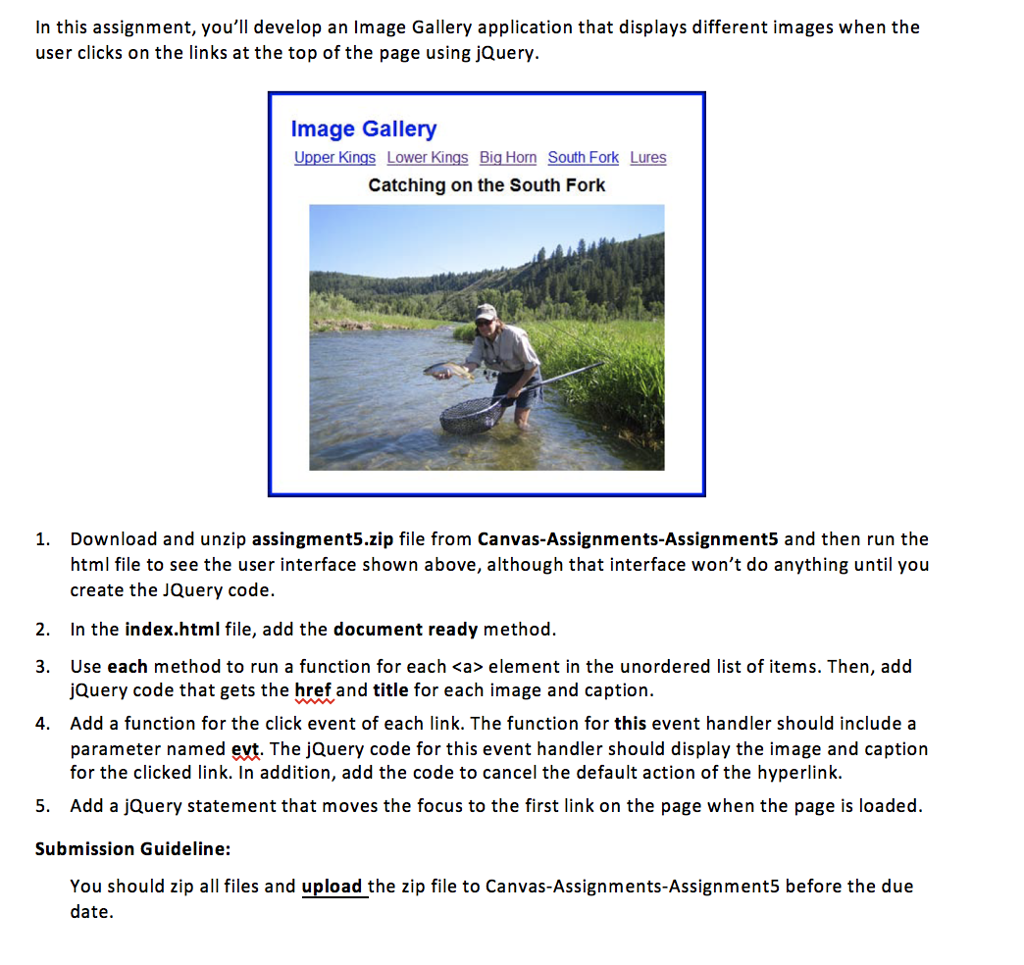
In this assignment, you'll develop an Image Gallery application that displays different images when the user clicks on the links at the top of the page using jQuery. Image Gallery Upper Kings Lower Kings Big Horn South Fork Lures Catching on the South Fork 1. Download and unzip assingment5.zip file from Canvas-Assignments-Assignment5 and then run the html file to see the user interface shown above, although that interface won't do anything until you create the JQuery code. 2. In the index.html file, add the document ready method. 3. Use each method to run a function for each element in the unordered list of items. Then, add jQuery code that gets the href and title for each image and caption. 4. Add a function for the click event of each link. The function for this event handler should include a parameter named evt. The jQuery code for this event handler should display the image and caption for the clicked link. In addition, add the code to cancel the default action of the hyperlink. 5. Add a jQuery statement that moves the focus to the first link on the page when the page is loaded. Submission Guideline: You should zip all files and upload the zip file to Canvas-Assignments-Assignment5 before the due date. In this assignment, you'll develop an Image Gallery application that displays different images when the user clicks on the links at the top of the page using jQuery. Image Gallery Upper Kings Lower Kings Big Horn South Fork Lures Catching on the South Fork 1. Download and unzip assingment5.zip file from Canvas-Assignments-Assignment5 and then run the html file to see the user interface shown above, although that interface won't do anything until you create the JQuery code. 2. In the index.html file, add the document ready method. 3. Use each method to run a function for each element in the unordered list of items. Then, add jQuery code that gets the href and title for each image and caption. 4. Add a function for the click event of each link. The function for this event handler should include a parameter named evt. The jQuery code for this event handler should display the image and caption for the clicked link. In addition, add the code to cancel the default action of the hyperlink. 5. Add a jQuery statement that moves the focus to the first link on the page when the page is loaded. Submission Guideline: You should zip all files and upload the zip file to Canvas-Assignments-Assignment5 before the due date
Step by Step Solution
There are 3 Steps involved in it

Get step-by-step solutions from verified subject matter experts
 Study Help