







Question: Is just one question Please note 2 attempts are allowed for each question set) i Saved Required Information To complete this exercise, you will need
Is just one question
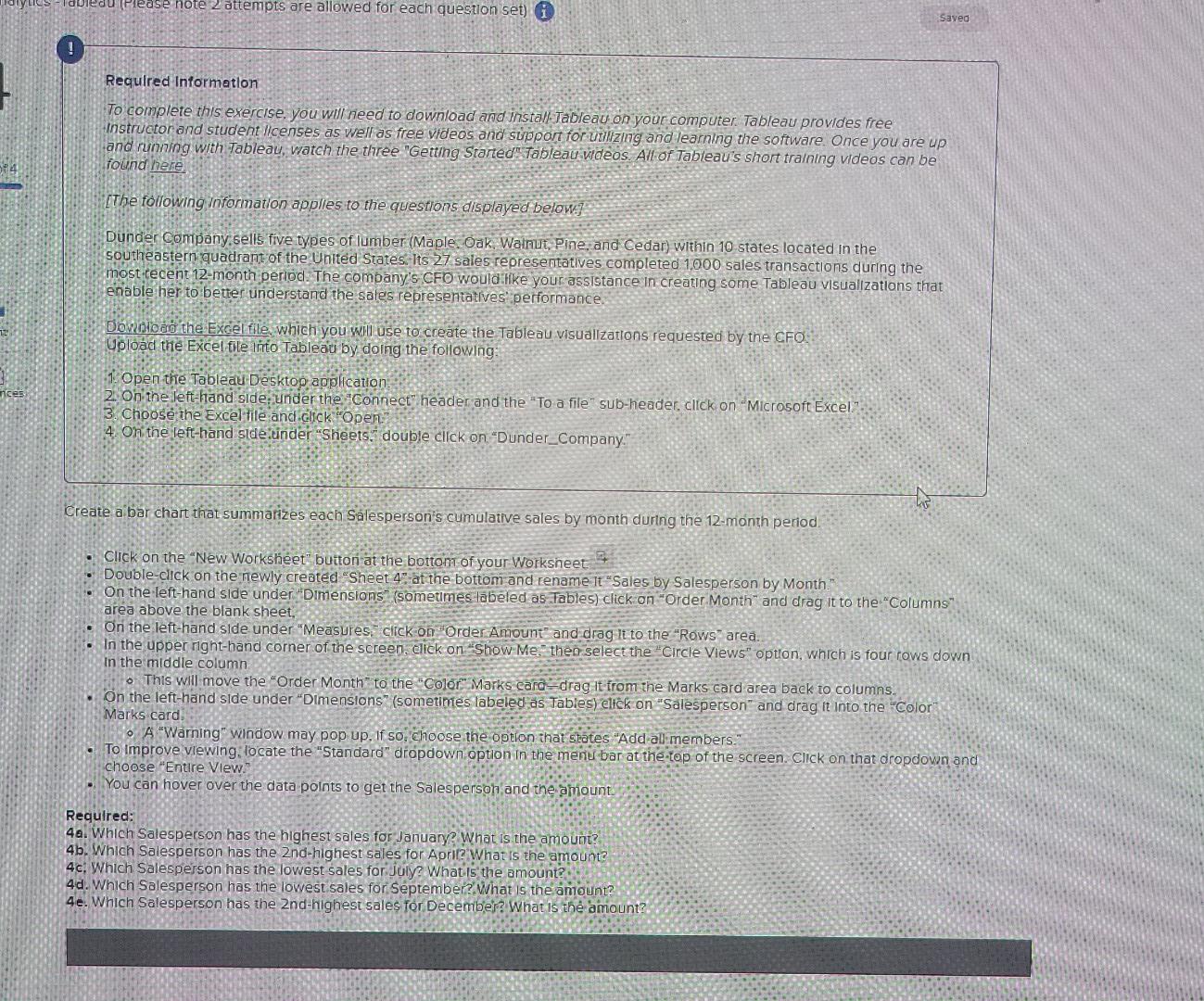
Please note 2 attempts are allowed for each question set) i Saved Required Information To complete this exercise, you will need to download and install Tableau on your computer. Tableau provides free Instructor and student licenses as well as free videos and support for utilizing and learning the software. Once you are up and running with Tableau, watch the three "Getting Started" Tableau wideos. All of Tableau's short training videos can be found here [The following information applies to the questions displayed below.) Dunder Company sells five types of lumber (Maple. Oak. Walnut Pine, and Cedar) within 10 states located in the southeastern quadrant of the United States. Its 27 sales representatives completed 1000 sales transactions during the most recent 12-month period. The company's CFD would Hke your assistance in creating some Tableau visualizations that enable her to better understand the sales representatives performance Download the Excel file, which you will use to create the Tableau visualizations requested by the CFO. Upload the Excel tile Into Tableau by doing the following: Open the Tableau Desktop application 2. On the left-hand side: Under the "Connect" header and the "To a file" sub-header, click on "Microsoft Excel 3. Choose the Excel file and click "Open" 4. On the left-hand side.under Sheets. double click on "Dunder_Company." Create a bar chart that summarizes each Salesperson's cumulative sales by month during the 12-month period Click on the New Worksheet" button at the bottom of your Worksheet Double-click on the newly created "Sheet 4" at the bottom and rename it "Sales by Salesperson by Month On the left-hand side under "Dimensions (sometimes labeled as Tables) click on "Order Month and drag it to the "Columns area above the blank sheet, On the left-hand side under "Measures, click on "Order Amount" and drag it to the "Rows" area. In the upper right-hand corner of the screen, click on Show Me then select the "Circle Views" option, whrch is four rows down In the middle column o This will move the "Order Month to the "Color Marks card=drag it from the Marks card area back to columns. on the left-hand side under "Dimensions" (sometimes labeled as Tables) click on "Salesperson and drag it into the "Color" Marks card o A "Warning" window may pop up. If so, choose the option that states "Add all members." To improve viewing locate the "Standard" dropdown option in the menu bar at the top of the screen. Click on that dropdown and choose "Entire View." You can hover over the data points to get the Salesperson and the amount Required: 4a. Which Salesperson has the highest sales for January? What is the amount? 4b. Which Salesperson has the 2nd-highest sales for Apriz What is the amount 4c: Which Salesperson has the lowest sales for July? What is the amount 4d. Which Salesperson has the lowest sales for September. What is the amount? 4e. Which Salesperson has the 2nd-highest sales for December? What is the amount? Please note 2 attempts are allowed for each question set) i Saved Required Information To complete this exercise, you will need to download and install Tableau on your computer. Tableau provides free Instructor and student licenses as well as free videos and support for utilizing and learning the software. Once you are up and running with Tableau, watch the three "Getting Started" Tableau wideos. All of Tableau's short training videos can be found here [The following information applies to the questions displayed below.) Dunder Company sells five types of lumber (Maple. Oak. Walnut Pine, and Cedar) within 10 states located in the southeastern quadrant of the United States. Its 27 sales representatives completed 1000 sales transactions during the most recent 12-month period. The company's CFD would Hke your assistance in creating some Tableau visualizations that enable her to better understand the sales representatives performance Download the Excel file, which you will use to create the Tableau visualizations requested by the CFO. Upload the Excel tile Into Tableau by doing the following: Open the Tableau Desktop application 2. On the left-hand side: Under the "Connect" header and the "To a file" sub-header, click on "Microsoft Excel 3. Choose the Excel file and click "Open" 4. On the left-hand side.under Sheets. double click on "Dunder_Company." Create a bar chart that summarizes each Salesperson's cumulative sales by month during the 12-month period Click on the New Worksheet" button at the bottom of your Worksheet Double-click on the newly created "Sheet 4" at the bottom and rename it "Sales by Salesperson by Month On the left-hand side under "Dimensions (sometimes labeled as Tables) click on "Order Month and drag it to the "Columns area above the blank sheet, On the left-hand side under "Measures, click on "Order Amount" and drag it to the "Rows" area. In the upper right-hand corner of the screen, click on Show Me then select the "Circle Views" option, whrch is four rows down In the middle column o This will move the "Order Month to the "Color Marks card=drag it from the Marks card area back to columns. on the left-hand side under "Dimensions" (sometimes labeled as Tables) click on "Salesperson and drag it into the "Color" Marks card o A "Warning" window may pop up. If so, choose the option that states "Add all members." To improve viewing locate the "Standard" dropdown option in the menu bar at the top of the screen. Click on that dropdown and choose "Entire View." You can hover over the data points to get the Salesperson and the amount Required: 4a. Which Salesperson has the highest sales for January? What is the amount? 4b. Which Salesperson has the 2nd-highest sales for Apriz What is the amount 4c: Which Salesperson has the lowest sales for July? What is the amount 4d. Which Salesperson has the lowest sales for September. What is the amount? 4e. Which Salesperson has the 2nd-highest sales for December? What is the amount
Step by Step Solution
There are 3 Steps involved in it

Get step-by-step solutions from verified subject matter experts
 Study Help