







Question: its done in html and javascript jquerry 1. Create a simple web site with all the pages having the same header and footer. Header showing
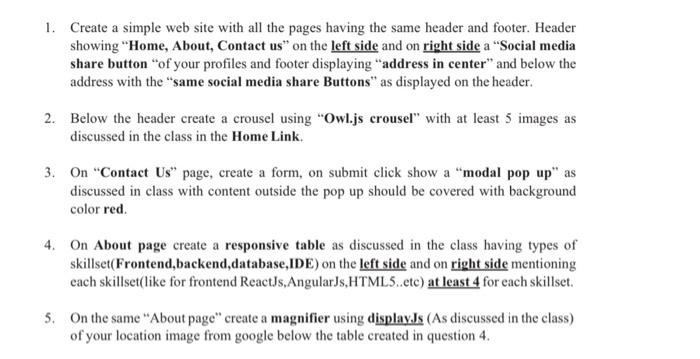
1. Create a simple web site with all the pages having the same header and footer. Header showing "Home, About Contact us" on the left side and on right side a "Social media share button of your profiles and footer displaying "address in center" and below the address with the same social media share Buttons" as displayed on the header 2. Below the header create a crousel using "Owl.js crousel" with at least 5 images as discussed in the class in the Home Link 3. On "Contact Us page, create a form, on submit click show a "modal pop up" as discussed in class with content outside the pop up should be covered with background color red 4. On About page create a responsive table as discussed in the class having types of skillset (Frontend backend database,IDE) on the left side and on right side mentioning cach skillset(like for frontend ReactJs, AngularJs, HTML5..etc) at least 4 for each skillset. 5. On the same "About page" create a magnifier using display.Js (As discussed in the class) of your location image from google below the table created in question 4. 1. Create a simple web site with all the pages having the same header and footer. Header showing "Home, About Contact us" on the left side and on right side a "Social media share button of your profiles and footer displaying "address in center" and below the address with the same social media share Buttons" as displayed on the header 2. Below the header create a crousel using "Owl.js crousel" with at least 5 images as discussed in the class in the Home Link 3. On "Contact Us page, create a form, on submit click show a "modal pop up" as discussed in class with content outside the pop up should be covered with background color red 4. On About page create a responsive table as discussed in the class having types of skillset (Frontend backend database,IDE) on the left side and on right side mentioning cach skillset(like for frontend ReactJs, AngularJs, HTML5..etc) at least 4 for each skillset. 5. On the same "About page" create a magnifier using display.Js (As discussed in the class) of your location image from google below the table created in question 4
Step by Step Solution
There are 3 Steps involved in it

Get step-by-step solutions from verified subject matter experts
 Study Help