Question: please do this problem ASAP. I'm stuck with this whole problem. This assignment will be used to test your knowledge of JavaScript, Local Storage, jQuery
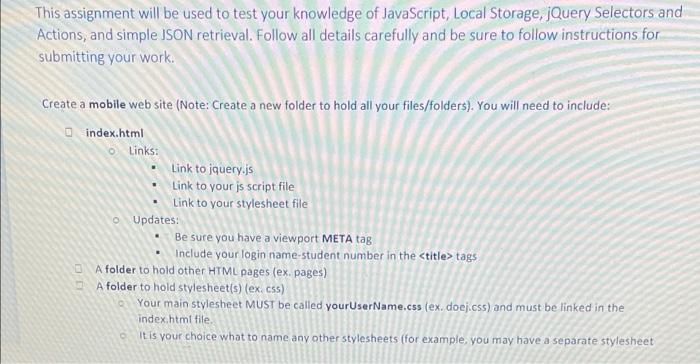


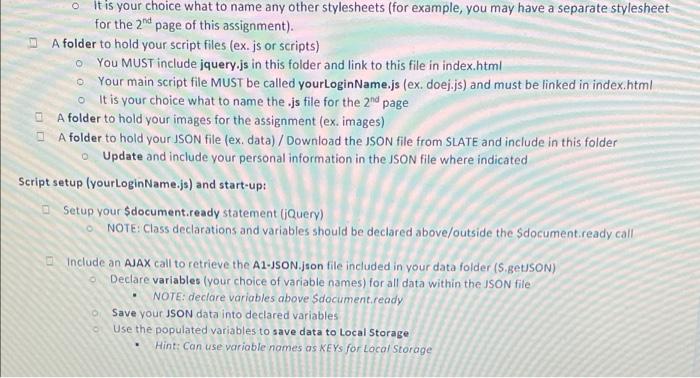
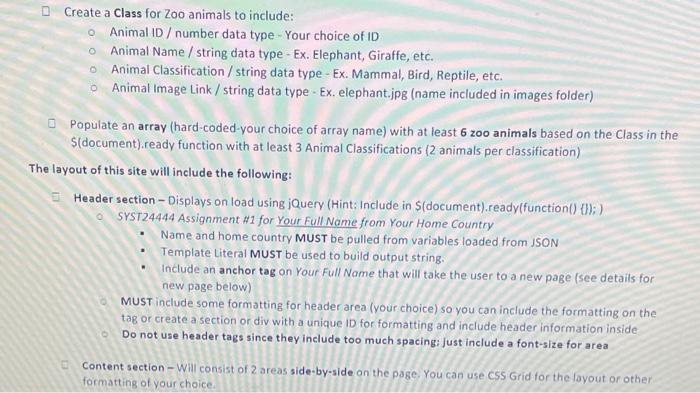
This assignment will be used to test your knowledge of JavaScript, Local Storage, jQuery Selectors and Actions, and simple ISON retrieval. Follow all details carefully and be sure to follow instructions for submitting your work. Create a mobile web site (Note: Create a new folder to hold all your files/folders). You will need to include: index.html 6 Links: Link to jquery.js Link to your js Script file Link to your stylesheet file Updates: Be sure you have a viewport META tag Include your login name student number in the
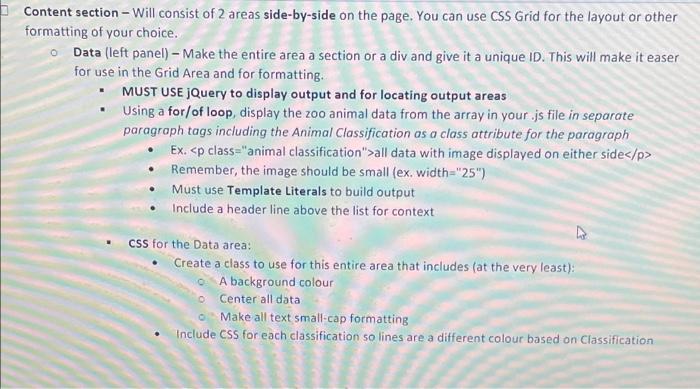
all data with image displayed on either side
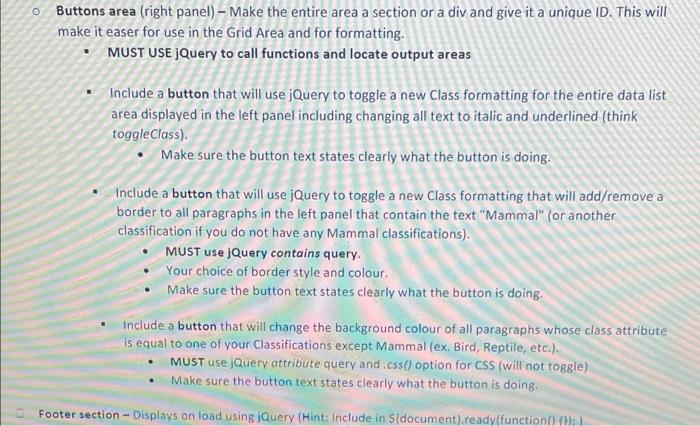
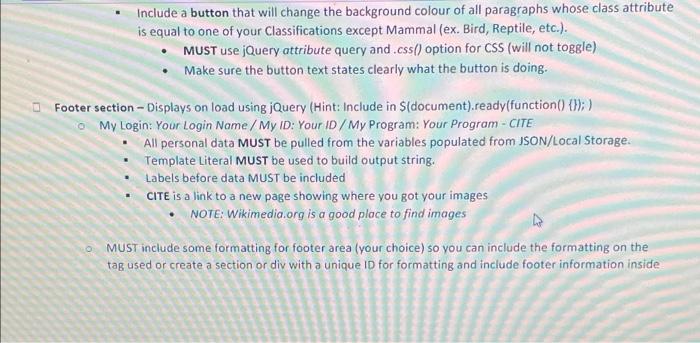
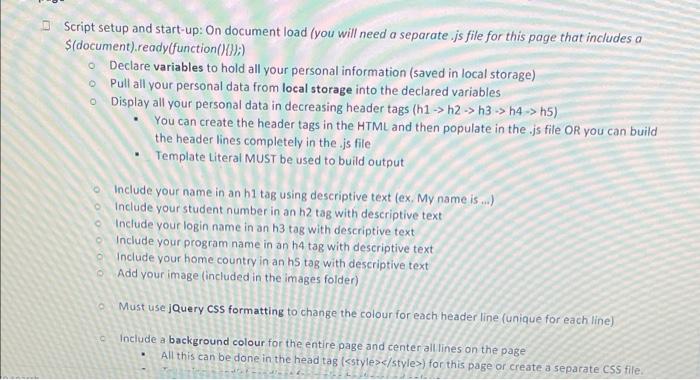
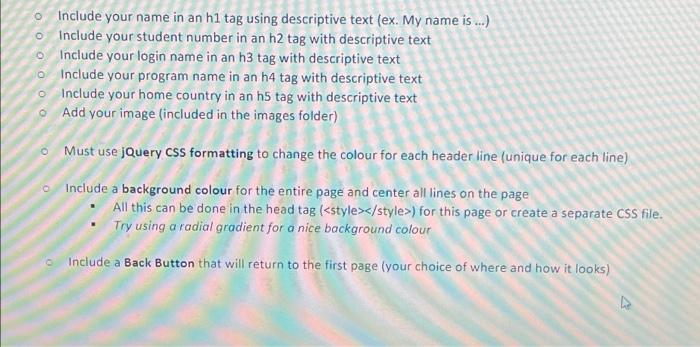
Remember, the image should be small (ex. width="25") Must use Template Literals to build output Include a header line above the list for context CSS for the Data area: Create a class to use for this entire area that includes (at the very least): A background colour o Center all data o Make all text small-cap formatting Include css for each classification so lines are a different colour based on Classification o Buttons area (right panel) Make the entire area a section or a div and give it a unique ID. This will make it easer for use in the Grid Area and for formatting. MUST USE jQuery to call functions and locate output areas Include a button that will use jQuery to toggle a new Class formatting for the entire data list area displayed in the left panel including changing all text to italic and underlined (think toggleClass). Make sure the button text states clearly what the button is doing. Include a button that will use jQuery to toggle a new Class formatting that will add/remove a border to all paragraphs in the left panel that contain the text "Mammal" (or another classification if you do not have any Mammal classifications). MUST use jQuery contains query. Your choice of border style and colour. Make sure the button text states clearly what the button is doing. Include a button that will change the background colour of all paragraphs whose class attribute is equal to one of your Classifications except Mammal (ex. Bird, Reptile, etc.). MUST use jQuery attribute query and.css() option for css (will not toggle) Make sure the button text states clearly what the button is doing Footer section - Displays on load using jQuery (Hint: Include in S(document).ready(function() Include a button that will change the background colour of all paragraphs whose class attribute is equal to one of your Classifications except Mammal (ex. Bird, Reptile, etc.). MUST use jQuery attribute query and.css() option for CSS (will not toggle) Make sure the button text states clearly what the button is doing. Footer section - Displays on load using jQuery (Hint: Include in S(document).ready(function() {});) o My Login: Your Login Name / My ID: Your ID / My Program: Your Program - CITE All personal data MUST be pulled from the variables populated from JSON/Local Storage. Template Literal MUST be used to build output string. Labels before data MUST be included CITE is a link to a new page showing where you got your images NOTE: Wikimedia.org is a good place to find images MUST include some formatting for footer area (your choice) so you can include the formatting on the tag used or create a section or div with a unique ID for formatting and include footer information inside Script setup and start-up: On document load (you will need a separate .js file for this page that includes a $(document).ready(function(){});) Declare variables to hold all your personal information (saved in local storage) Pull all your personal data from local storage into the declared variables Display all your personal data in decreasing header tags (h1 -> h2 -> h3 -> 44->h5) You can create the header tags in the HTML and then populate in the.js file or you can build the header lines completely in the.js file Template Literal MUST be used to build output Include your name in an bi tag using descriptive text (ex. My name is...) Include your student number in an h2 tag with descriptive text Include your login name in an h3 tag with descriptive text Include your program name in an h4 tag with descriptive text Include your home country in an h5 tag with descriptive text Add your image (included in the images folder) . Must use jQuery Css formatting to change the colour for each header line (unique for each line) Include a background colour for the entire page and center all lines on the page All this can be done in the head tag [) for this page or create a separate CSS file. o Include your name in an h1 tag using descriptive text (ex. My name is...) o include your student number in an h2 tag with descriptive text o Include your login name in an h3 tag with descriptive text 0 Include your program name in an h4 tag with descriptive text o Include your home country in an h5 tag with descriptive text Add your image (included in the images folder) o Must use jQuery CSS formatting to change the colour for each header line (unique for each line) Include a background colour for the entire page and center all lines on the page All this can be done in the head tag () for this page or create a separate CSS file. Try using a radial gradient for a nice background colour Include a Back Button that will return to the first page your choice of where and how it looks)Step by Step Solution
There are 3 Steps involved in it
Get step-by-step solutions from verified subject matter experts