







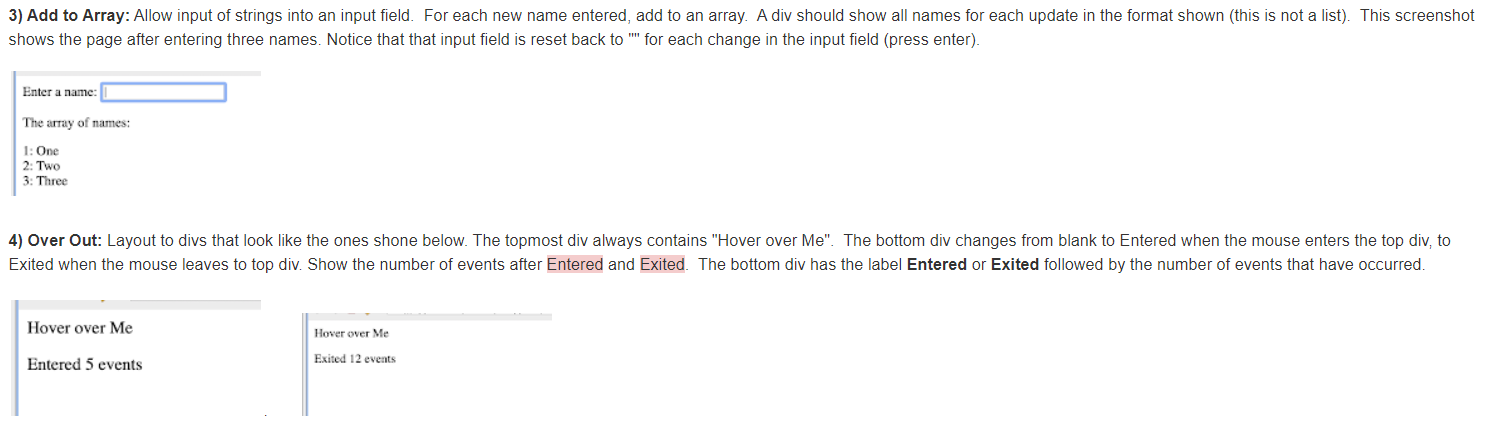
Question: Javascript Do 4 Please. ignore question 3 3) Add to Array: Allow input of strings into an input field. For each new name entered, add
 Javascript
3) Add to Array: Allow input of strings into an input field. For each new name entered, add to an array. A div should show all names for each update in the format shown (this is not a list). This screenshot shows the page after entering three names. Notice that that input field is reset back to "for each change in the input field (press enter). Enter a name The array of names: 1: One 2: Two 3: Three 4) Over Out: Layout to divs that look like the ones shone below. The topmost div always contains "Hover over Me". The bottom div changes from blank to Entered when the mouse enters the top div, to Exited when the mouse leaves to top div. Show the number of events after Entered and Exited. The bottom div has the label Entered or Exited followed by the number of events that have occurred. Hover over Me Hover over Me Entered 5 events Exited 12 events
Step by Step Solution
There are 3 Steps involved in it

Get step-by-step solutions from verified subject matter experts
 Study Help