







Question: Linux Use the command script os_Projecti to start a shell and save the input and output into a file OS_Projecti. Then run the commands needed
Linux
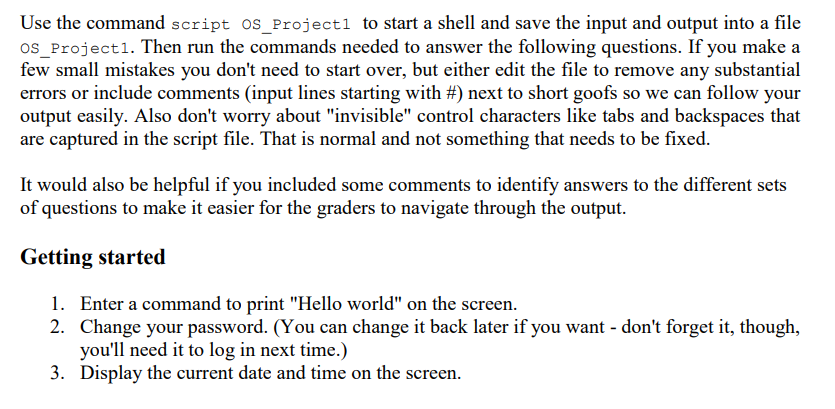
Use the command script os_Projecti to start a shell and save the input and output into a file OS_Projecti. Then run the commands needed to answer the following questions. If you make a few small mistakes you don't need to start over, but either edit the file to remove any substantial errors or include comments (input lines starting with #) next to short goofs so we can follow your output easily. Also don't worry about "invisible" control characters like tabs and backspaces that are captured in the script file. That is normal and not something that needs to be fixed. It would also be helpful if you included some comments to identify answers to the different sets of questions to make it easier for the graders to navigate through the output. Getting started 1. Enter a command to print "Hello world" on the screen. 2. Change your password. (You can change it back later if you want - don't forget it, though, you'll need it to log in next time.) 3. Display the current date and time on the screen. vo Use the command script os_Projecti to start a shell and save the input and output into a file OS_Projecti. Then run the commands needed to answer the following questions. If you make a few small mistakes you don't need to start over, but either edit the file to remove any substantial errors or include comments (input lines starting with #) next to short goofs so we can follow your output easily. Also don't worry about "invisible" control characters like tabs and backspaces that are captured in the script file. That is normal and not something that needs to be fixed. It would also be helpful if you included some comments to identify answers to the different sets of questions to make it easier for the graders to navigate through the output. Getting started 1. Enter a command to print "Hello world" on the screen. 2. Change your password. (You can change it back later if you want - don't forget it, though, you'll need it to log in next time.) 3. Display the current date and time on the screen. vo
Step by Step Solution
There are 3 Steps involved in it

Get step-by-step solutions from verified subject matter experts
 Study Help