







Question: Making a Flutter App Interactive: Extend the game of rock-paper-scissors to the rock-paper-scissors-lizard version (a simplified version of the infamous rock-paper-scissors-lizard-spock) You can use rock,
Making a Flutter App Interactive:
Extend the game of rock-paper-scissors to the rock-paper-scissors-lizard version (a simplified version of the infamous rock-paper-scissors-lizard-spock)
You can use rock, paper, scissors, lizard image assets
Show the winning image with green background & the loser image with a red background (or any other indicator that you prefer).
Rules: Scissors cuts Paper - Paper covers Rock - Rock crushes Lizard - Scissors decapitates Lizard - Lizard eats Paper - Rock crushes Scissors
Should look something like this:
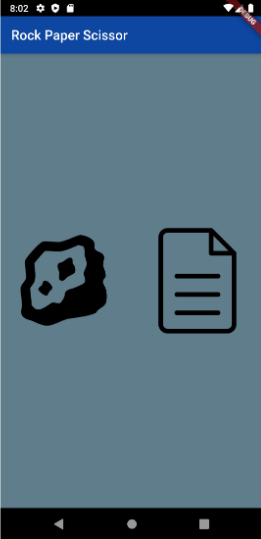
Two of the symbols (rock, paper, scissors, lizard) will appear on the screen randomly (and centered with even spaces) and after choosing one a loss or win will be prompted by changing the background of the loser/winner image to the corresponding colours (green/red). The screen should change to 2 new random symbols(rock, paper, scissors, lizard) after a win or a loss so the game will be able to play forever.
8:02 % Rock Paper Scissor
Step by Step Solution
There are 3 Steps involved in it

Get step-by-step solutions from verified subject matter experts
 Study Help