







Question: matlab 1. Create a new script file 'run 2D_plot' 2. Make sure to clear all variables and close all figure windows 3. Create a linearly
matlab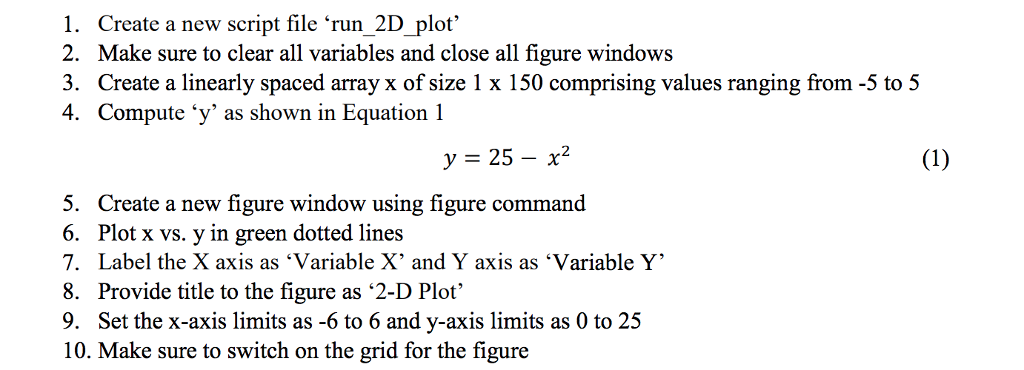
1. Create a new script file 'run 2D_plot' 2. Make sure to clear all variables and close all figure windows 3. Create a linearly spaced array x of size 1 x 150 comprising values ranging from -5 to 5 4. Compute 'y' as shown in Equation 1 y = 25-X2 5. Create a new figure window using figure command 6. Plot x vs. y in green dotted lines 7. Label the X axis as "Variable X, and Y axis as "Variable ' 8. Provide title to the figure as '2-D Plot' 9. Set the x-axis limits as -6 to 6 and y-axis limits as 0 to 25 10. Make sure to switch on the grid for the figure
Step by Step Solution
There are 3 Steps involved in it
1 Expert Approved Answer
Step: 1 Unlock

Question Has Been Solved by an Expert!
Get step-by-step solutions from verified subject matter experts
Step: 2 Unlock
Step: 3 Unlock
 Study Help