







Question: need help with this in Bash script Create a bash script that accomplish the following three items: 1) Print a welcome message with your information
need help with this in Bash script
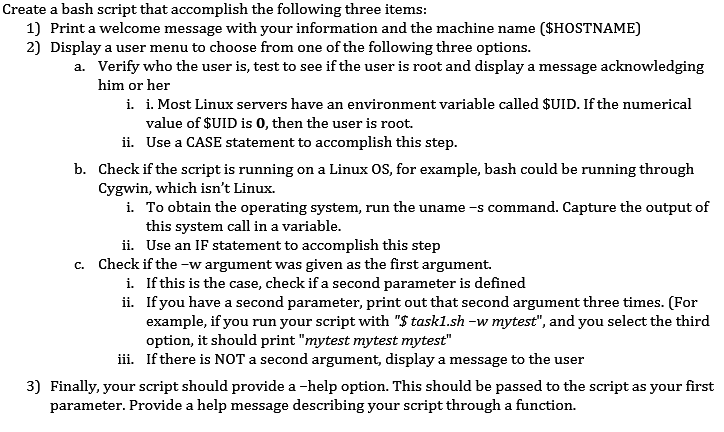
Create a bash script that accomplish the following three items: 1) Print a welcome message with your information and the machine name ($HOSTNAME) 2) Display a user menu to choose from one of the following three options. a. Verify who the user is, test to see if the user is root and display a message acknowledging him or her i. i. Most Linux servers have an environment variable called $UID. If the numerical value of $UID is 0, then the user is root. ii. Use a CASE statement to accomplish this step. b. Check if the script is running on a Linux OS, for example, bash could be running through Cygwin, which isn't Linux. i. To obtain the operating system, run the uname -s command. Capture the output of this system call in a variable. ii. Use an IF statement to accomplish this step c. Check if the -w argument was given as the first argument. i. If this is the case, check if a second parameter is defined ii. If you have a second parameter, print out that second argument three times. (For example, if you run your script with "$ task1.sh -w mytest", and you select the third option, it should print "mytest mytest mytest" iii. If there is NOT a second argument, display a message to the user 3) Finally, your script should provide a -help option. This should be passed to the script as your first parameter. Provide a help message describing your script through a function
Step by Step Solution
There are 3 Steps involved in it

Get step-by-step solutions from verified subject matter experts
 Study Help