







Question: need help with this problem 1. Load the FANUC LR Mate 200ic robot forward kinematics MATLAB function Forward_Kinem_Fanuc_2001c.m on your PC. Follow instructions in MATLAB
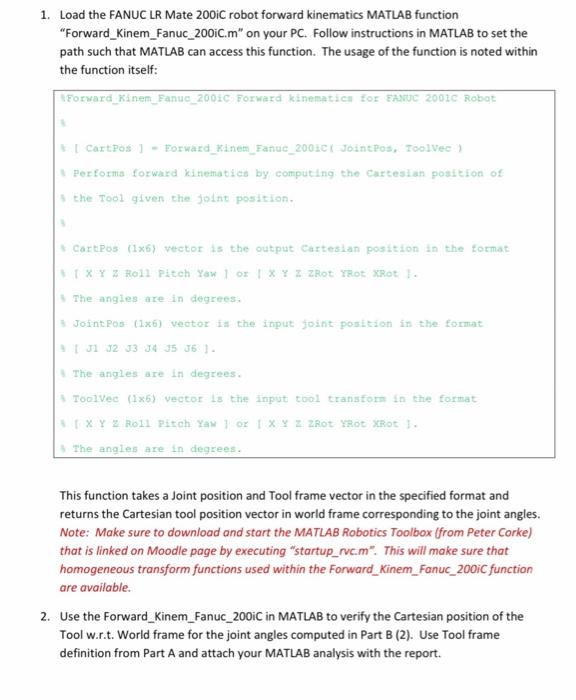
1. Load the FANUC LR Mate 200ic robot forward kinematics MATLAB function "Forward_Kinem_Fanuc_2001c.m" on your PC. Follow instructions in MATLAB to set the path such that MATLAB can access this function. The usage of the function is noted within the function itself: Forward_Kinem_Fanuc_2001C Forward kinematics for FANUC 2001C Robot Il cartPos 1 - Forward_Kine_Fanuc_2001C/ Jointfos, Toolvee Performa forward kinematics by computing the Cartesian position of the Tool given the joint position CartPos (1x6) vector is the output Cartesian position in the format EXYZ Roll Pitch Yaw 1 OFIXY ZROT Trot XRt 1 The angles are in degrees. Joint Pos: (1x6) vector in the input joint position in the format J J2 J3 J4 35 36 ) The angles are in degrees. ToolVec (125) vector is the input tool transforms in the format EXY 2 Roll Pitch Yaw 1 OF X Y Z ZRot Rot Rot. The angles are in degrees. This function takes a Joint position and Tool frame vector in the specified format and returns the Cartesian tool position vector in world frame corresponding to the joint angles. Note: Make sure to download and start the MATLAB Robotics Toolbox (from Peter Corke) that is linked on Moodle page by executing "startup_rve.m". This will make sure that homogeneous transform functions used within the Forward_Kinem_Fanuc_200ic function are available. 2. Use the Forward_Kinem_Fanuc_2001C in MATLAB to verify the Cartesian position of the Tool w.r.t. World frame for the joint angles computed in Part B (2). Use Tool frame definition from Part A and attach your MATLAB analysis with the report. 1. Load the FANUC LR Mate 200ic robot forward kinematics MATLAB function "Forward_Kinem_Fanuc_2001c.m" on your PC. Follow instructions in MATLAB to set the path such that MATLAB can access this function. The usage of the function is noted within the function itself: Forward_Kinem_Fanuc_2001C Forward kinematics for FANUC 2001C Robot Il cartPos 1 - Forward_Kine_Fanuc_2001C/ Jointfos, Toolvee Performa forward kinematics by computing the Cartesian position of the Tool given the joint position CartPos (1x6) vector is the output Cartesian position in the format EXYZ Roll Pitch Yaw 1 OFIXY ZROT Trot XRt 1 The angles are in degrees. Joint Pos: (1x6) vector in the input joint position in the format J J2 J3 J4 35 36 ) The angles are in degrees. ToolVec (125) vector is the input tool transforms in the format EXY 2 Roll Pitch Yaw 1 OF X Y Z ZRot Rot Rot. The angles are in degrees. This function takes a Joint position and Tool frame vector in the specified format and returns the Cartesian tool position vector in world frame corresponding to the joint angles. Note: Make sure to download and start the MATLAB Robotics Toolbox (from Peter Corke) that is linked on Moodle page by executing "startup_rve.m". This will make sure that homogeneous transform functions used within the Forward_Kinem_Fanuc_200ic function are available. 2. Use the Forward_Kinem_Fanuc_2001C in MATLAB to verify the Cartesian position of the Tool w.r.t. World frame for the joint angles computed in Part B (2). Use Tool frame definition from Part A and attach your MATLAB analysis with the report
Step by Step Solution
There are 3 Steps involved in it

Get step-by-step solutions from verified subject matter experts
 Study Help