







Question: Need to create a GUI(using Java) that looks like the picture below. The second picture is the pop up after submitting the student name. (No
Need to create a GUI(using Java) that looks like the picture below. The second picture is the pop up after submitting the student name. (No functionality required)
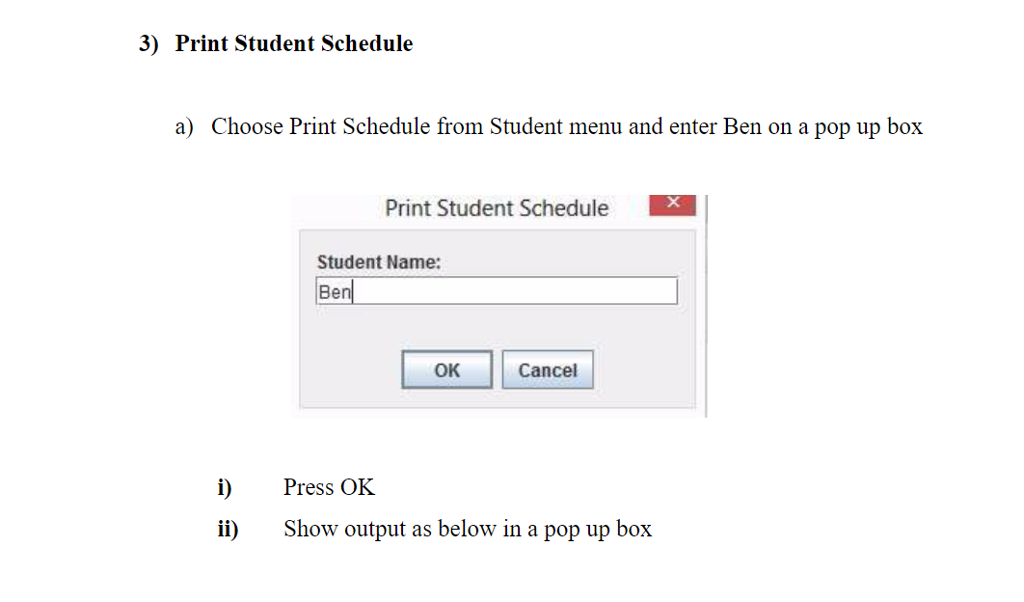
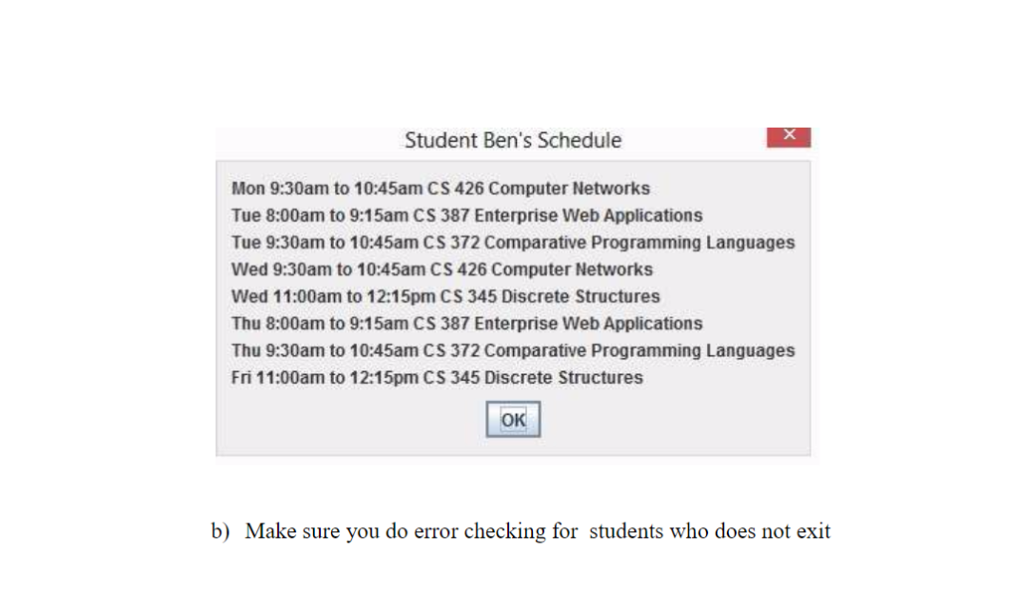
3) Print Student Schedule a) Choose Print Schedule from Student menu and enter Ben on a pop up box Print Student Schedule Student Name: Ben OK Cancel i)Ps OK i) Show output as below in a pop up box ress
Step by Step Solution
There are 3 Steps involved in it
1 Expert Approved Answer
Step: 1 Unlock

Question Has Been Solved by an Expert!
Get step-by-step solutions from verified subject matter experts
Step: 2 Unlock
Step: 3 Unlock
 Study Help