







Question: on the JuneTotals worksheet, sort the data in the range A3:E16 in ascending order b Category. At each change in Category, use the Sum function
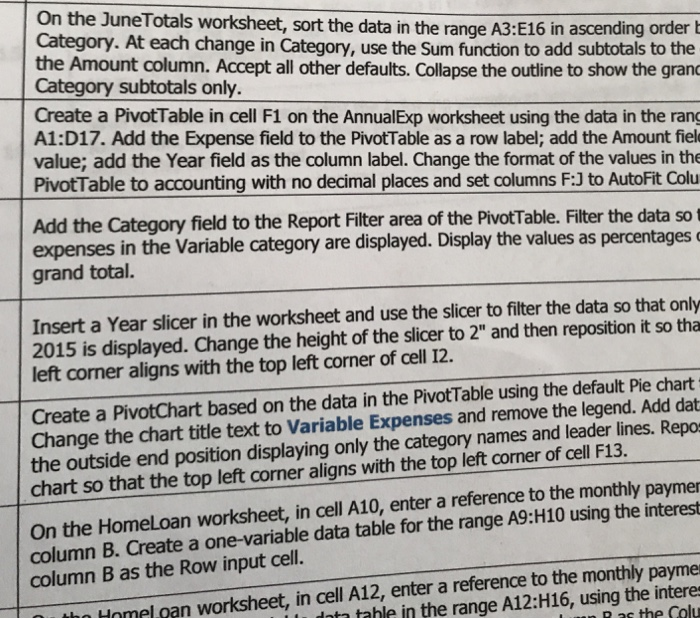
on the JuneTotals worksheet, sort the data in the range A3:E16 in ascending order b Category. At each change in Category, use the Sum function to add subtotals to the the Amount column. Accept all other defaults. Collapse the outline to show the gran Create a PivotTable in cell F1 on the AnnualExp worksheet using the data in the rang value; add the Year field as the column label. Change the format of the values in the Category subtotals only. A1:D17. Add the Expense field to the PivotTable as a row label; add the Amount fiel PivotTable to accounting with no decimal places and set columns F:3 to AutoFit Colu Add the Category field to the Report Filter area of the PivotTable. Filter the data so t expenses in the Variable category are displayed. Display the values as percentages grand total. Insert a Year slicer in the worksheet and use the slicer to filter the data so that only 2015 is displayed. Change the height of the slicer to 2" and then reposition it so tha left corner aligns with the top left corner of cell 12. Create a PivotChart based on the data in the PivotTable using the default Pie chart Change the chart title text to Variable Expenses and remove the legend. Add dat egory names and leader lines. Repo the outside end position displaying only the cat chart so that the top left corner aligns with the top left corner of cell F13. On the HomeLoan worksheet, in cell A10, enter a reference to the monthly paymer column B. Create a one-variable data table for the range A9:H10 using the interest column B as the Row input cell. Unmel oan worksheet, in cell A12, enter a reference to the monthly payme dta tahle in the range A12:H16, using the intere pac the Colu on the JuneTotals worksheet, sort the data in the range A3:E16 in ascending order b Category. At each change in Category, use the Sum function to add subtotals to the the Amount column. Accept all other defaults. Collapse the outline to show the gran Create a PivotTable in cell F1 on the AnnualExp worksheet using the data in the rang value; add the Year field as the column label. Change the format of the values in the Category subtotals only. A1:D17. Add the Expense field to the PivotTable as a row label; add the Amount fiel PivotTable to accounting with no decimal places and set columns F:3 to AutoFit Colu Add the Category field to the Report Filter area of the PivotTable. Filter the data so t expenses in the Variable category are displayed. Display the values as percentages grand total. Insert a Year slicer in the worksheet and use the slicer to filter the data so that only 2015 is displayed. Change the height of the slicer to 2" and then reposition it so tha left corner aligns with the top left corner of cell 12. Create a PivotChart based on the data in the PivotTable using the default Pie chart Change the chart title text to Variable Expenses and remove the legend. Add dat egory names and leader lines. Repo the outside end position displaying only the cat chart so that the top left corner aligns with the top left corner of cell F13. On the HomeLoan worksheet, in cell A10, enter a reference to the monthly paymer column B. Create a one-variable data table for the range A9:H10 using the interest column B as the Row input cell. Unmel oan worksheet, in cell A12, enter a reference to the monthly payme dta tahle in the range A12:H16, using the intere pac the Colu
Step by Step Solution
There are 3 Steps involved in it

Get step-by-step solutions from verified subject matter experts
 Study Help