







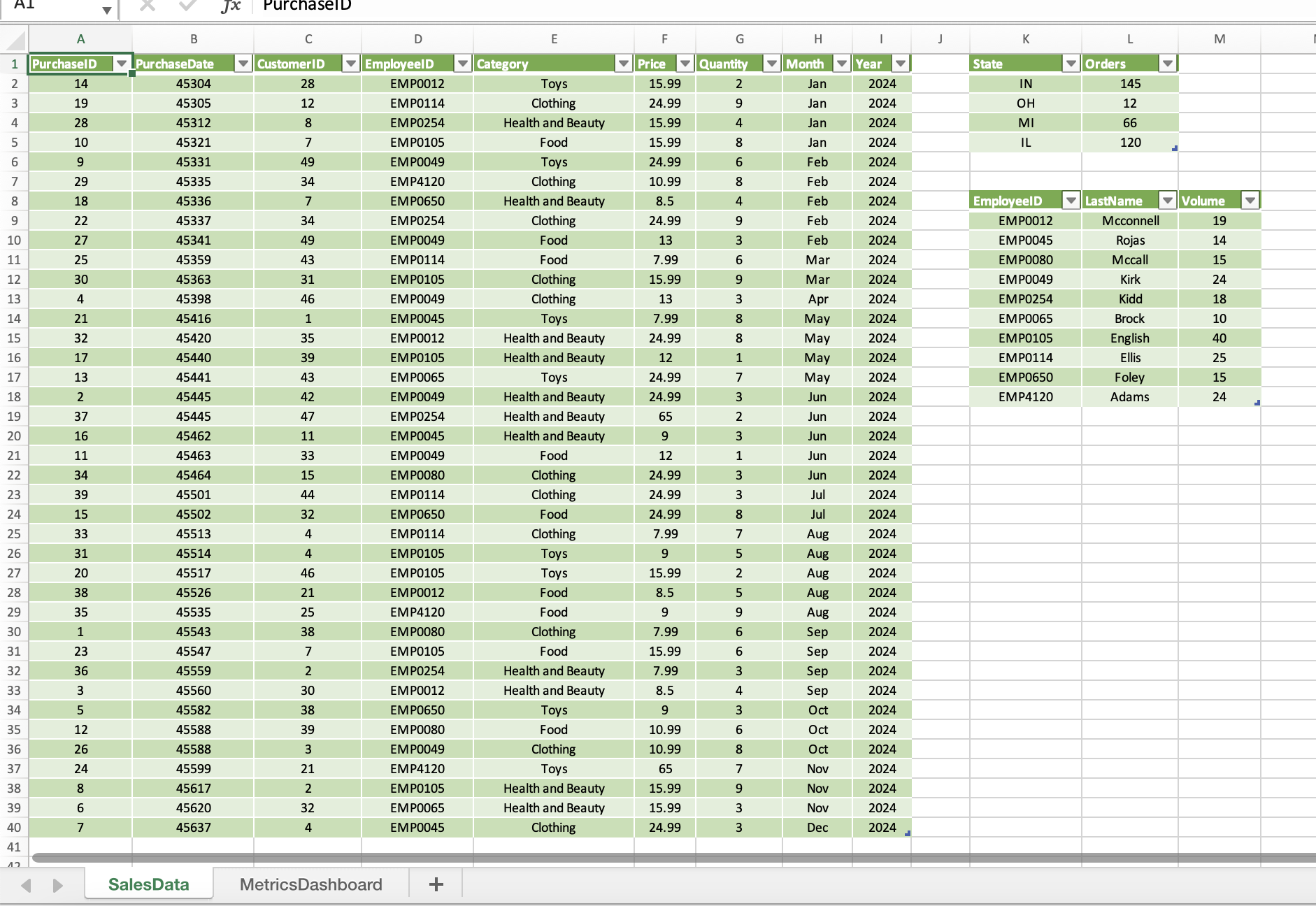
Question: On the SalesData2024 Power Pivot tab, create a calculated column to the right of Year with the name Revenue . Use the formula =[Price]*[Quantity] to
| On the SalesData2024 Power Pivot tab, create a calculated column to the right of Year with the name Revenue. Use the formula =[Price]*[Quantity] to calculate the revenue generated from each sale. Format the column as Currency, $ English (United States). | 8 |
| 6 | In Power Pivot, create a calculated field for sum of revenue in the Calculation Area just below the Revenue column. Ensure that the name of the measure (the text before the colon) is Sum of Revenue. Copy the calculated field and paste it as text into cell A1 of the MetricsDashboard worksheet in the main workbook. From the Power Pivot window, create a KPI that measures the Sum of Revenue value against the absolute value of $500.00. Maintain the default thresholds of 200 and 400 and select the fourth set of icon styles. Create a relationship between SalesData2024 and VolumeByEmp using the EmployeeID field. |
![the right of Year with the name Revenue. Use the formula =[Price]*[Quantity]](https://dsd5zvtm8ll6.cloudfront.net/si.experts.images/questions/2024/10/671b795bddd4d_787671b795b3bf3f.jpg)
SalesData MetricsDashboard
Step by Step Solution
There are 3 Steps involved in it
1 Expert Approved Answer
Step: 1 Unlock

Question Has Been Solved by an Expert!
Get step-by-step solutions from verified subject matter experts
Step: 2 Unlock
Step: 3 Unlock
 Study Help