







Question: Open IL _ EX _ 1 - 5 . xlsx from the location where you store your Data Files, then save it as IL _
Open ILEXxlsx from the location where you store your Data Files, then save it as
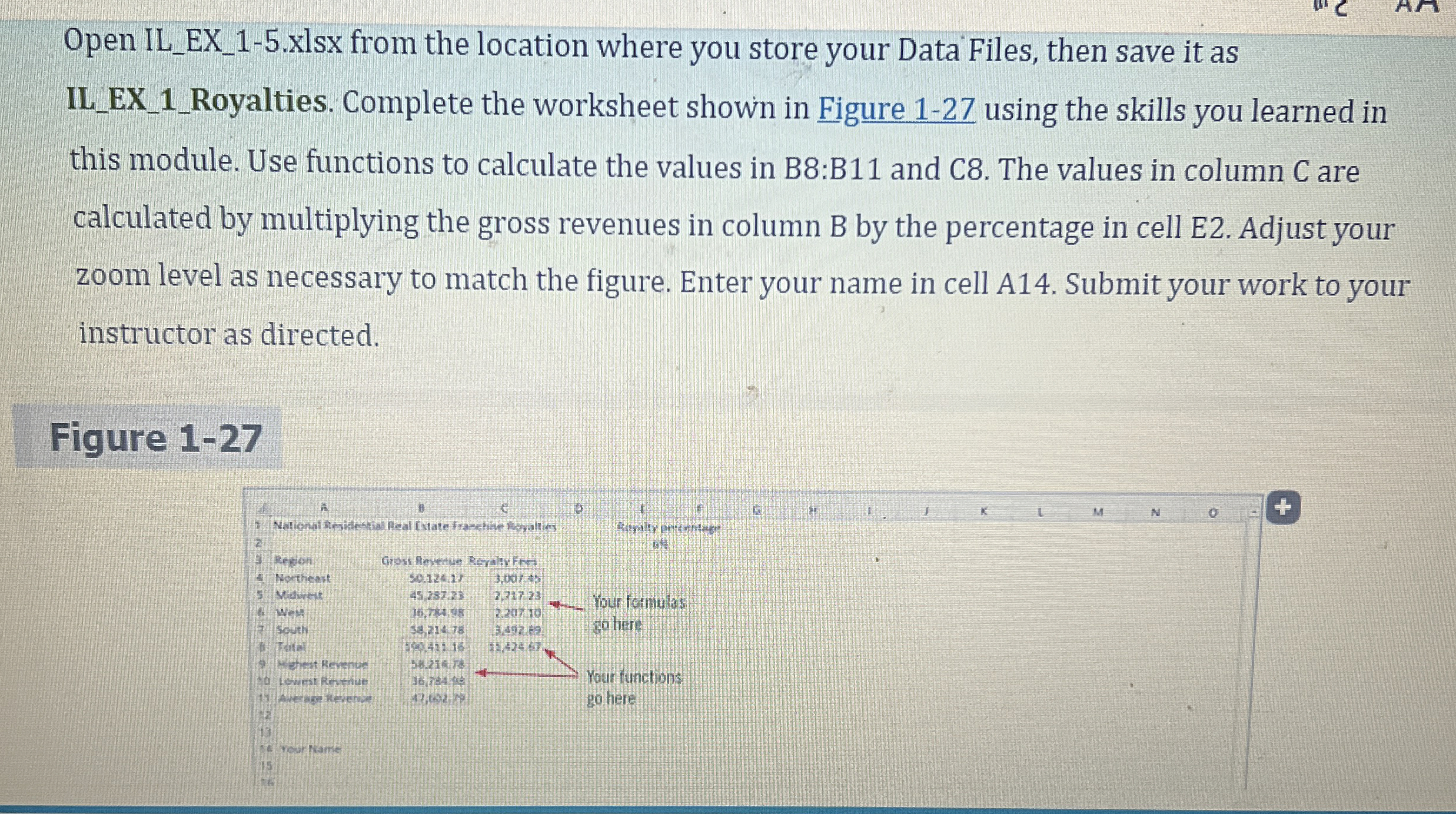
ILEXRoyalties. Complete the worksheet shown in Figure using the skills you learned in
this module. Use functions to calculate the values in B:B and C The values in column C are
calculated by multiplying the gross revenues in column B by the percentage in cell E Adjust your
zoom level as necessary to match the figure. Enter your name in cell A Submit your work to your
instructor as directed.
Figure
Step by Step Solution
There are 3 Steps involved in it
1 Expert Approved Answer
Step: 1 Unlock

Question Has Been Solved by an Expert!
Get step-by-step solutions from verified subject matter experts
Step: 2 Unlock
Step: 3 Unlock
 Study Help