







Question: Please answer questions 1-4 once you have linux installed. How To Install Ubuntu on Vi Search Search Bock Project 2-i2 In this hands-on project, you
Please answer questions 1-4 once you have linux installed.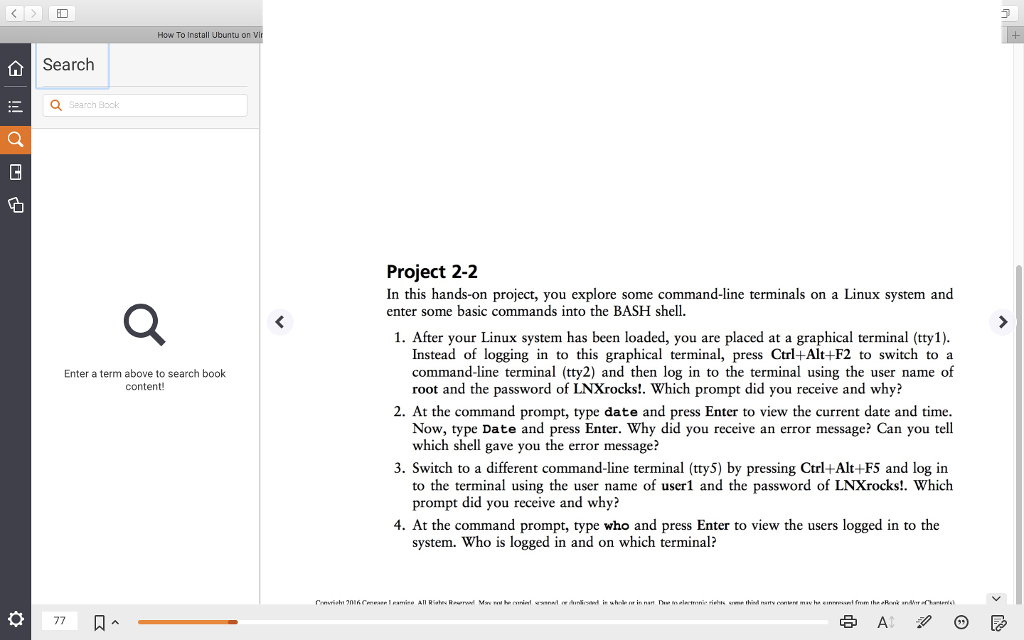
How To Install Ubuntu on Vi Search Search Bock Project 2-i2 In this hands-on project, you explore some command-line terminals on a Linux system and enter some basic commands into the BASH shell. 1. After your Linux system has been loaded, you are placed at a graphical terminal (tty 1) Instead of logging in to this graphical terminal, press Ctrl+Alt+F2 to switch to a command-line terminal (tty2) and then log in to the terminal using the user name of root and the password of LNXrocks!. Which prompt did you receive and why? Enter a term above to search book content! 2. At the command prompt, type date and press Enter to view the current date and time Now, type Date and press Enter. Why did you receive an error message? Can you tel which shell gave you the error message? 3. Switch to a different command-line terminal (tty5) by pressing Ctrl+Alt+F5 and log in to the terminal using the user name of userl and the password of LNXrocks!. Which prompt did you receive and why? 4. At the command prompt, type who and press Enter to view the users logged in to the system. Who is logged in and on which terminal
Step by Step Solution
There are 3 Steps involved in it

Get step-by-step solutions from verified subject matter experts
 Study Help