







Question: PLEASE ANSWER - VB VB VB VISUAL STUDIO 2017 Life Insurance App Using Visual Studio VB create an App for an insurance co based on
PLEASE ANSWER - VB VB VB VISUAL STUDIO 2017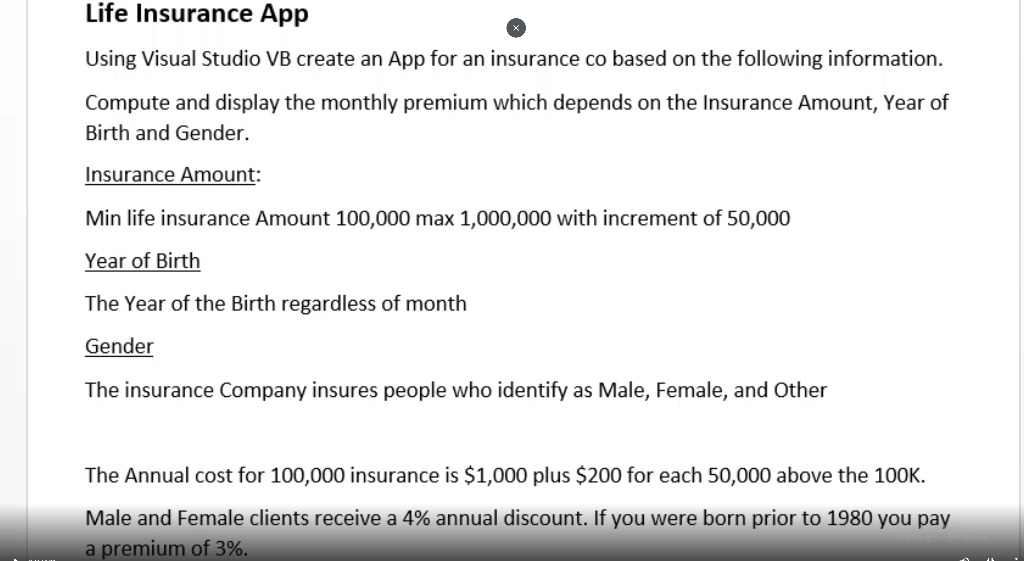

Life Insurance App Using Visual Studio VB create an App for an insurance co based on the following information. Compute and display the monthly premium which depends on the Insurance Amount, Year of Birth and Gender. Insurance Amount: Min life insurance Amount 100,000 max 1,000,000 with increment of 50,000 Year of Birth The Year of the Birth regardless of month Gender The insurance Company insures people who identify as Male, Female, and Other The Annual cost for 100,000 insurance is $1,000 plus $200 for each 50,000 above the 100K. Male and Female clients receive a 4% annual discount. If you were born prior to 1980 you pay a premium of 3%. Examples A $ 350,000 life insurance for female, born in 1960 costs 160 per month A $ 750,000 life insurance for other, born in 2000 costs 309 per month Life Insurance App Using Visual Studio VB create an App for an insurance co based on the following information. Compute and display the monthly premium which depends on the Insurance Amount, Year of Birth and Gender. Insurance Amount: Min life insurance Amount 100,000 max 1,000,000 with increment of 50,000 Year of Birth The Year of the Birth regardless of month Gender The insurance Company insures people who identify as Male, Female, and Other The Annual cost for 100,000 insurance is $1,000 plus $200 for each 50,000 above the 100K. Male and Female clients receive a 4% annual discount. If you were born prior to 1980 you pay a premium of 3%. Examples A $ 350,000 life insurance for female, born in 1960 costs 160 per month A $ 750,000 life insurance for other, born in 2000 costs 309 per month
Step by Step Solution
There are 3 Steps involved in it

Get step-by-step solutions from verified subject matter experts
 Study Help