







Question: please code in python, it is all one question and one code Using PyDev in Eclipse or PyCharm, create the Python module Projects that utilizes
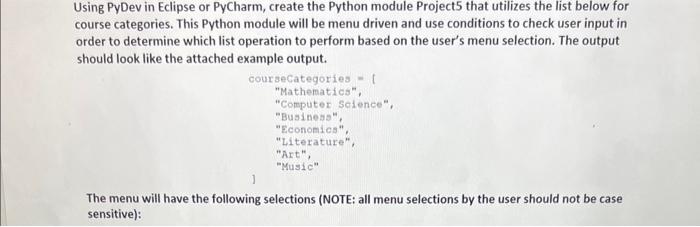
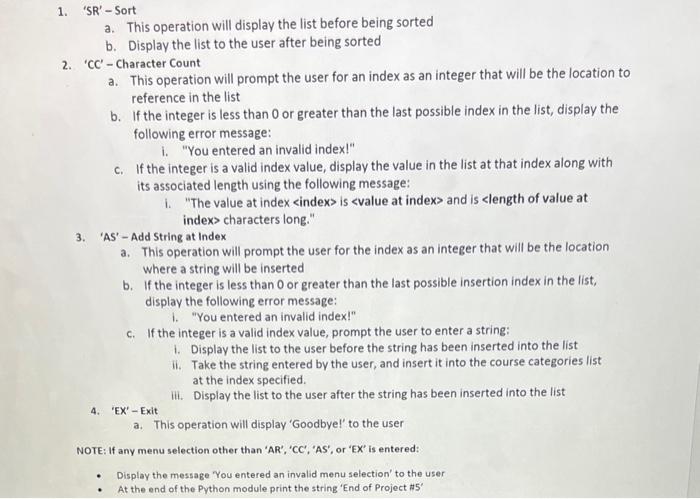
Using PyDev in Eclipse or PyCharm, create the Python module Projects that utilizes the list below for course categories. This Python module will be menu driven and use conditions to check user input in order to determine which list operation to perform based on the user's menu selection. The output should look like the attached example output. The menu will have the following selections (NOTE: all menu selections by the user should not be case sensitive): 1. 'SR' - Sort a. This operation will display the list before being sorted b. Display the list to the user after being sorted 2. ' CC '-Character Count a. This operation will prompt the user for an index as an integer that will be the location to reference in the list b. If the integer is less than 0 or greater than the last possible index in the list, display the following error message: i. "You entered an invalid index!" c. If the integer is a valid index value, display the value in the list at that index along with its associated length using the following message: i. "The value at index and is characters long." 3. 'AS' - Add String at Index a. This operation will prompt the user for the index as an integer that will be the location where a string will be inserted b. If the integer is less than 0 or greater than the last possible insertion index in the list, display the following error message: 1. "You entered an invalid index!" c. If the integer is a valid index value, prompt the user to enter a string: 1. Display the list to the user before the string has been inserted into the list ii. Take the string entered by the user, and insert it into the course categories list at the index specified. iii. Display the list to the user after the string has been inserted into the list 4. 'EX'- Exit
Step by Step Solution
There are 3 Steps involved in it

Get step-by-step solutions from verified subject matter experts
 Study Help