







Question: Please do it on Android Studio. Lab Assignment: Phase I Attached Files: [ C CalculatorPhase1J.zip (12.759 MB) Phase 1: Draft idea Purpose: Development of a
Please do it on Android Studio.
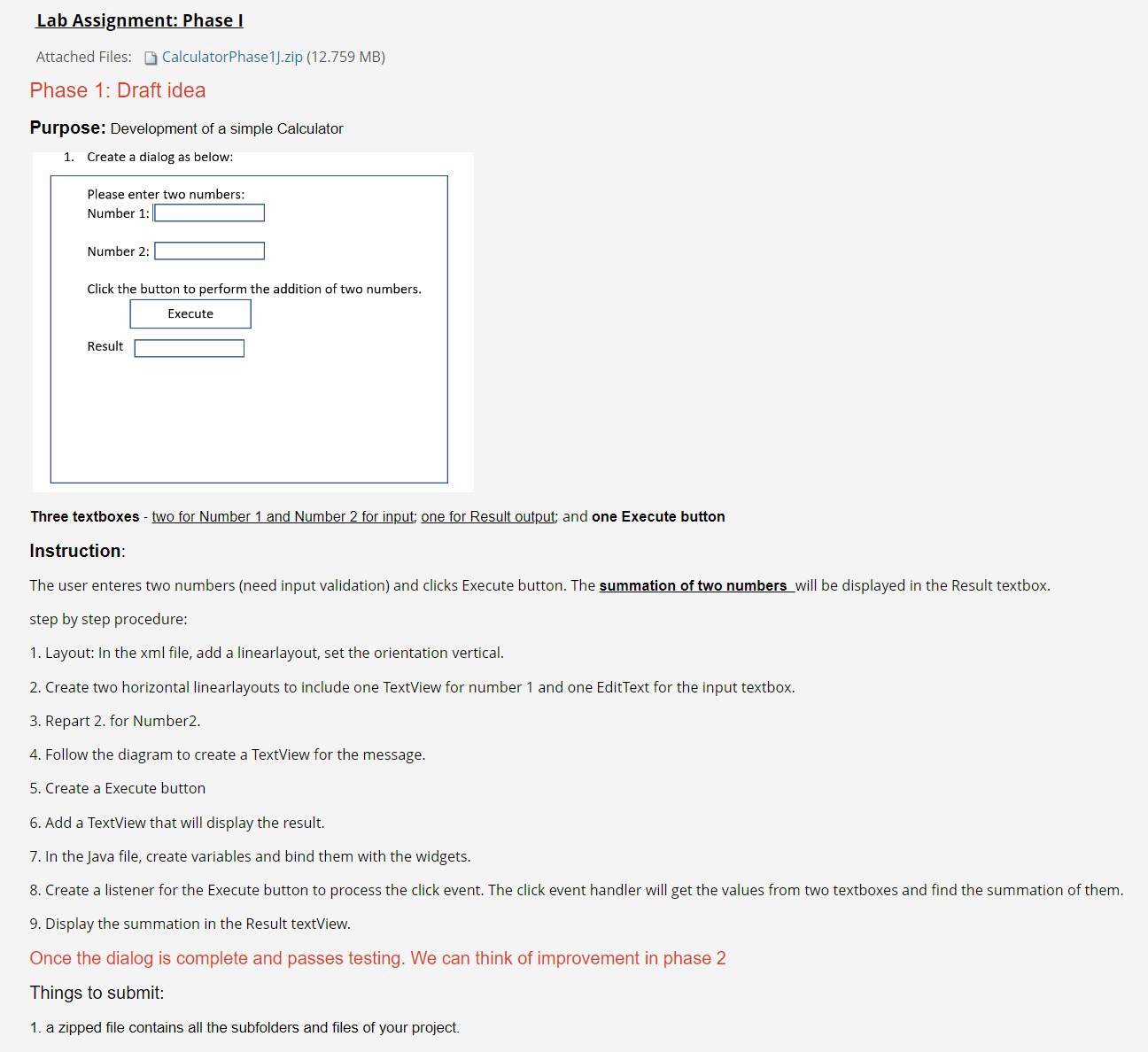
Lab Assignment: Phase I Attached Files: [ C CalculatorPhase1J.zip (12.759 MB) Phase 1: Draft idea Purpose: Development of a simple Calculator 1. Create a dialog as below: Please enter two numbers: Number 1: Number 2: Click the button to perform the addition of two numbers. Result Three textboxes - two for Number 1 and Number 2 for input; one for Result output; and one Execute button Instruction: The user enteres two numbers (need input validation) and clicks Execute button. The summation of two numbers will be displayed in the Result textbox. step by step procedure: 1. Layout: In the xml file, add a linearlayout, set the orientation vertical. 2. Create two horizontal linearlayouts to include one TextView for number 1 and one EditText for the input textbox. 3. Repart 2. for Number2. 4. Follow the diagram to create a TextView for the message. 5. Create a Execute button 6. Add a TextView that will display the result. 7. In the Java file, create variables and bind them with the widgets. 8. Create a listener for the Execute button to process the click event. The click event handler will get the values from two textboxes and find the summation of them. 9. Display the summation in the Result textView. Once the dialog is complete and passes testing. We can think of improvement in phase 2 Things to submit: 1. a zipped file contains all the subfolders and files of your project
Step by Step Solution
There are 3 Steps involved in it

Get step-by-step solutions from verified subject matter experts
 Study Help