







Question: Please help me answer this question. Workshop 1: SIPOC Diagrams & Flowcharts The tools practiced in this workshop are: - SIPOC diagrams - Flowcharts Scenario:
Please help me answer this question.
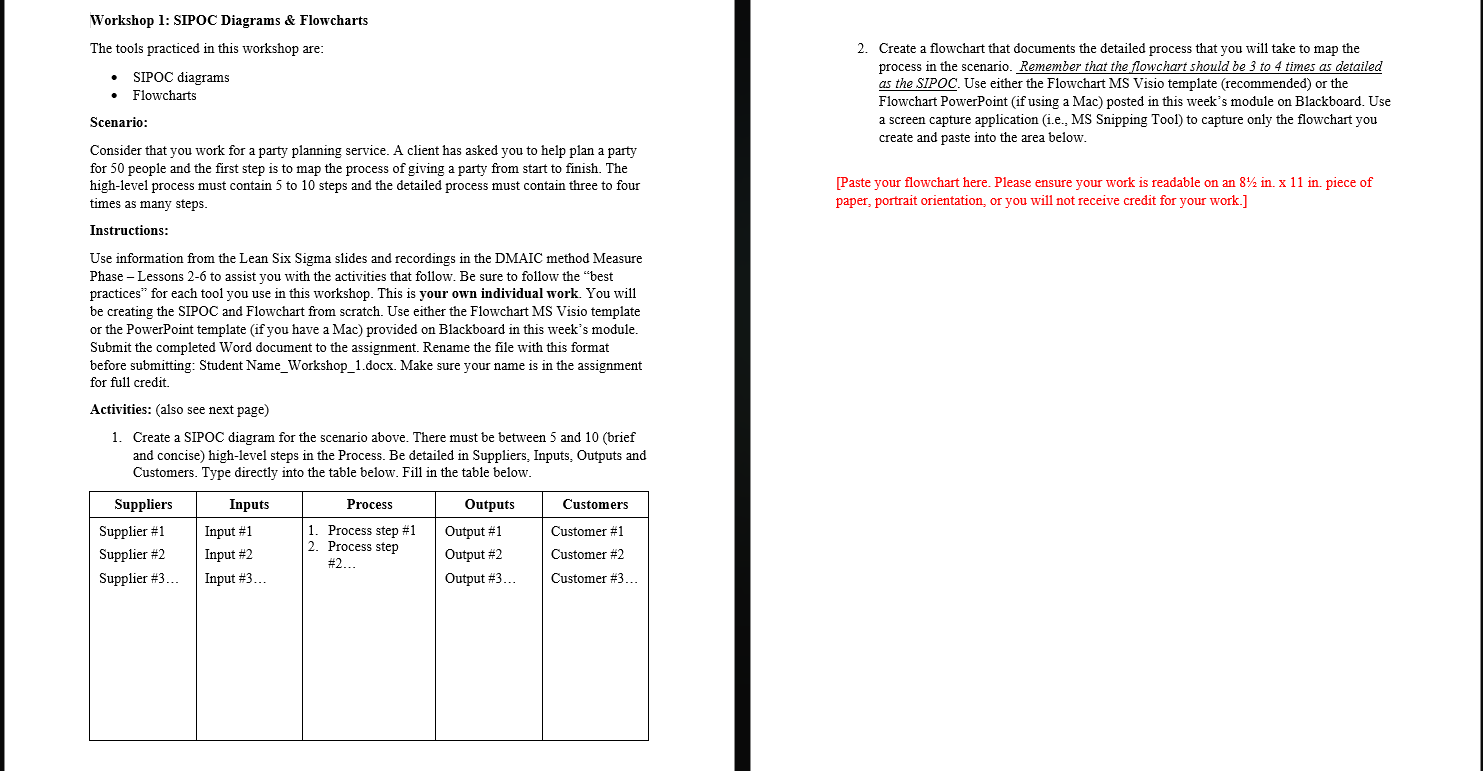
Workshop 1: SIPOC Diagrams \& Flowcharts The tools practiced in this workshop are: - SIPOC diagrams - Flowcharts Scenario: Consider that you work for a party planning service. A client has asked you to help plan a party for 50 people and the first step is to map the process of giving a party from start to finish. The high-level process must contain 5 to 10 steps and the detailed process must contain three to four times as many steps. Instructions: Use information from the Lean Six Sigma slides and recordings in the DMAIC method Measure Phase - Lessons 2-6 to assist you with the activities that follow. Be sure to follow the "best practices" for each tool you use in this workshop. This is your own individual work. You will be creating the SIPOC and Flowchart from scratch. Use either the Flowchart MS Visio template or the PowerPoint template (if you have a Mac) provided on Blackboard in this week's module. Submit the completed Word document to the assignment. Rename the file with this format before submitting: Student Name_Workshop_1.docx. Make sure your name is in the assignment for full credit. Activities: (also see next page) 1. Create a SIPOC diagram for the scenario above. There must be between 5 and 10 (brief and concise) high-level steps in the Process. Be detailed in Suppliers, Inputs, Outputs and Customers. Type directly into the table below. Fill in the table below. 2. Create a flowchart that documents the detailed process that you will take to map the process in the scenario. Remember that the flowchart should be 3 to 4 times as detailed as the SIPOC. Use either the Flowchart MS Visio template (recommended) or the Flowchart PowerPoint (if using a Mac) posted in this week's module on Blackboard. Use a screen capture application (i.e., MS Snipping Tool) to capture only the flowchart you create and paste into the area below. [Paste your flowchart here. Please ensure your work is readable on an 821 in. x11 in. piece of paper, portrait orientation, or you will not receive credit for your work.] Workshop 1: SIPOC Diagrams \& Flowcharts The tools practiced in this workshop are: - SIPOC diagrams - Flowcharts Scenario: Consider that you work for a party planning service. A client has asked you to help plan a party for 50 people and the first step is to map the process of giving a party from start to finish. The high-level process must contain 5 to 10 steps and the detailed process must contain three to four times as many steps. Instructions: Use information from the Lean Six Sigma slides and recordings in the DMAIC method Measure Phase - Lessons 2-6 to assist you with the activities that follow. Be sure to follow the "best practices" for each tool you use in this workshop. This is your own individual work. You will be creating the SIPOC and Flowchart from scratch. Use either the Flowchart MS Visio template or the PowerPoint template (if you have a Mac) provided on Blackboard in this week's module. Submit the completed Word document to the assignment. Rename the file with this format before submitting: Student Name_Workshop_1.docx. Make sure your name is in the assignment for full credit. Activities: (also see next page) 1. Create a SIPOC diagram for the scenario above. There must be between 5 and 10 (brief and concise) high-level steps in the Process. Be detailed in Suppliers, Inputs, Outputs and Customers. Type directly into the table below. Fill in the table below. 2. Create a flowchart that documents the detailed process that you will take to map the process in the scenario. Remember that the flowchart should be 3 to 4 times as detailed as the SIPOC. Use either the Flowchart MS Visio template (recommended) or the Flowchart PowerPoint (if using a Mac) posted in this week's module on Blackboard. Use a screen capture application (i.e., MS Snipping Tool) to capture only the flowchart you create and paste into the area below. [Paste your flowchart here. Please ensure your work is readable on an 821 in. x11 in. piece of paper, portrait orientation, or you will not receive credit for your work.]
Step by Step Solution
There are 3 Steps involved in it

Get step-by-step solutions from verified subject matter experts
 Study Help