







Question: Please Help me understand what I am doing wrong within solver. I am unable to produce a shadow price within my sensitivity report and my
Please Help me understand what I am doing wrong within solver. I am unable to produce a shadow price within my sensitivity report and my allowable increases are negative numbers. Please teach me why I am incorrect, and what is correct. Thanks,
Suppose that the estimates for the unit profits for the two new products now have been revised to $600 profit for the doors and $300 profit for the windows. Use Excel's Solver (Data tab > Solver) to solve this revised linear programming model. What is the new profit? Part b: When you get the Solver Results dialog page, run a sensitivity report (see below) and interpret the allowable increase and decrease for both the variable cells (doors and windows produced) and the constraints (Plants 1,2, and 3).
My answers:
Set Objective: $G$12 Maximize 0
Variables $C$12:$D$12 Assume non-negative
Constraints $E$10=$G$10
Standard LP/Simplex
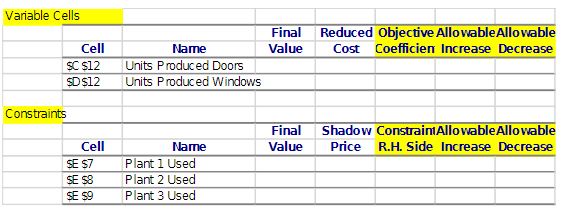
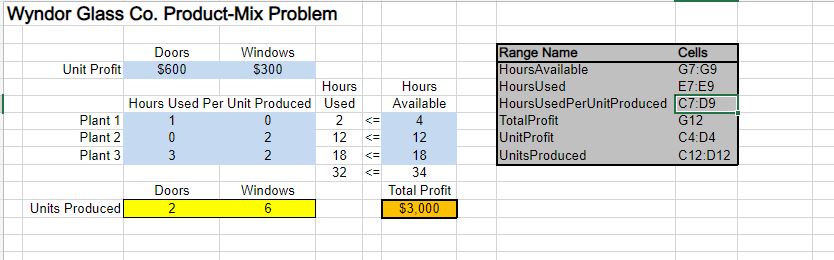
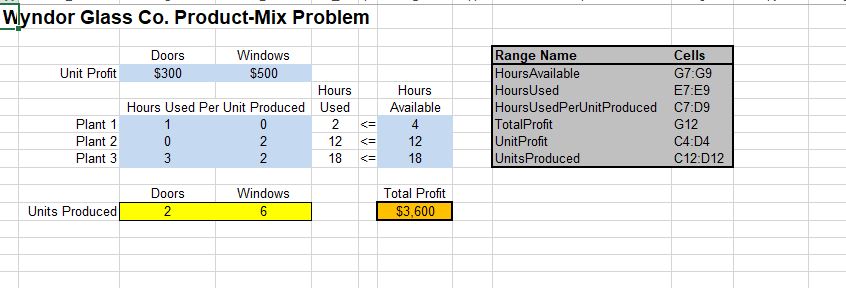
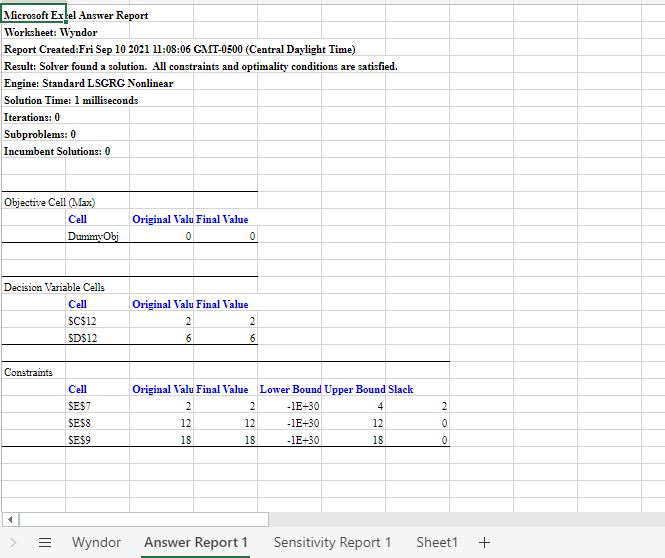
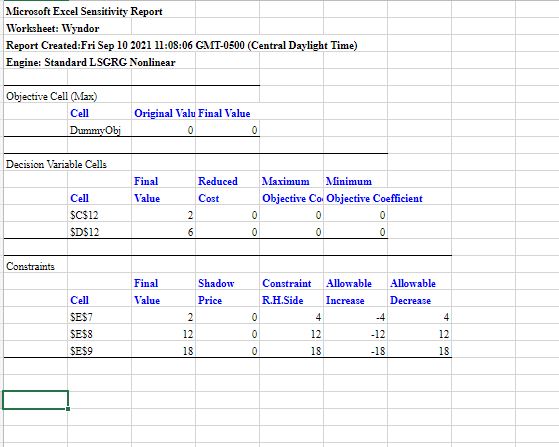
Variable Cells Final Reduced Objective AllowableAllowable Cell Name Value Cost CoefficientIncrease Decrease SC $12 Units Produced Doors SD $12 Units Produced Windows Constraints Final Shadow Constraint AllowableAllowable Cell Name Value Price R.H. Side Increase Decrease SE $7 Plant 1 Used SE 58 Plant 2 Used SE 59 Plant 3 UsedWyndor Glass Co. Product-Mix Problem Doors Windows Range Name Cells Unit Profit 5600 $300 HoursAvailable G7:G9 Hours Hours HoursUsed E7:E9 Hours Used Per Unit Produced Used Available HoursUsedPerUnitProduced C7:09 Plant 1 2 = Wyndor Answer Report 1 Sensitivity Report 1 Sheet1 +Microsoft Excel Sensitivity Report Worksheet: Wyndor Report Created:Fri Sep 10 2021 11:08:06 GMT-0500 (Central Daylight Time) Engine: Standard LSGRG Nonlinear Objective Cell (Max) Cell Original Valu Final Value DummyObj 0 0 Decision Variable Cells Final Reduced Maximum Minimum Cell Value Cost Objective Co. Objective Coefficient $C$12 0 0 SD$12 0 Constraints Final Shadow Constraint Allowable Allowable Cell Value Price R.H.Side Increase Decrease SE$7 2 4 -4 4 SESS 12 12 -12 12 SE$9 18 18 -18 18
Step by Step Solution
There are 3 Steps involved in it

Get step-by-step solutions from verified subject matter experts
 Study Help