





Question: PLEASE NEED HELP WITH THIS. IN PYTHON PLEASE!! THANKS IN ADVANCE!!! 1. Write a server that listens for incoming connections on the specified port. 2.

PLEASE NEED HELP WITH THIS. IN PYTHON PLEASE!! THANKS IN ADVANCE!!!
PLEASE NEED HELP WITH THIS. IN PYTHON PLEASE!! THANKS IN ADVANCE!!! 1.

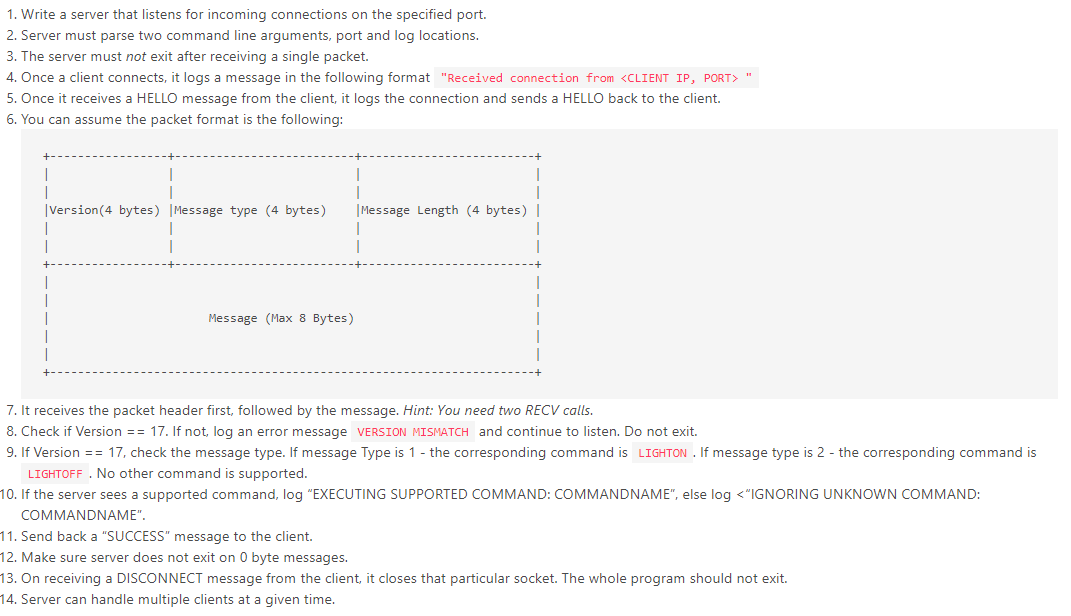
1. Write a server that listens for incoming connections on the specified port. 2. Server must parse two command line arguments, port and log locations. 3. The server must not exit after receiving a single packet. 4. Once a client connects, it logs a message in the following format "Received connection from 5. Once it receives a HELLO message from the client, it logs the connection and sends a HELLO back to the client. 6. You can assume the packet format is the following: | Version (4 bytes) Message type (4 bytes) | Message Length (4 bytes) | | Message (Max 8 Bytes) 7. It receives the packet header first, followed by the message. Hint: You need two RECV calls. 8. Check if Version == 17. If not, log an error message VERSION MISMATCH and continue to listen. Do not exit. 9. If Version == 17, check the message type. If message Type is 1 - the corresponding command is LIGHTON . If message type is 2 - the corresponding command is LIGHTOFF. No other command is supported. 10. If the server sees a supported command, log "EXECUTING SUPPORTED COMMAND: COMMANDNAME", else log 5. Once it receives a HELLO message from the client, it logs the connection and sends a HELLO back to the client. 6. You can assume the packet format is the following: | Version (4 bytes) Message type (4 bytes) | Message Length (4 bytes) | | Message (Max 8 Bytes) 7. It receives the packet header first, followed by the message. Hint: You need two RECV calls. 8. Check if Version == 17. If not, log an error message VERSION MISMATCH and continue to listen. Do not exit. 9. If Version == 17, check the message type. If message Type is 1 - the corresponding command is LIGHTON . If message type is 2 - the corresponding command is LIGHTOFF. No other command is supported. 10. If the server sees a supported command, log "EXECUTING SUPPORTED COMMAND: COMMANDNAME", else log

Step by Step Solution

There are 3 Steps involved in it

1 Expert Approved Answer
Step: 1 Unlock blur-text-image
Question Has Been Solved by an Expert!

Get step-by-step solutions from verified subject matter experts

Step: 2 Unlock
Step: 3 Unlock

Students Have Also Explored These Related Databases Questions!