







Question: please show work/formulas Date Functions 1. Calculate the Invoice Date for each invoice. 2. Calculate the Billing date for each invoice (Invoice Date+Billing Period Days).
please show work/formulas
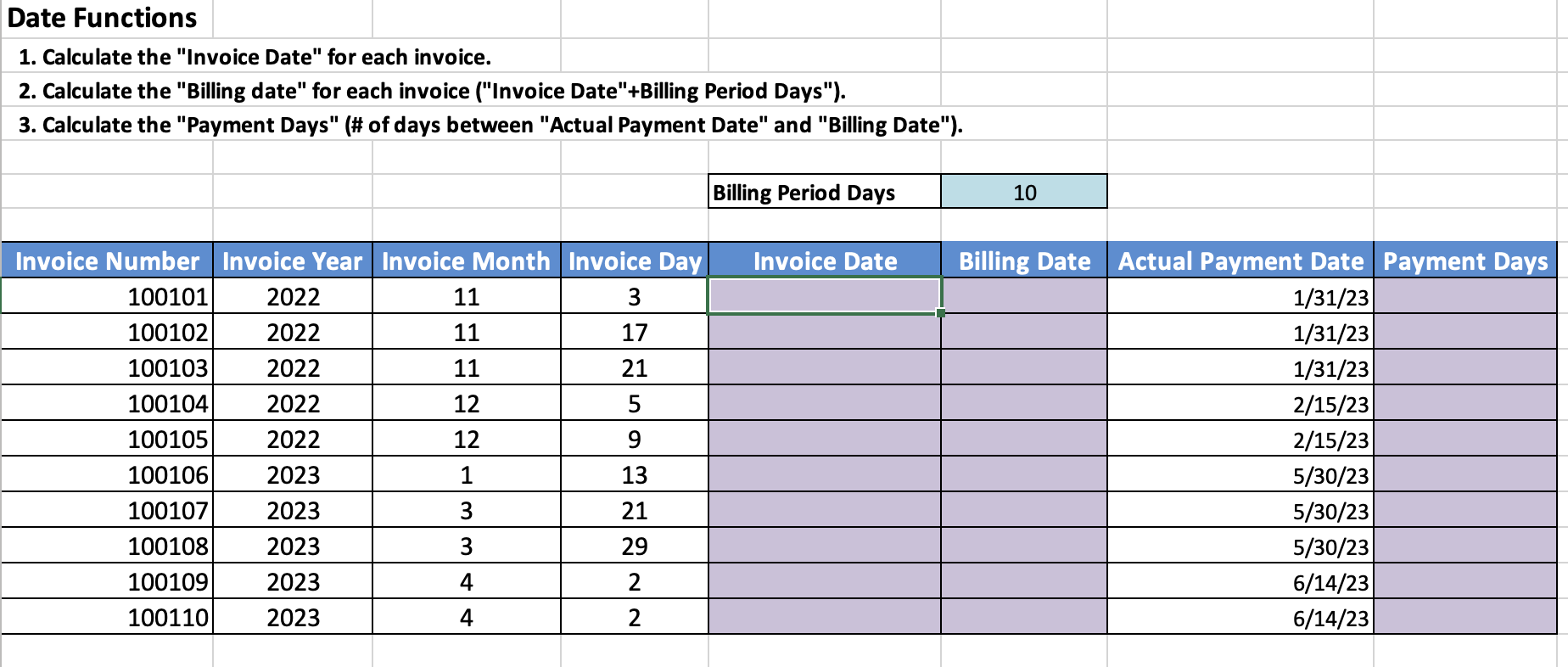
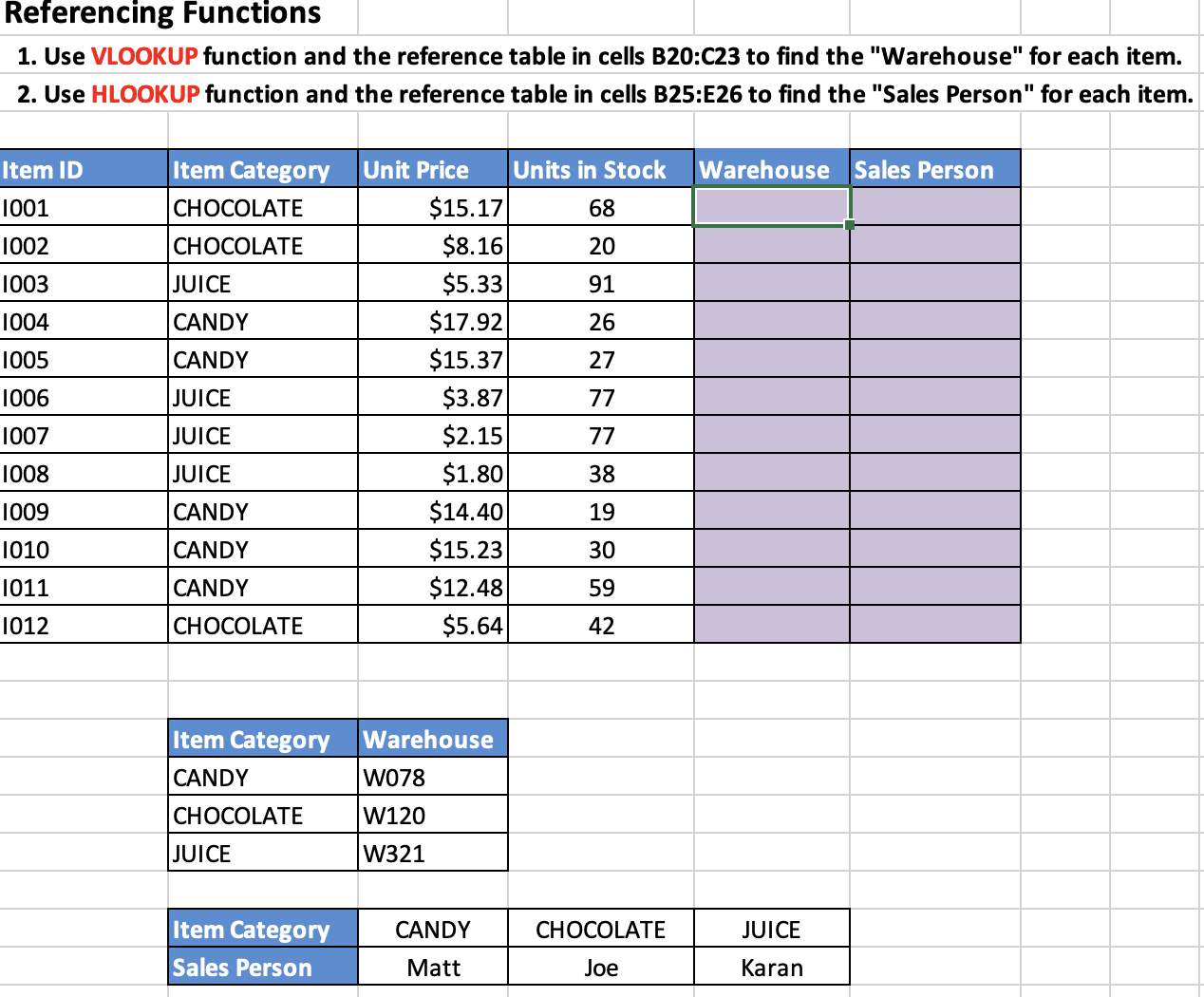
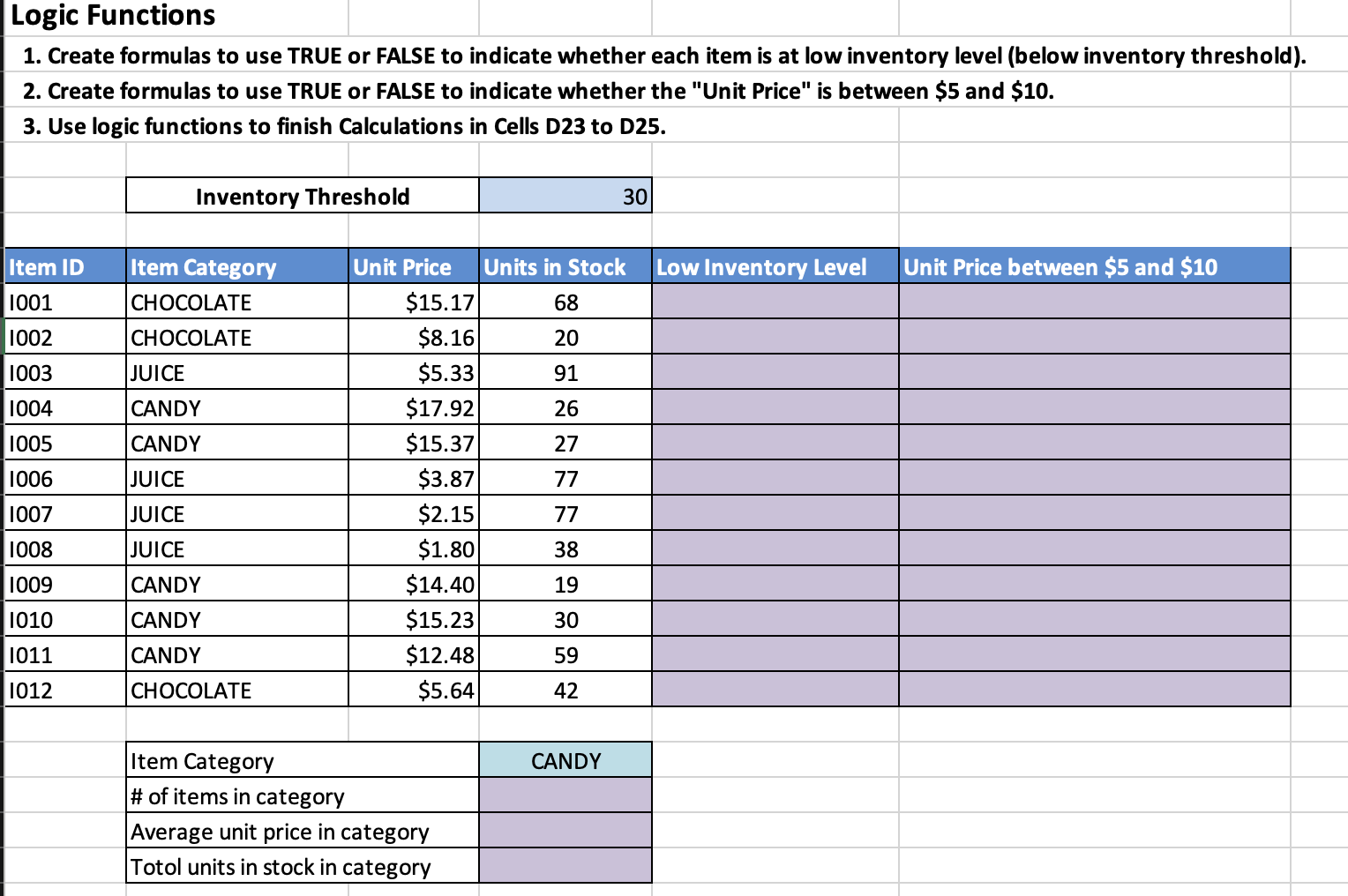
Date Functions 1. Calculate the "Invoice Date" for each invoice. 2. Calculate the "Billing date" for each invoice ("Invoice Date"+Billing Period Days"). 3. Calculate the "Payment Days" (\# of days between "Actual Payment Date" and "Billing Date"). Referencing Functions 1. Use VLOOKUP function and the reference table in cells B20:C23 to find the "Warehouse" for each item. 2. Use HLOOKUP function and the reference table in cells B25:E26 to find the "Sales Person" for each item. \begin{tabular}{|l|l|r|r|l|l|} \hline Item ID & Item Category & Unit Price & Units in Stock & Warehouse & Sales Person \\ \hline 1001 & CHOCOLATE & $15.17 & 68 & & \\ \hline 1002 & CHOCOLATE & $8.16 & 20 & & \\ \hline 1003 & JUICE & $5.33 & 91 & & \\ \hline 1004 & CANDY & $17.92 & 26 & & \\ \hline 1005 & CANDY & $15.37 & 27 & & \\ \hline 1006 & JUICE & $3.87 & 77 & & \\ \hline 1007 & JUICE & $2.15 & 77 & & \\ \hline 1008 & JUICE & $1.80 & 38 & & \\ \hline 1009 & CANDY & $14.40 & 19 & & \\ \hline 1010 & CANDY & $15.23 & 30 & & \\ \hline 1011 & CANDY & $12.48 & 59 & & \\ \hline 1012 & CHOCOLATE & $5.64 & 42 & & \\ \hline \end{tabular} \begin{tabular}{|l|l|} \hline Item Category & Warehouse \\ \hline CANDY & W078 \\ \hline CHOCOLATE & W120 \\ \hline JUICE & W321 \\ \hline \end{tabular} \begin{tabular}{|l|c|c|c|} \hline Item Category & CANDY & CHOCOLATE & JUICE \\ \hline Sales Person & Matt & Joe & Karan \\ \hline \end{tabular} Logic Functions 1. Create formulas to use TRUE or FALSE to indicate whether each item is at low inventory level (below inventory threshold). 2. Create formulas to use TRUE or FALSE to indicate whether the "Unit Price" is between \$5 and \$10. 3. Use logic functions to finish Calculations in Cells D23 to D25
Step by Step Solution
There are 3 Steps involved in it

Get step-by-step solutions from verified subject matter experts
 Study Help