







Question: PLEASE USE JAVA Open up MainActivity and its layout (activity_main.xml) Create fields for each view, and initialize them in onCreate() using findViewById() Add click listeners
PLEASE USE JAVA
Open up MainActivity and its layout (activity_main.xml)
Create fields for each view, and initialize them in onCreate() using findViewById()
Add click listeners to viewPropertyAnimationsButton and objectAnimationsButton to launch ViewPropertyAnimationsActivity and ObjectAnimationsActivity, respectively
You'll have a crash to fix when launching ObjectAnimationsActivity. Fix this before moving forward.
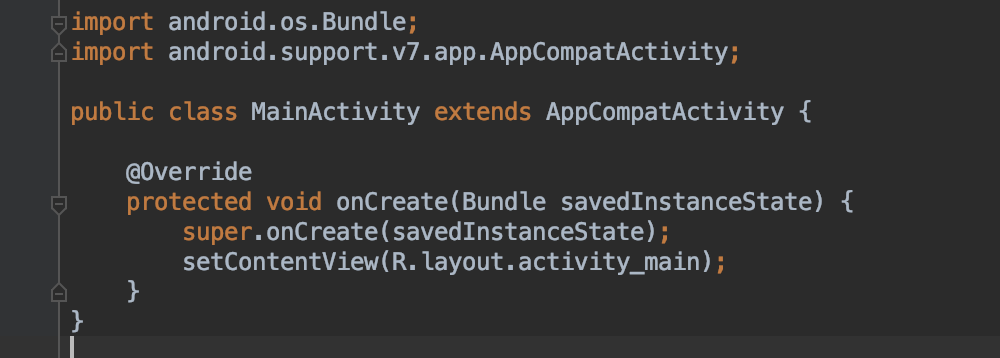
Main Activity below:
activity_main.xml
import android.os.Bundle import android.support.v7.app.AppCompatActivity; public class MainActivity extends AppCompatActivity @override protected void onCreate(Bundle savedInstanceState) super.onCreate(savedInstanceState); setContentView(R. layout.activity_main)
Step by Step Solution
There are 3 Steps involved in it

Get step-by-step solutions from verified subject matter experts
 Study Help