







Question: This exercise will guide you through the process of adding a linked list to the Future Value application. This linked list will store the values
This exercise will guide you through the process of adding a linked list to the Future Value application. This linked list will store the values for each calculation that is performed. When the program ends, it will print a summary of those calculations in reverse order so it looks something like this:
Please follow the directions provided in the images. Please be clear with your answers, // notes on what you are doing and clear separation of classes will get a thumbs up vote.
Please create an object class named record for the values inputted so they can be stored as strings in the LinkedList.
I am a novice at programming and need to be able to understand the answer and why.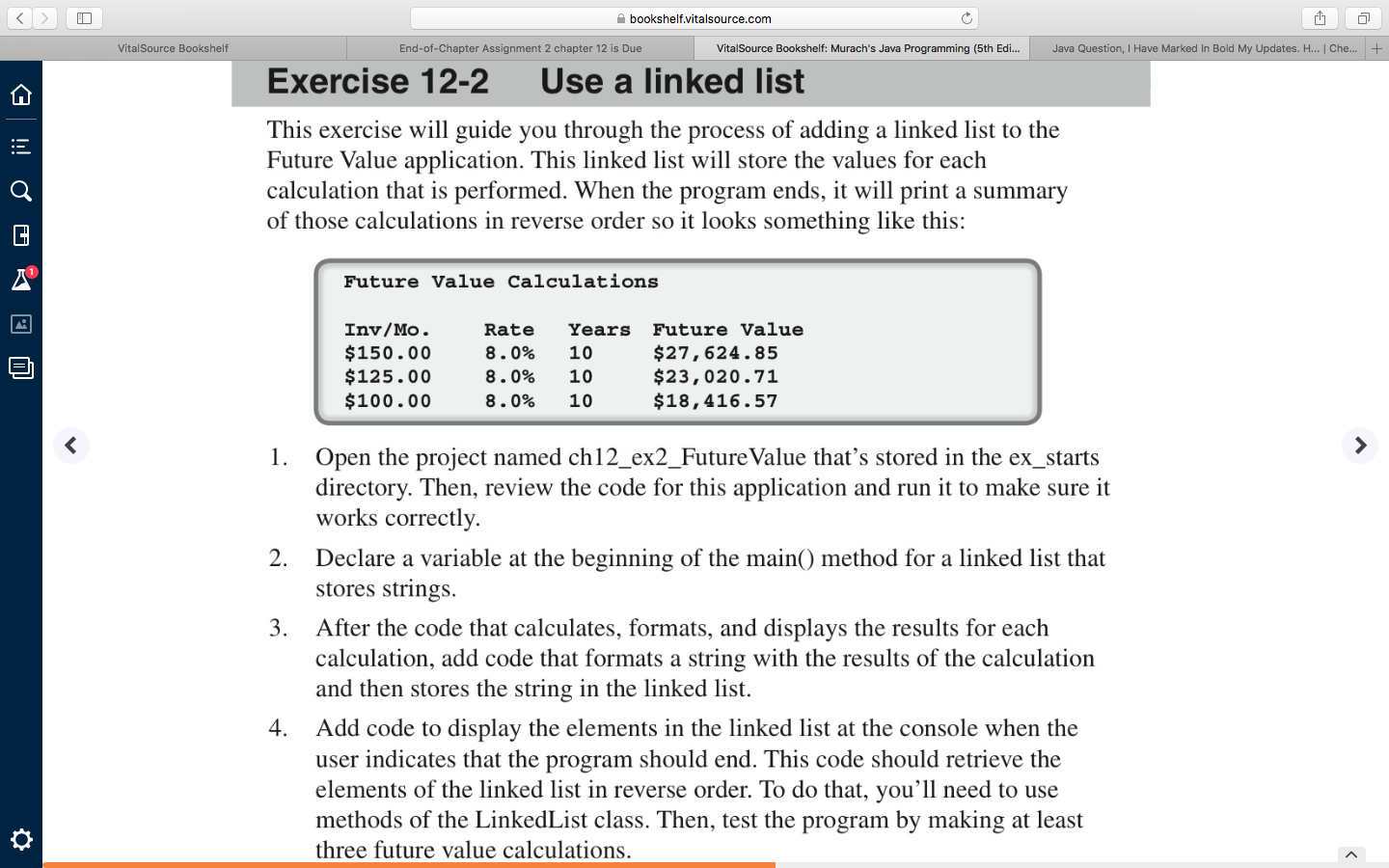
bookshelf.vitalsource.com VitalSource Bookshelf End-of-Chapter Assignment 2 chapter 12 is Due VitalSource Bookshelf: Murach's Java Programming (5th Edi... Java Question, I Have Marked In Bold My Updates. H... Che... + Exercise 12-2 Use a linked list This exercise will guide you through the process of adding a linked list to the Future Value application. This linked list will store the values for each calculation that is performed. When the program ends, it will print a summary of those calculations in reverse order so it looks something like this: 6 !!! OURO Future Value Calculations Inv/Mo. $150.00 $125.00 $100.00 Rate 8.0% 8.0% 8.0% Years Future Value 10 $27,624.85 10 $23,020.71 10 $18,416.57 1. Open the project named ch12_ex2_Future Value that's stored in the ex_starts directory. Then, review the code for this application and run it to make sure it works correctly. 2. Declare a variable at the beginning of the main() method for a linked list that stores strings. 3. After the code that calculates, formats, and displays the results for each calculation, add code that formats a string with the results of the calculation and then stores the string in the linked list. Add code to display the elements in the linked list at the console when the user indicates that the program should end. This code should retrieve the elements of the linked list in reverse order. To do that, you'll need to use methods of the LinkedList class. Then, test the program by making at least three future value calculations. bookshelf.vitalsource.com VitalSource Bookshelf End-of-Chapter Assignment 2 chapter 12 is Due VitalSource Bookshelf: Murach's Java Programming (5th Edi... Java Question, I Have Marked In Bold My Updates. H... Che... + Exercise 12-2 Use a linked list This exercise will guide you through the process of adding a linked list to the Future Value application. This linked list will store the values for each calculation that is performed. When the program ends, it will print a summary of those calculations in reverse order so it looks something like this: 6 !!! OURO Future Value Calculations Inv/Mo. $150.00 $125.00 $100.00 Rate 8.0% 8.0% 8.0% Years Future Value 10 $27,624.85 10 $23,020.71 10 $18,416.57 1. Open the project named ch12_ex2_Future Value that's stored in the ex_starts directory. Then, review the code for this application and run it to make sure it works correctly. 2. Declare a variable at the beginning of the main() method for a linked list that stores strings. 3. After the code that calculates, formats, and displays the results for each calculation, add code that formats a string with the results of the calculation and then stores the string in the linked list. Add code to display the elements in the linked list at the console when the user indicates that the program should end. This code should retrieve the elements of the linked list in reverse order. To do that, you'll need to use methods of the LinkedList class. Then, test the program by making at least three future value calculations
Step by Step Solution
There are 3 Steps involved in it

Get step-by-step solutions from verified subject matter experts
 Study Help