







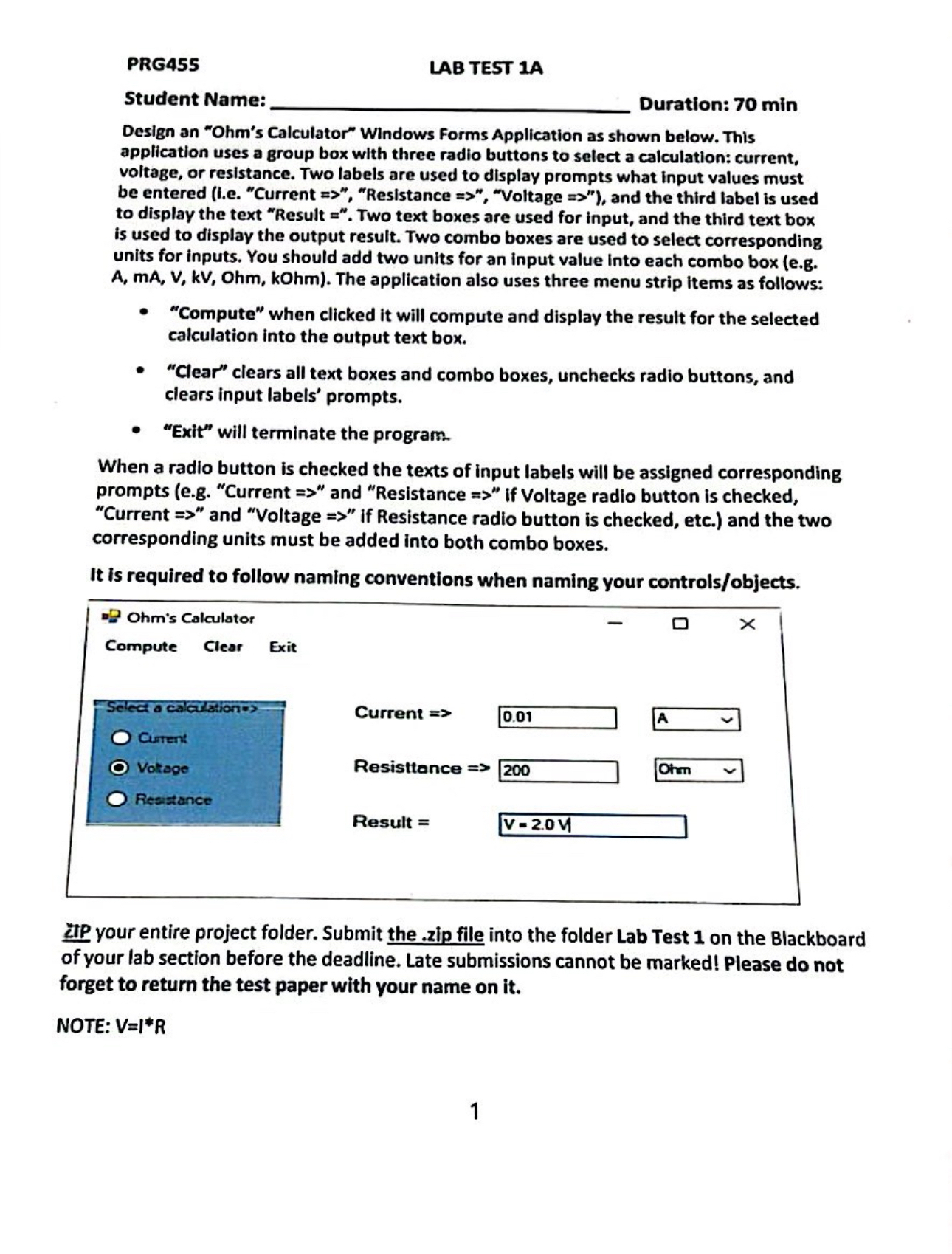
Question: PRG 4 5 5 LAB TEST 1 A Student Name: Duration: 7 0 min Design an Ohm's Calculator Windows Forms Application as shown below. This
PRG
LAB TEST A
Student Name: Duration: min
Design an "Ohm's Calculator" Windows Forms Application as shown below. This application uses a group box with three radio buttons to select a calculation: current, voltage, or resistance. Two labels are used to display prompts what input values must to display the text "Result Two text boxes are used for input, and the third text box is used to display the output result. Two combo boxes are used to select corresponding units for inputs. You should add two units for an input value into each combo box eg A mA V kV Ohm, kOhm The application also uses three menu strip items as follows:
"Compute" when clicked it will compute and display the result for the selected calculation into the output text box.
"Clear" clears all text boxes and combo boxes, unchecks radio buttons, and clears input labels' prompts.
"Exit" will terminate the program.
When a radio button is checked the texts of input labels will be assigned corresponding prompts eg "Current and "Resistance if Voltage radio button is checked, "Current and "Voltage if Resistance radio button is checked, etc. and the two corresponding units must be added into both combo boxes.
It is required to follow naming conventions when naming your controlsobjects
Ohm's Calculator
Compute
Clear
Exit
Seled a calartion"s
Curtent
Votrage
Resistance
Current
Resisttance
Result
A
Ohrn
IIP your entire project folder. Submit the zip file into the folder Lab Test on the Blackboard of your lab section before the deadline. Late submissions cannot be marked! Please do not forget to return the test paper with your name on it
NOTE:
Step by Step Solution
There are 3 Steps involved in it
1 Expert Approved Answer
Step: 1 Unlock

Question Has Been Solved by an Expert!
Get step-by-step solutions from verified subject matter experts
Step: 2 Unlock
Step: 3 Unlock
 Study Help