







Question: PRG 4 5 5 LAB TEST 1 Student Name: Duration: 7 0 min Design a Calories calculator Windows Forms Application as shown below. A combo
PRG
LAB TEST
Student Name:
Duration: min
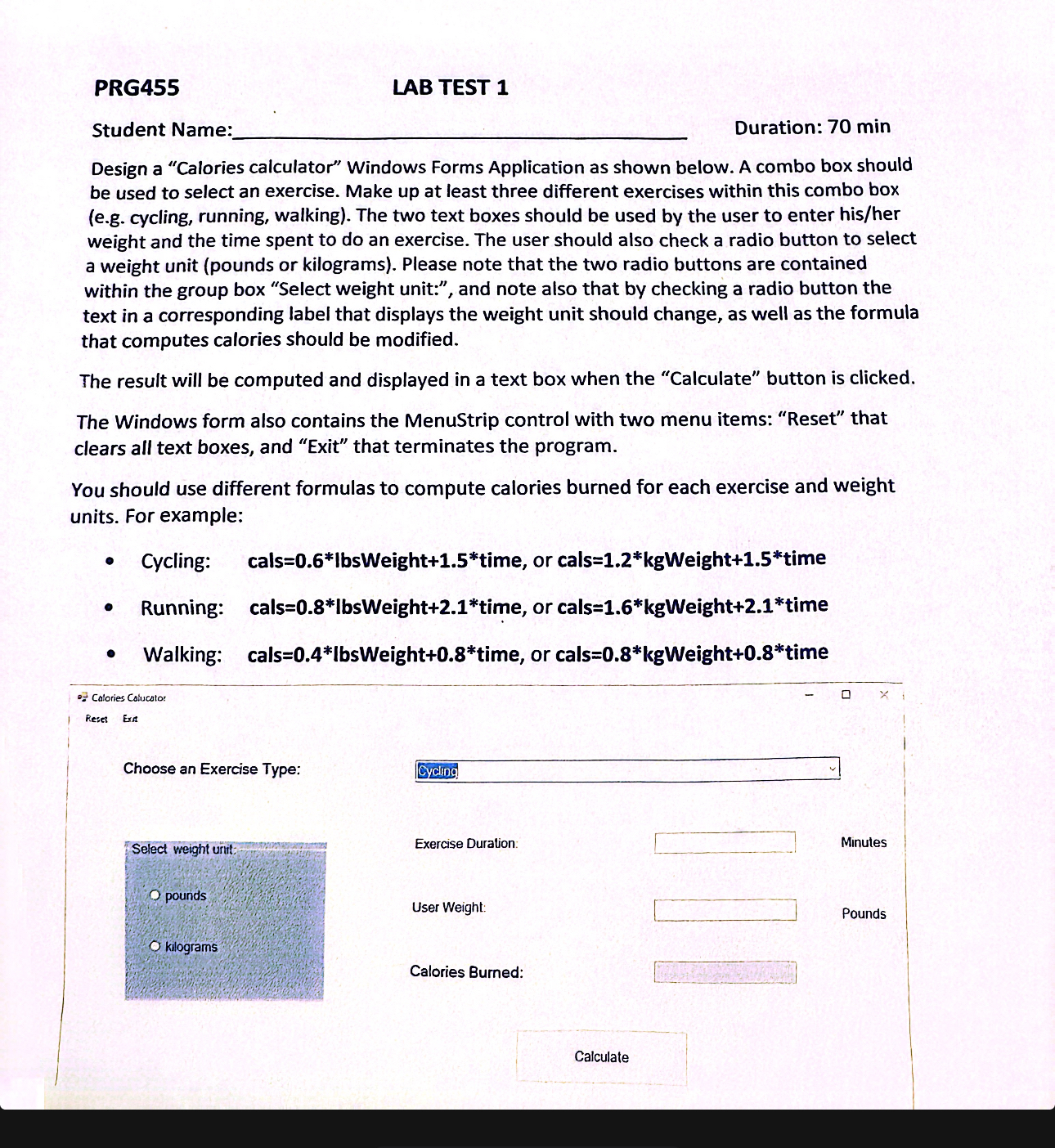
Design a "Calories calculator" Windows Forms Application as shown below. A combo box should be used to select an exercise. Make up at least three different exercises within this combo box eg cycling, running, walking The two text boxes should be used by the user to enter hisher weight and the time spent to do an exercise. The user should also check a radio button to select a weight unit pounds or kilograms Please note that the two radio buttons are contained within the group box "Select weight unit:", and note also that by checking a radio button the text in a corresponding label that displays the weight unit should change, as well as the formula that computes calories should be modified.
The result will be computed and displayed in a text box when the "Calculate" button is clicked.
The Windows form also contains the MenuStrip control with two menu items: "Reset" that clears all text boxes, and "Exit" that terminates the program.
You should use different formulas to compute calories burned for each exercise and weight units. For example:
Cycling: calstime, or calstime
Running: calstime, or calstime
Walking: cals Weight time, or cals Weight time
Calories Colucato:
Reset Exa
Choose an Exercise Type:
Exercise Duration:
Minules
User Weight:
Pounds
Calories Burned:
Step by Step Solution
There are 3 Steps involved in it
1 Expert Approved Answer
Step: 1 Unlock

Question Has Been Solved by an Expert!
Get step-by-step solutions from verified subject matter experts
Step: 2 Unlock
Step: 3 Unlock
 Study Help