







Question: Python Please use the template below: from html.parser import HTMLParser from urllib.parse import urljoin from urllib.request import urlopen def testImgParser(url): content = urlopen(url).read().decode() parser =
 Python
Please use the template below:
from html.parser import HTMLParser from urllib.parse import urljoin from urllib.request import urlopen
def testImgParser(url): content = urlopen(url).read().decode() parser = ImgParser() parser.feed(content) return parser.getLinks()
class ImgParser(HTMLParser): def __init__(self): HTMLParser.__init__(self) pass def handle_starttag(self, tag, attrs): pass
def getLinks(self): pass
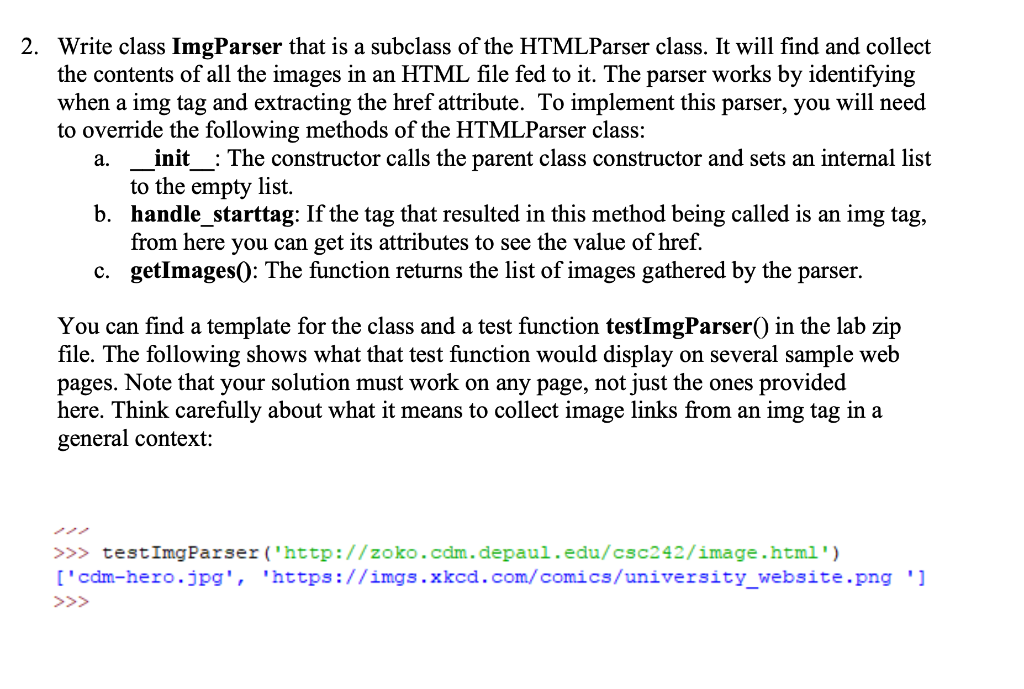
2. Write class ImgParser that is a subclass of the HTMLParser class. It will find and collect the contents of all the images in an HTML file fed to it. The parser works by identifying when a img tag and extracting the href attribute. To implement this parser, you will need to override the following methods of the HTML Parser class: init_: The constructor calls the parent class constructor and sets an internal list to the empty list. b. handle_starttag: If the tag that resulted in this method being called is an img tag, from here you can get its attributes to see the value of href. c. getImages(): The function returns the list of images gathered by the parser. a. You can find a template for the class and a test function testImgParser() in the lab zip file. The following shows what that test function would display on several sample web pages. Note that your solution must work on any page, not just the ones provided here. Think carefully about what it means to collect image links from an img tag in a general context: >>> testImgParser('http://zoko.com.depaul.edu/csc242/image.html') ['cdm-hero.jpg', 'https://imgs. xkcd.com/comics/university_website.png ']
Step by Step Solution
There are 3 Steps involved in it

Get step-by-step solutions from verified subject matter experts
 Study Help