







Question: Question 4: Complete the missing information in the below table, shown in table 1: ble1: Network Devices Information. PC # IPv4 Subnet Mask Physical Address
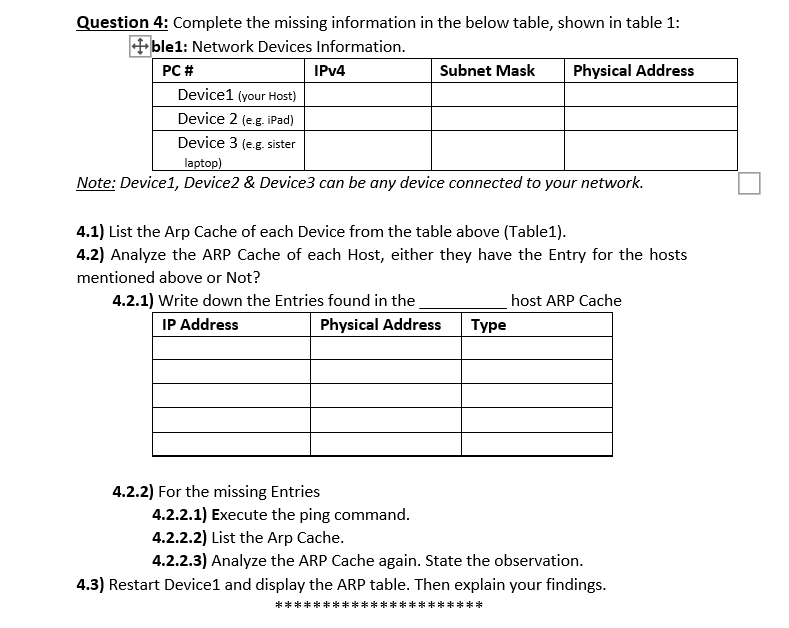
Question 4: Complete the missing information in the below table, shown in table 1: ble1: Network Devices Information. PC # IPv4 Subnet Mask Physical Address Device 1 (your Host) Device 2 leg. iPad) Device 3 (eg sister laptop) Note: Device1, Device2 & Device3 can be any device connected to your network. 4.1) List the Arp Cache of each Device from the table above (Table1). 4.2) Analyze the ARP Cache of each Host, either they have the Entry for the hosts mentioned above or Not? 4.2.1) Write down the Entries found in the host ARP Cache IP Address Physical Address Type 4.2.2) For the missing Entries 4.2.2.1) Execute the ping command. 4.2.2.2) List the Arp Cache. 4.2.2.3) Analyze the ARP Cache again. State the observation. 4.3) Restart Device1 and display the ARP table. Then explain your findings. *** ***
Step by Step Solution
There are 3 Steps involved in it

Get step-by-step solutions from verified subject matter experts
 Study Help