



Question: Richfield has a new PC store for their IT students who want to purchase PC components. You have been tasked with creating a system (using
Richfield has a new PC store for their IT students who want to purchase PC components. You have been tasked with creating a system (using VB code and MS access) which will be used to calculate the price and print the slip after the transaction. The user should not input the price but instead, once the item is selected on a combobox then the price appears on a text box. Since we are selling to Richfield students, they should get discount depending on the purchase made. The system should also enable the administrator to add new users and stock on the tables in the database as instructed below. You should link your program to the Database.
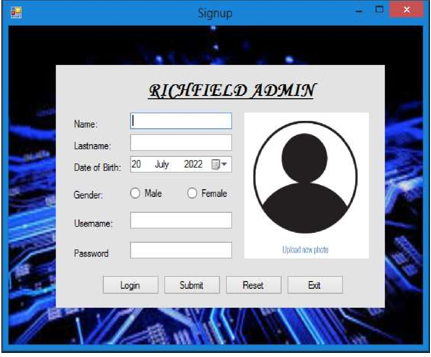
Your system should have a login and signup windows form connected to a database called RGI tech store. Your database should have the table login_details with the following fields (ID * primary key (number), Name (text), Lastname (text), date of birth (date), Gender, Username (text), user_image and Password). Make sure your login form code validates the user inputs. If one does not have the login details, signup is the next option (figure 2).
Figure 1
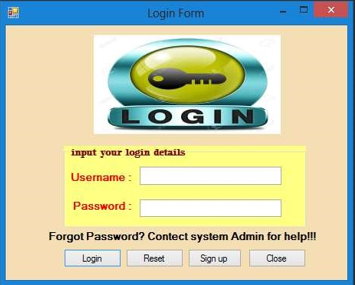
Figure 2
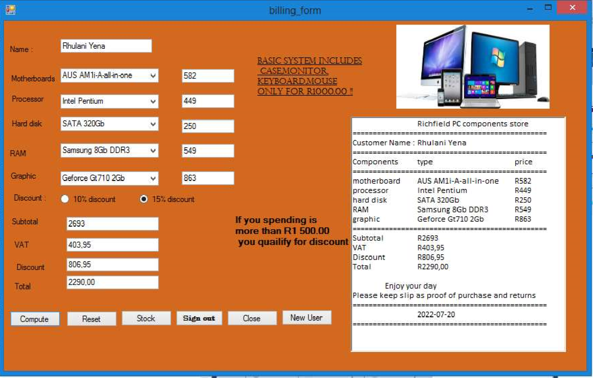
Once the login details are matching with the ones in the login_details table, the next form should appear with a status bar loading; When it getts to 100% (figure 3), the calculation form should appear (figure 4) containing the following buttons : (logout (once clicked should take you to login form), Compute (should calculate the subtotal, Vat, discount ,total price and display details on a richbox), Reset(clear the form), Print(should print slip after transaction), New Stock(take you to next form to add new stock in table) and New User (should take you to the next form to add new user in the login_details table).
Figure 3
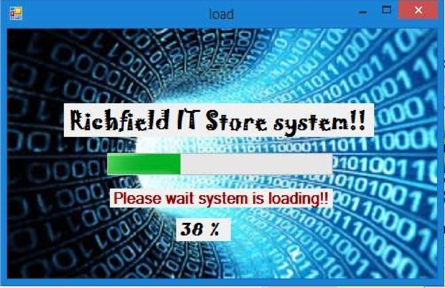
figure 4
The New user button once clicked, should show a windows form with a tab control on the first tab it should ask the user to input personal information and store the data in the same table as the login and signup table storing (ID as the primary key(number), Name(text), Lastname(text), Date of birth(date), Gender(text), Picture(image), Username(text) and Password(text).
The second tab should ask the user for the following details (Address (text), Contact number(text), Qualification(text), Net Profit(currency)) and store data on a table named more_details. The user should be able to add, delete, update, view and information in a [50]
figure 5
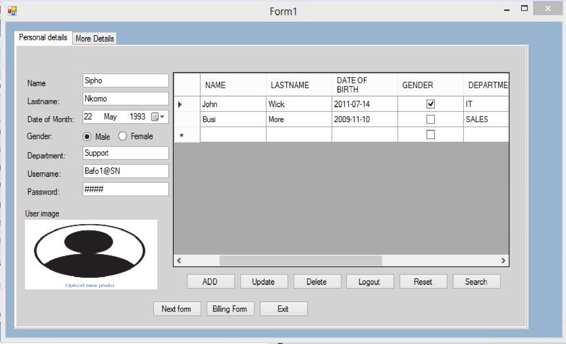
figure 6
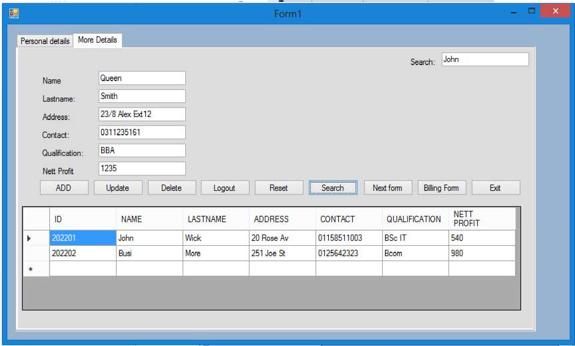
figure 7
(view the figure in verticaly)
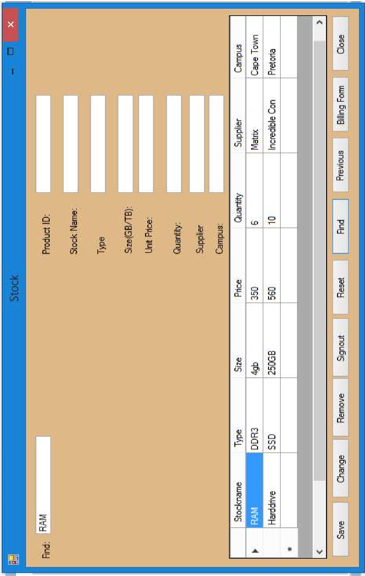
input your login details Username : Password: Forgot Password? Contect system Admin for help!!! Password Richfield IT Store system!! 110171000 DDO irise 11010011 Please wait syst billing form Name : Phulari Yena BASTCSYSTEMINCLIDES Motherbourds AUS AM1i-Asalt the ONIY FOR RIOOOOO: Procestor intel Pertium Hard disk SATA 320Gb RAM Samsung 860 DDR3 Graphic Gelorce G.710 2Gb Discount 10% dscount 15\% dsoourt Suatotal 2693 If you spending is more than R1 500.00 you quailify for discount Form1 Persond detals Nore Detals ADD Updule Delete Logou Pesot Seorch E Formi Personal details More Detals Search: John Name Lastname: Address: 23/8Hex Ed 12 Cortact: 0311235161 Qualfication: Nett Proft 1235 Type Sie(GB/TB): Unt Price: Quartity: Supplier Campus
Step by Step Solution
There are 3 Steps involved in it

Get step-by-step solutions from verified subject matter experts