







Question: Select variables to import using checkboxes Create variables matching preview. Create vectors from each column using column names. Create vectors from each row using row
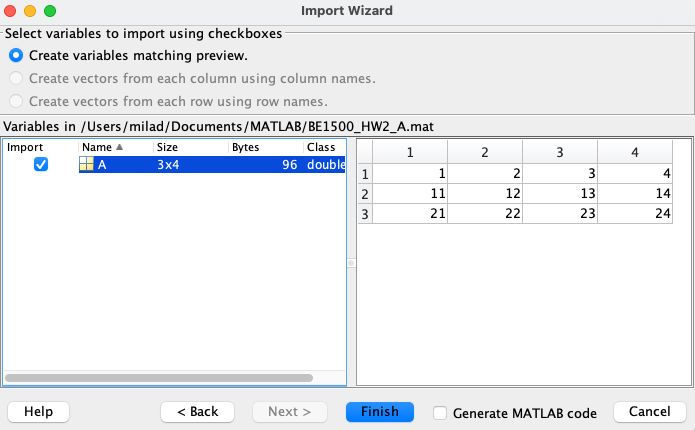
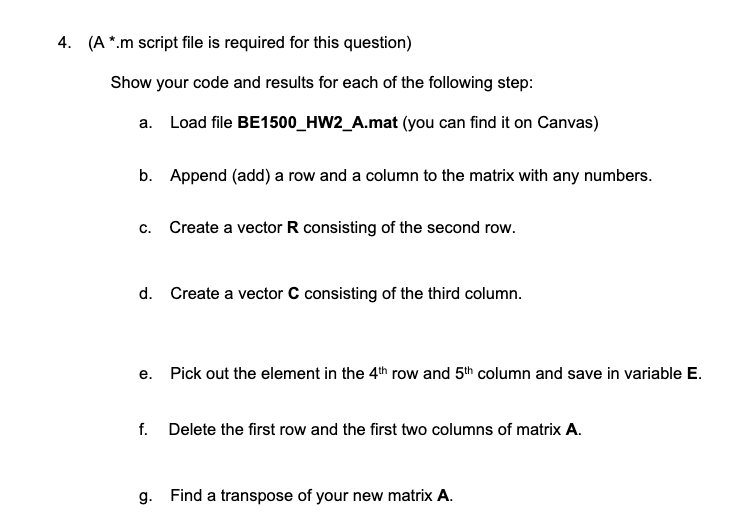
Select variables to import using checkboxes Create variables matching preview. Create vectors from each column using column names. Create vectors from each row using row names. ( Am script file is required for this question) Show your code and results for each of the following step: a. Load file BE1500_HW2_A.mat (you can find it on Canvas) b. Append (add) a row and a column to the matrix with any numbers. c. Create a vector R consisting of the second row. d. Create a vector C consisting of the third column. e. Pick out the element in the 4th row and 5th column and save in variable E. f. Delete the first row and the first two columns of matrix A. g. Find a transpose of your new matrix A
Step by Step Solution
There are 3 Steps involved in it

Get step-by-step solutions from verified subject matter experts
 Study Help