







Question: solve in gui jeed in 20 mins help the instructions specified below. A sample of the output is given for reference. Containers - JFrame and
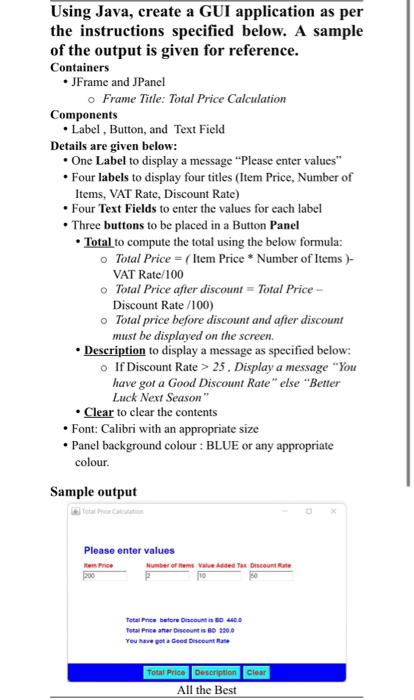
the instructions specified below. A sample of the output is given for reference. Containers - JFrame and JPanel Frame Title: Total Price Calculation Components - Label , Button, and Text Field Details are given below: - One Label to display a message "Please enter values" - Four labels to display four titles (Item Price, Number of Items, VAT Rate, Discount Rate) - Four Text Fields to enter the values for each label - Three buttons to be placed in a Button Panel - Total to compute the total using the below formula: Total Price =( Item Price * Number of Items ) - VAT Rate/100 Total Price after discount = Total Price Discount Rate /100) Total price before discount and after discount must be displayed on the screen. - Description to display a message as specified below: If Discount Rate >25. Display a message "You have got a Good Discount Rate" else "Better Luck Next Season" - Clear to clear the contents - Font: Calibri with an appropriate size - Panel background colour : BLUE or any appropriate colour
Step by Step Solution
There are 3 Steps involved in it

Get step-by-step solutions from verified subject matter experts
 Study Help