







Question: STEP 1. Open a terminal window. STEP 2 Execute the correct co STEP 3. Based on the output of the to display the permissions on
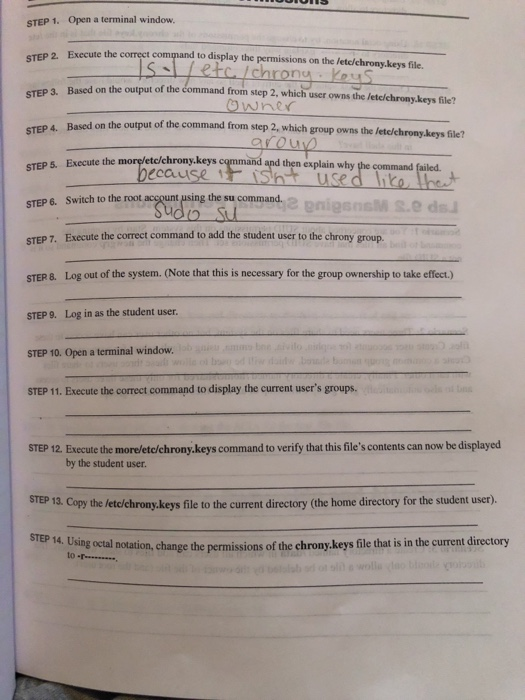
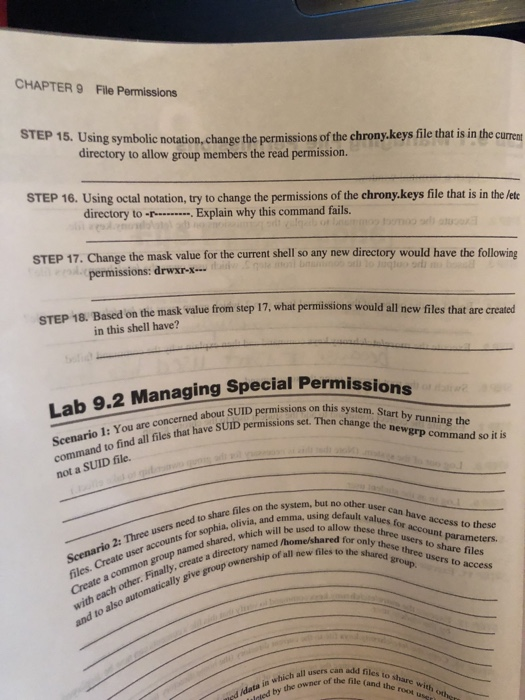
STEP 1. Open a terminal window. STEP 2 Execute the correct co STEP 3. Based on the output of the to display the permissions on the letc/chrony.keys file In from step 2, which user owns the lete/chrony.keys file? Based on the output of the command from step 2, which group owns the letc/chrony.keys file? c/chrony.keys cqmmand and then explain why the command STEP S. Execute the morelet STEP 6. Switch to the root account using the su command. STEP 7. Execute the correct command to add the student user to the chrony group. STER 8. Log out of the system. (Note that this is necessary for the group ownership to take effect.) STEP 9. Log in as the student user. STEP 10. Open a terminal window. STEP 11. Execute the correct command to display the current user's groups. STEP 12 Execute the more/etc/chrony keys command to verify that this file's contents can now be displayed by the student user STEP 13. Copy the letc/chrony.keys file to the current directory (the home directory for the student user). SP 14 Using ocal notation, change the permissions of the chrony.keys file that is in the curent directory to- CHAPTER9 File Pemissions STEP 15. Using symbolic notation,change the perm directory to allow group members the read permission. issions of the chrony.keys file that is in the c STEP 16. Using octal notation, try to change the permissions of the chrony.keys file that is in the lete directory to -Explain why this command fails. STEP 17. Change the mask value for the current shell so any new directory would have the following permissions: drwxr-x STEP 18. Based on the mask value from step 17, what permissions would all new files that are created in this shell have? Lab 9.2 Managing Special Permiss ed about SUID permissions on this system. s lors Then change the newgrp comm SUID Scenario 1: You are concerned files that have SUID permissions set. Then change the n newgrp command so it is not a SUID file. can system. dne default values for account parameters three users no other user can have access to these Scenario files. Create user for Create a common group named shared,, and with each other. Finally, create a directory n d o and to also automatically give group ownenimed oed need to share files on the and emma, using f 2: Ti accounts for shared, which will be used to allow these ths for acve accesse Three users to allow these accounts for sophia, olivia n the /home/shared forthreeoun s to these ownership of all new files to the ss these hes to to share files and to also automatically can add files to sa Inted by the owner ofadd atid owner of dhe le Can th ug sied idata in which all users
Step by Step Solution
There are 3 Steps involved in it

Get step-by-step solutions from verified subject matter experts
 Study Help