







Question: Step Instructions Points Possible 9 Configure the PivolT able using the following. Add Units, Staff, and Staff Category to the PivotTable. Move Staft Category to
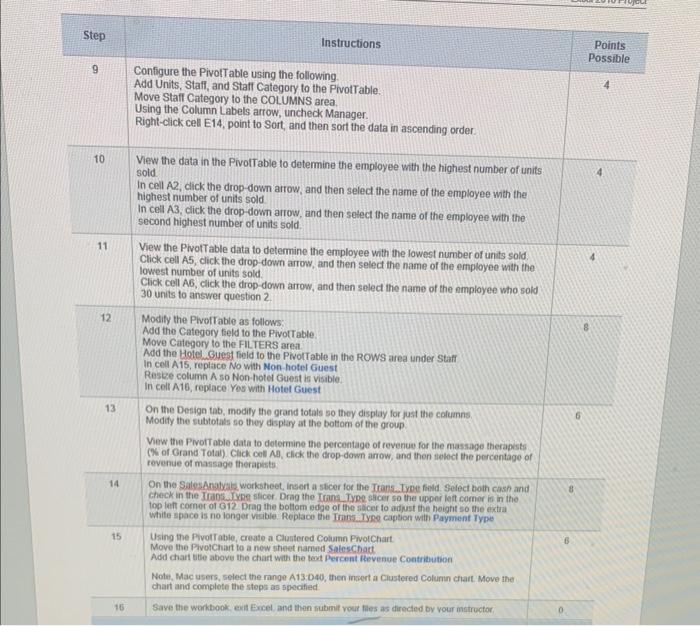
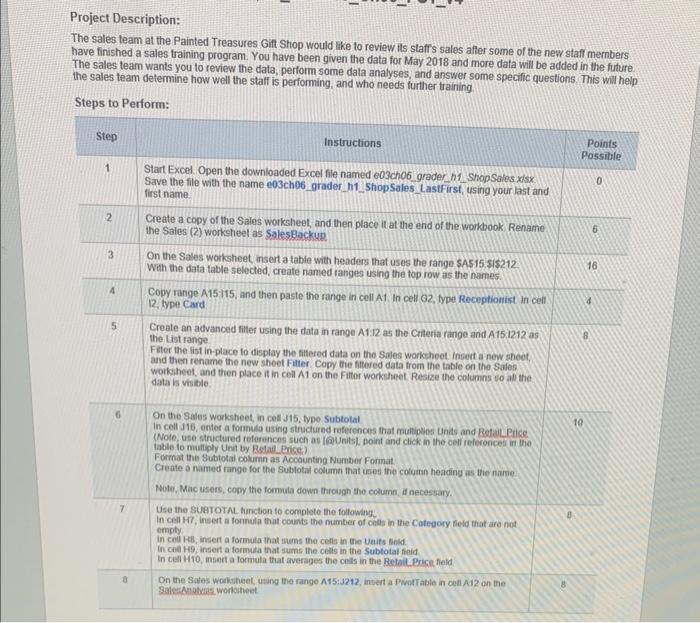
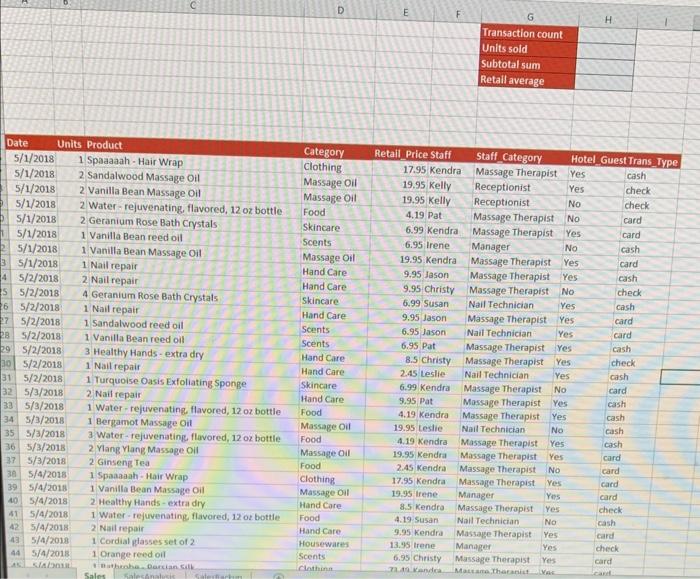
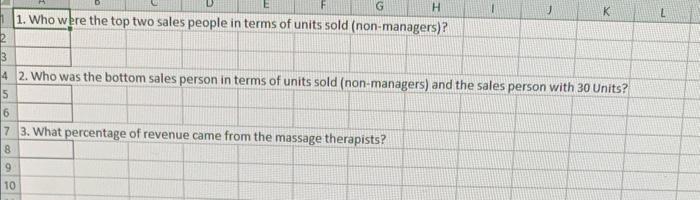
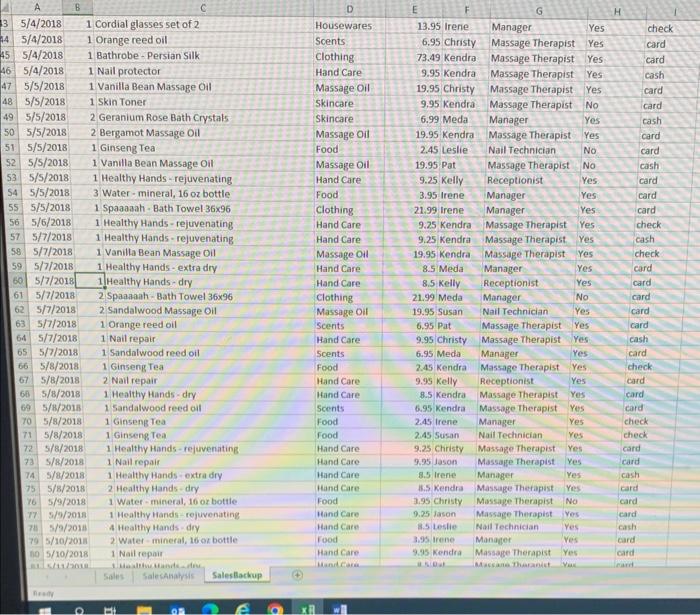
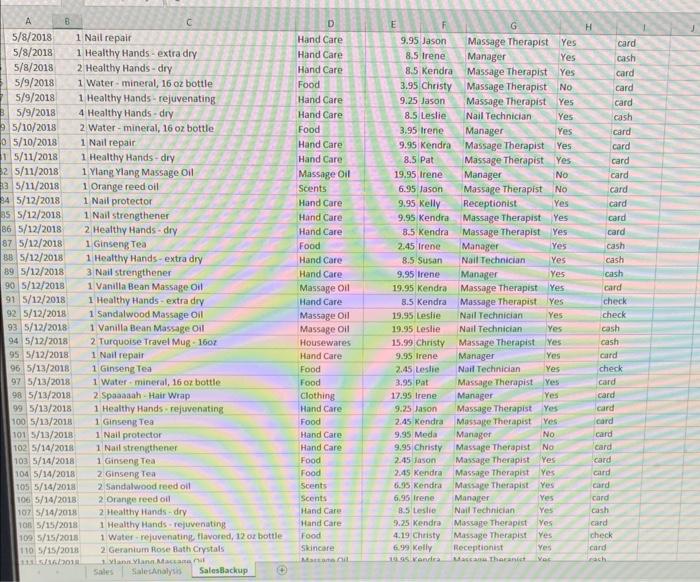
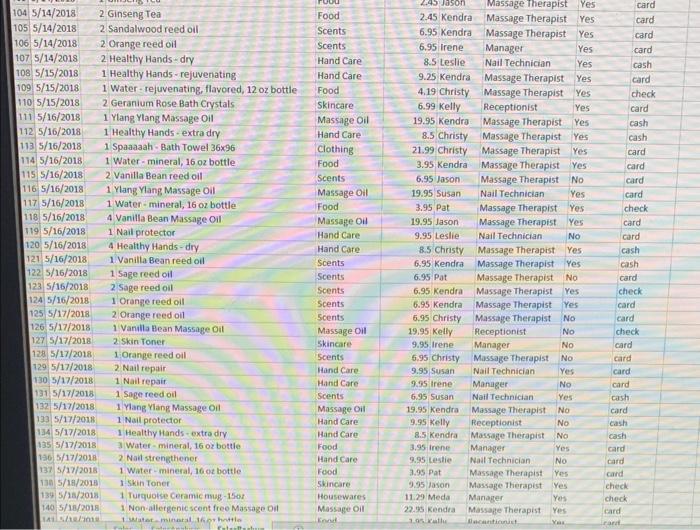
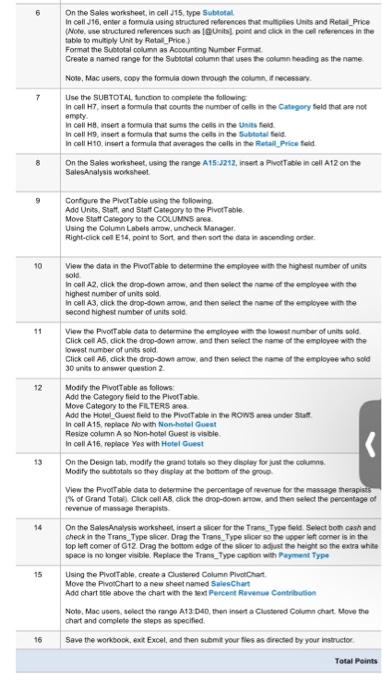
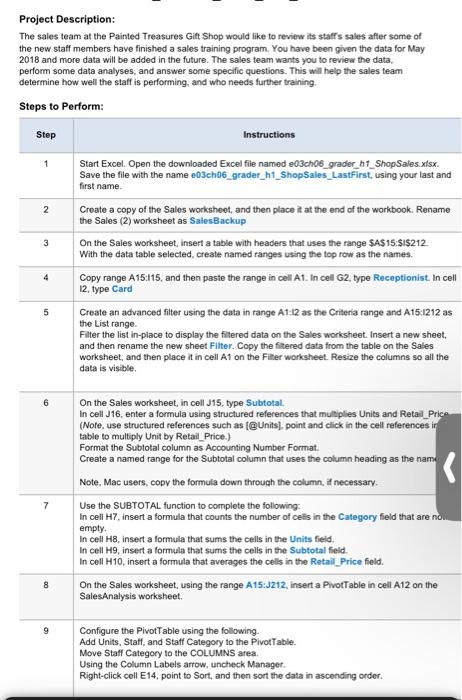
Step Instructions Points Possible 9 Configure the PivolT able using the following. Add Units, Staff, and Staff Category to the PivotTable. Move Staft Category to the COLUMNS area. Using the Column Labels arrow, uncheck Manager. Right-click cell E14, point to Sort, and then sort the data in ascending order. 10 Vew the data in the PivolTable to determine the employee with the highest number of un ts sold. In cell A2, click the drop-down arrow, and then select the name of the employee with the highest number of units sold In cell A3, click the drop-down arrow, and then setect the name of the employee with the second highest number of units sold. 11 View the PivotTable data to detemine the employee with the lowest number of units sold. Click cell A5, cick the drop-down arrow, and then select the name of the employee with the lowest number of units sold. Click cell A6, click the drop-down arrow, and then select the name of the nmployee who sold 30 units to answer question 2 . 12AddtheCategoryfieldtothePivottable.MoveCategorytotheFil.TERSarea.AddtheHetelGuestfoldtothePivoltableintheRowsareaunderStarfModifythePivorTableasfollows: In cell A15, replace No with Non hoter Guest Reste column A so Non-hoter Guest is visible. In cell A16, replace Yos with Hotel Guest 13 On the Design tab, modity the grand totals so thoy display for just the columns. Modity the subtotais so they display at the botion of the group. Mew the Pivoltable data to determine the percentage of revenue for the massage therapsts (W of Grand Total) Clack coll AM, click the drop-down anow, and then thehect the percentage of revenue of mansage theraperts Project Description: The sales team at the Painted Treasures Gitt Shop would lke to review its staffs sales afler some of the new staff members have finished a sales training program. You have been given the data for Mav 3 sis and maro w.ta wine. new statr. members C D \begin{tabular}{|l|l|l|} \hline E & \multicolumn{1}{c|}{G} & H \\ \hline & Transaction count & \\ \hline & Units sold & \\ \hline Subtotal sum & \\ \hline Retall average & \\ \hline \end{tabular} 1. Who were the top two sales people in terms of units sold (non-managers)? 2. Who was the bottom sales person in terms of units sold (non-managers) and the sales person with 30 Units? 3. What percentage of revenue came from the massage therapists? Project Description: Step Instructions Points Possible 9 Configure the PivolT able using the following. Add Units, Staff, and Staff Category to the PivotTable. Move Staft Category to the COLUMNS area. Using the Column Labels arrow, uncheck Manager. Right-click cell E14, point to Sort, and then sort the data in ascending order. 10 Vew the data in the PivolTable to determine the employee with the highest number of un ts sold. In cell A2, click the drop-down arrow, and then select the name of the employee with the highest number of units sold In cell A3, click the drop-down arrow, and then setect the name of the employee with the second highest number of units sold. 11 View the PivotTable data to detemine the employee with the lowest number of units sold. Click cell A5, cick the drop-down arrow, and then select the name of the employee with the lowest number of units sold. Click cell A6, click the drop-down arrow, and then select the name of the nmployee who sold 30 units to answer question 2 . 12AddtheCategoryfieldtothePivottable.MoveCategorytotheFil.TERSarea.AddtheHetelGuestfoldtothePivoltableintheRowsareaunderStarfModifythePivorTableasfollows: In cell A15, replace No with Non hoter Guest Reste column A so Non-hoter Guest is visible. In cell A16, replace Yos with Hotel Guest 13 On the Design tab, modity the grand totals so thoy display for just the columns. Modity the subtotais so they display at the botion of the group. Mew the Pivoltable data to determine the percentage of revenue for the massage therapsts (W of Grand Total) Clack coll AM, click the drop-down anow, and then thehect the percentage of revenue of mansage theraperts Project Description: The sales team at the Painted Treasures Gitt Shop would lke to review its staffs sales afler some of the new staff members have finished a sales training program. You have been given the data for Mav 3 sis and maro w.ta wine. new statr. members C D \begin{tabular}{|l|l|l|} \hline E & \multicolumn{1}{c|}{G} & H \\ \hline & Transaction count & \\ \hline & Units sold & \\ \hline Subtotal sum & \\ \hline Retall average & \\ \hline \end{tabular} 1. Who were the top two sales people in terms of units sold (non-managers)? 2. Who was the bottom sales person in terms of units sold (non-managers) and the sales person with 30 Units? 3. What percentage of revenue came from the massage therapists? Project Description
Step by Step Solution
There are 3 Steps involved in it

Get step-by-step solutions from verified subject matter experts
 Study Help