







Question: Task 9.1P Express Server Feedback Form Example Please complete the form along with any comments you would like to submit: Name: Password: Feedback: Preferred contact:
Express Server
Feedback Form Example
Please complete the form along with any comments you would like to submit:
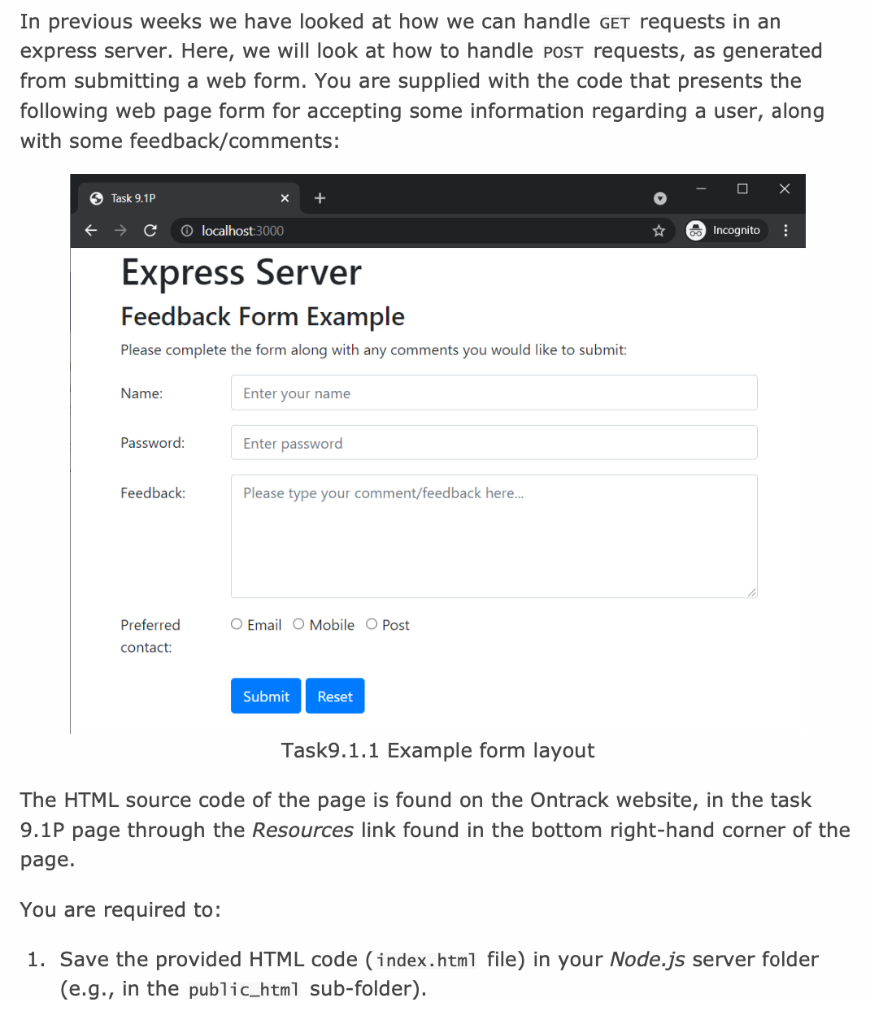
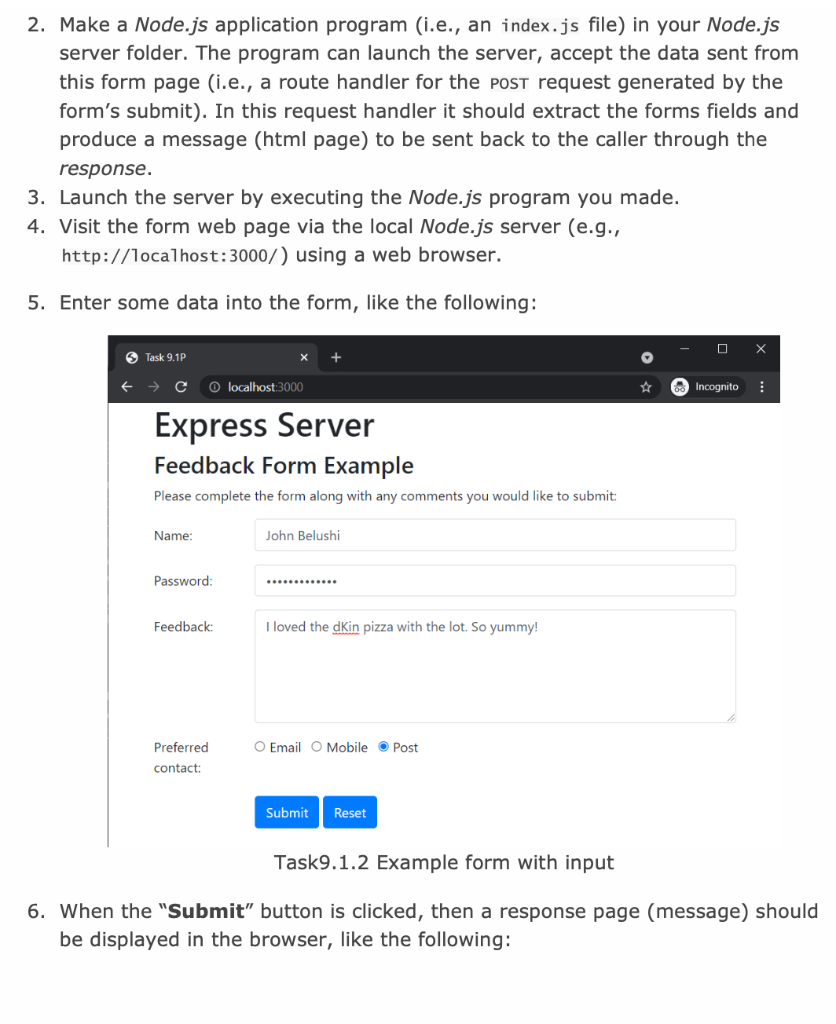
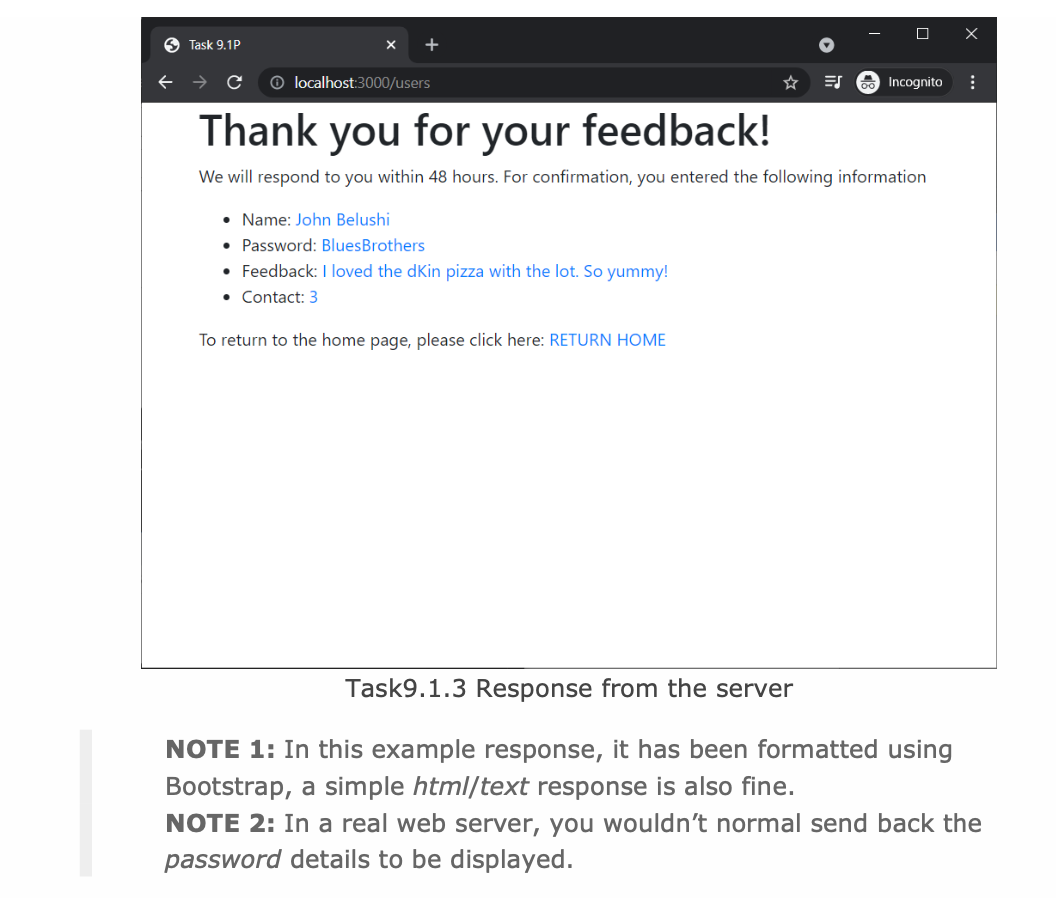
In previous weeks we have looked at how we can handle GET requests in an express server. Here, we will look at how to handle Post requests, as generated from submitting a web form. You are supplied with the code that presents the following web page form for accepting some information regarding a user, along with some feedback/comments: O Task 9.1P localhost:3000 Incognito Express Server Feedback Form Example Please complete the form along with any comments you would like to submit: Name: Enter your name Password: Enter password Feedback: Please type your comment/feedback here... O Email O Mobile O Post Preferred contact: Submit Reset Task9.1.1 Example form layout The HTML source code of the page is found on the Ontrack website, in the task 9.1P page through the Resources link found in the bottom right-hand corner of the page. You are required to: 1. Save the provided HTML code (index.html file) in your Node.js server folder (e.g., in the public_html sub-folder). 2. Make a Node.js application program (i.e., an index.js file) in your Node.js server folder. The program can launch the server, accept the data sent from this form page (i.e., a route handler for the post request generated by the form's submit). In this request handler it should extract the forms fields and produce a message (html page) to be sent back to the caller through the response. 3. Launch the server by executing the Node.js program you made. 4. Visit the form web page via the local Node.js server (e.g., http://localhost:3000/) using a web browser. 5. Enter some data into the form, like the following: X S Task 9.1P e O localhost:3000 Incognito Express Server Feedback Form Example Please complete the form along with any comments you would like to submit: Name: John Belushi Password: Feedback: I loved the din pizza with the lot. So yummy! O Email O Mobile Post Preferred contact: Submit Reset Task9.1.2 Example form with input 6. When the "Submit" button is clicked, then a response page (message) should be displayed in the browser, like the following: S Task 9.1P localhost:3000/users ES Incognito Thank you for your feedback! We will respond to you within 48 hours. For confirmation, you entered the following information Name: John Belushi Password: Blues Brothers Feedback: I loved the dkin pizza with the lot. So yummy! Contact: 3 To return to the home page, please click here: RETURN HOME Task9.1.3 Response from the server NOTE 1: In this example response, it has been formatted using Bootstrap, a simple html/text response is also fine. NOTE 2: In a real web server, you wouldn't normal send back the password details to be displayed
Step by Step Solution
There are 3 Steps involved in it

Get step-by-step solutions from verified subject matter experts
 Study Help