







Question: The programming language is Java and all of the Classes I was given are in bold. Exercise 1 ALIEN CLASS import imagePackage.RasterImage; import java.awt.BasicStroke; import
The programming language is Java and all of the Classes I was given are in bold.
Exercise 1
ALIEN CLASS
import imagePackage.RasterImage;
import java.awt.BasicStroke; import java.awt.Color; import java.awt.Dimension; import java.awt.Graphics2D; import java.awt.Toolkit; import java.awt.geom.*; import java.awt.geom.Point2D; import java.awt.geom.Rectangle2D; import java.io.PrintStream;
// ALIEN is a COMPOSITION of Point2D // ALIEN is an AGGREGATION of Color
public class Alien { // functionality to draw an Alien, given a position and Graphics2D object private Point2D.Double pos; private Color col; private double width; private double height; public Alien(Point2D.Double pos) { this.pos = new Point2D.Double(pos.getX(),pos.getY()); this.col = Color.BLACK; this.width = 50; this.height = 40; } public Alien(Point2D.Double pos, double width, double height, Color col) { this.pos = new Point2D.Double(pos.getX(),pos.getY()); this.width = width; this.height = height; this.col = col; } public Alien(Alien other) { this.pos = new Point2D.Double(other.pos.getX(),other.pos.getY()); this.col = other.col; this.width = other.width; this.height = other.height; } public void setColor(Color col) { this.col = col; } public void setPos(Point2D.Double pos) { this.pos = new Point2D.Double(pos.getX(), pos.getY()); } public void drawAlien(Graphics2D gfx) { int[] xPoints = new int[6]; int[] yPoints = new int[6]; int lx = (int) this.pos.getX(); int ly = (int) this.pos.getY(); int cx = (int) (lx + this.width/2); int cy = (int) (ly + this.height/2); int rx = (int) (lx + this.width); int ry = (int) (ly + this.height); xPoints[0] = lx; yPoints[0] = ly; xPoints[1] = cx; yPoints[1] = cy; xPoints[2] = rx; yPoints[2] = ly; xPoints[3] = rx; yPoints[3] = cy; xPoints[4] = cx; yPoints[4] = ry; xPoints[5] = lx; yPoints[5] = cy; gfx.setColor(this.col); gfx.setStroke(new BasicStroke(2.0f)); gfx.fillPolygon(xPoints, yPoints, xPoints.length); } @Override public String toString() { String result = "Alien: pos= " + this.pos + ", size= " + this.width + ", " + this.height; return result; }
public static void main(String[] args) { /* * In this task, you are to create an Alien class that stores the * * */ PrintStream out = System.out; Dimension screen = Toolkit.getDefaultToolkit().getScreenSize(); RasterImage gameBoard = new RasterImage(640,480); gameBoard.show(); Graphics2D g = gameBoard.getGraphics2D(); Alien a1 = new Alien(new Point2D.Double(100, 100)); Alien a2 = new Alien(new Point2D.Double(200, 100),100,150,Color.RED); Alien a3 = new Alien(a1); a3.setColor(Color.ORANGE); a3.setPos(new Point2D.Double(100, 300)); a1.drawAlien(g); a2.drawAlien(g); a3.drawAlien(g); } }
ANGRYALIEN CLASS
import imagePackage.RasterImage;
import java.awt.BasicStroke; import java.awt.Color; import java.awt.Dimension; import java.awt.Graphics2D; import java.awt.Toolkit; import java.awt.geom.*; import java.awt.geom.Point2D; import java.awt.geom.Rectangle2D; import java.io.PrintStream;
public class AngryAlien extends Alien {
public static void main(String[] args) { // Use this to test creation (instantiation) and display of an individual // AngryAlien // OR - use the main method in BattleField to test
} }
DOCILEALIEN CLASS
import imagePackage.RasterImage;
import java.awt.BasicStroke; import java.awt.Color; import java.awt.Dimension; import java.awt.Graphics2D; import java.awt.Toolkit; import java.awt.geom.*; import java.awt.geom.Point2D; import java.awt.geom.Rectangle2D; import java.io.PrintStream;
public class DocileAlien extends Alien {
public static void main(String[] args) { // Use this to test creation (instantiation) and display of an individual // DocileAlien // OR - use the main method in BattleField to test
} }
NEUTRALALIEN CLASS
import imagePackage.RasterImage;
import java.awt.BasicStroke; import java.awt.Color; import java.awt.Dimension; import java.awt.Graphics2D; import java.awt.Toolkit; import java.awt.geom.*; import java.awt.geom.Point2D; import java.awt.geom.Rectangle2D; import java.io.PrintStream;
public class NeutralAlien extends Alien {
public static void main(String[] args) { // Use this to test creation (instantiation) and display of an individual // NeutralAlien // OR - use the main method in BattleField to test
} }
BATTLEFIELD CLASS
import imagePackage.RasterImage;
import java.awt.Color; import java.awt.Composite; import java.awt.Dimension; import java.awt.Font; import java.awt.Graphics2D; import java.awt.Paint; import java.awt.Shape; import java.awt.Stroke; import java.awt.Toolkit; import java.awt.geom.AffineTransform; import java.awt.geom.Point2D; import java.io.PrintStream;
public class BattleField {
public static void main(String[] args) { /* * Exercise: * Create an Array of Aliens, positioned according to a bounding box * * */
final int ROWS = 3; final int COLS = 10; Dimension screen = Toolkit.getDefaultToolkit().getScreenSize(); RasterImage gameBoard = new RasterImage(640,480); gameBoard.show(); gameBoard.setTitle("BattleField"); Graphics2D g = gameBoard.getGraphics2D();
Alien[][] aliens = new Alien[ROWS][COLS]; // 2D array of Aliens
for (int col=0; col for (int row=0; row
// create and initialize position of Aliens Point2D.Double pos = new Point2D.Double(col*60.0, row*60.0); aliens[row][col] = new Alien(pos); aliens[row][col].drawAlien(g);
}
} Hero shooter = new Hero(200,350); shooter.draw(g);
//
} }
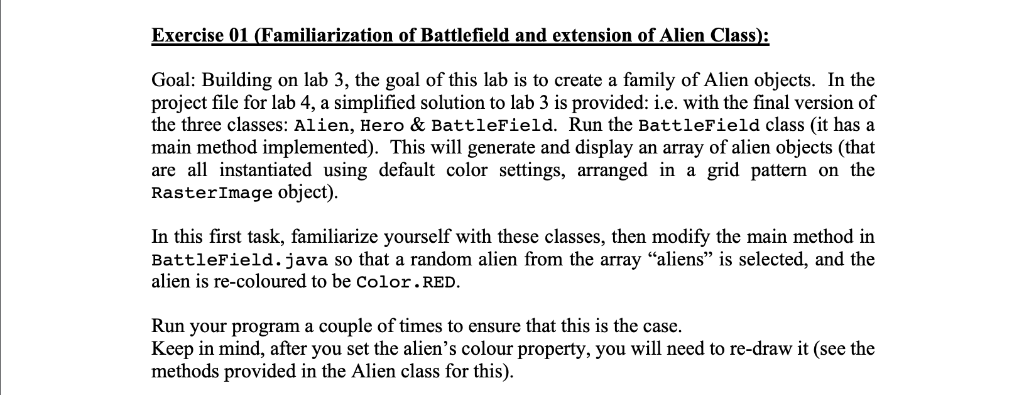
Exercise 01 (Familiarization of Battlefield and extension of Alien Class): Goal: Building on lab 3, the goal of this lab is to create a family of Alien objects. In the project file for lab 4, a simplified solution to lab 3 is provided: i.e. with the final version of the three classes: Alien, Hero & BattleField. Run the BattleField class (it has a main method implemented). This will generate and display an array of alien objects (that are a instantiated using default color settings, arranged in a grid pattern on the RasterImage object) In this first task, familiarize yourself with these classes, then modify the main method in BattleField.java so that a random alien from the array "aliens" is selected, and the alien is re-coloured to be Color.RED Run your program a couple of times to ensure that this is the case Keep in mind, after you set the alien's colour property, you will need to re-draw it (see the methods provided in the Alien class for this) Exercise 01 (Familiarization of Battlefield and extension of Alien Class): Goal: Building on lab 3, the goal of this lab is to create a family of Alien objects. In the project file for lab 4, a simplified solution to lab 3 is provided: i.e. with the final version of the three classes: Alien, Hero & BattleField. Run the BattleField class (it has a main method implemented). This will generate and display an array of alien objects (that are a instantiated using default color settings, arranged in a grid pattern on the RasterImage object) In this first task, familiarize yourself with these classes, then modify the main method in BattleField.java so that a random alien from the array "aliens" is selected, and the alien is re-coloured to be Color.RED Run your program a couple of times to ensure that this is the case Keep in mind, after you set the alien's colour property, you will need to re-draw it (see the methods provided in the Alien class for this)
Step by Step Solution
There are 3 Steps involved in it

Get step-by-step solutions from verified subject matter experts
 Study Help