







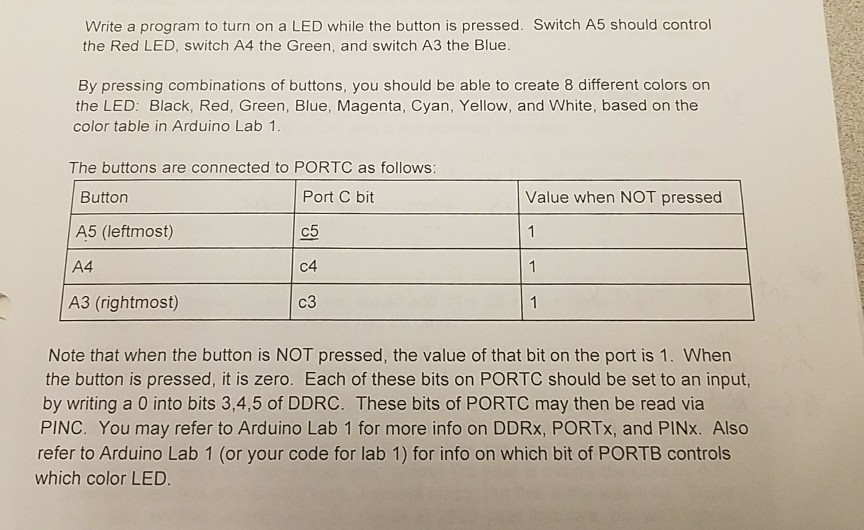
Question: this is done in arduino Write a program to turn on a LED while the button is pressed. Switch A5 should control the Red LED,
this is done in arduino
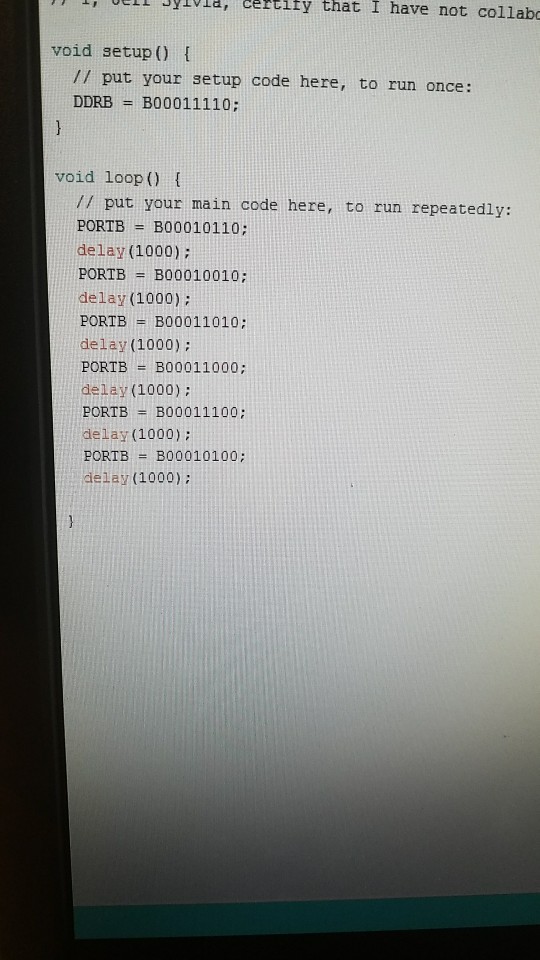
Write a program to turn on a LED while the button is pressed. Switch A5 should control the Red LED, switch A4 the Green, and switch A3 the Blue By pressing combinations of buttons, you should be able to create 8 different colors on the LED: Black, Red, Green, Blue, Magenta, Cyan, Yellow, and White, based on the color table in Arduino Lab 1 The buttons are connected to PORTC as follows Port C bit c5 C4 C3 Button Value when NOT pressed A5 (leftmost) A4 A3 (rightmost) Note that when the button is NOT pressed, the value of that bit on the port is 1. When the button is pressed, it is zero. Each of these bits on PORTC should be set to an input, by writing a 0 into bits 3,4,5 of DDRC. These bits of PORTC may then be read via PINC. You may refer to Arduino Lab 1 for more info on DDRx, PORTx, and PINx. Also refer to Arduino Lab 1 (or your code for lab 1) for info on which bit of PORTB controls which color LED
Step by Step Solution
There are 3 Steps involved in it

Get step-by-step solutions from verified subject matter experts
 Study Help