







Question: this is the interface . Open the Gross Pay Solution.sln file contained in the VB2017Chap08Gross Pay Solution folder. The interface provides a text box for
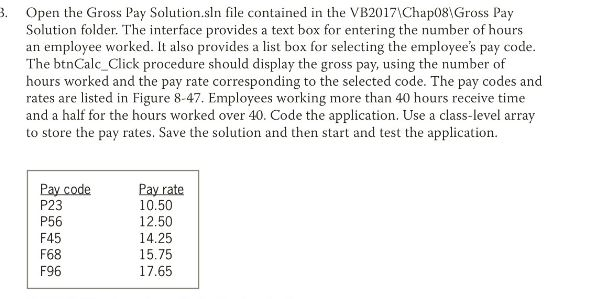
this is the interface
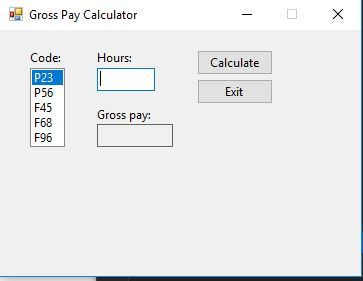
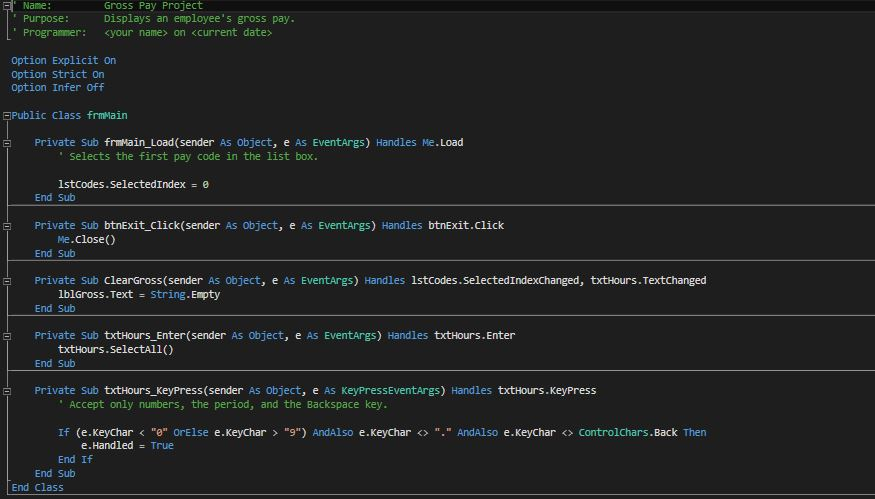
. Open the Gross Pay Solution.sln file contained in the VB2017\Chap08Gross Pay Solution folder. The interface provides a text box for entering the number of hours an employee worked. It also provides a list box for selecting the employee's pay code The btnCalc-Click procedure should display the gross pay, using the number of hours worked and the pay rate corresponding to the selected code. The pay codes and rates are listed in Figure 8-47. Employees working more than 40 hours receive time and a half for the hours worked over 40. Code the application. Use a class-level array to store the pay rates. Save the solution and then start and test the application. Pay code P23 P56 F45 F68 F96 Pay rate 10.50 12.50 14.25 15.75 17.65
Step by Step Solution
There are 3 Steps involved in it

Get step-by-step solutions from verified subject matter experts
 Study Help