







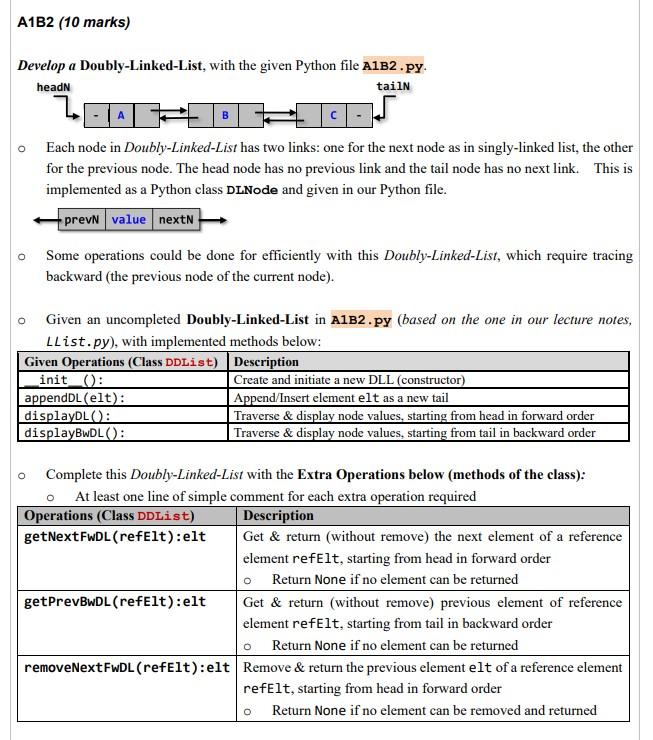
Question: turn the code to sample output Develop a Doubly-Linked-List, with the given Python file A1B2 .py. Each node in Doubly-Linked-List has two links: one for
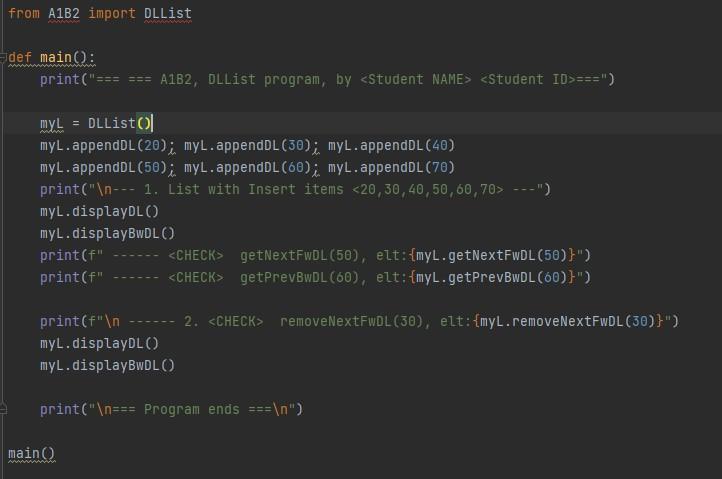
turn the code to sample output
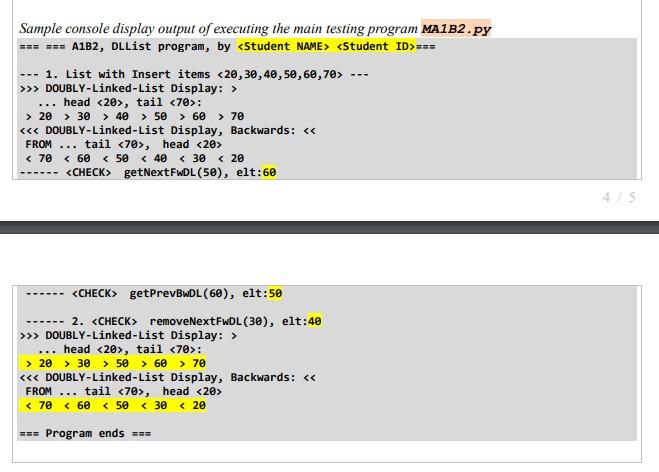
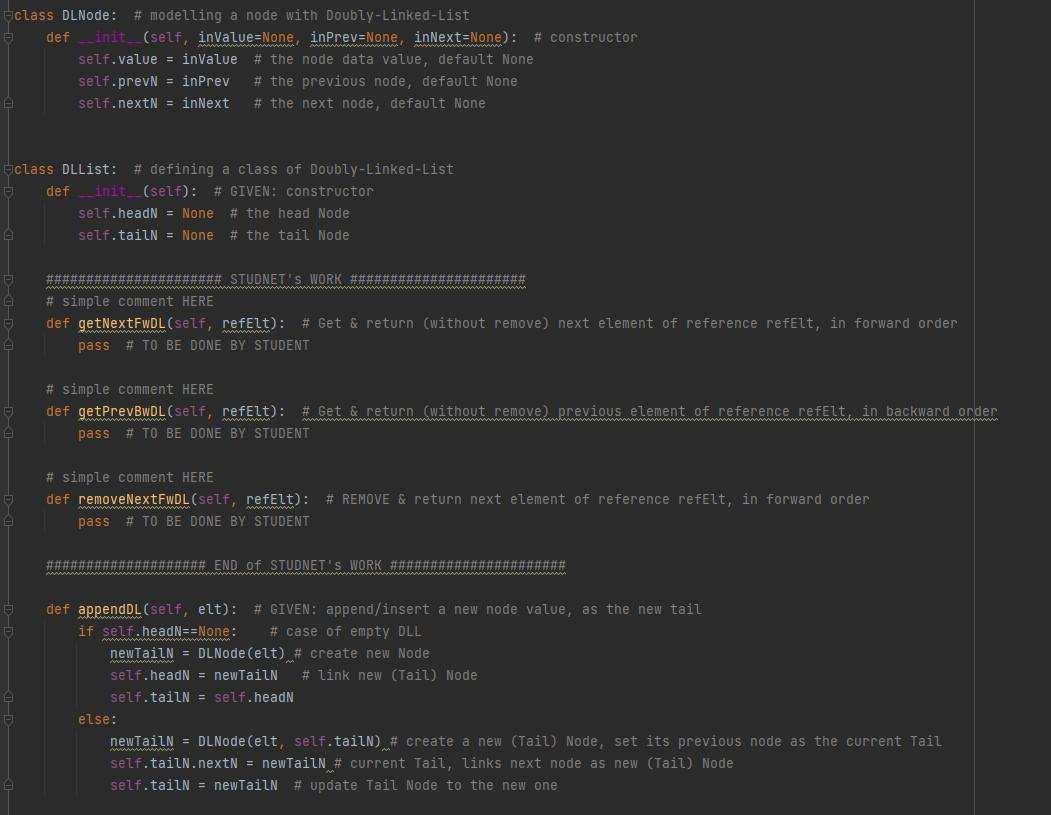
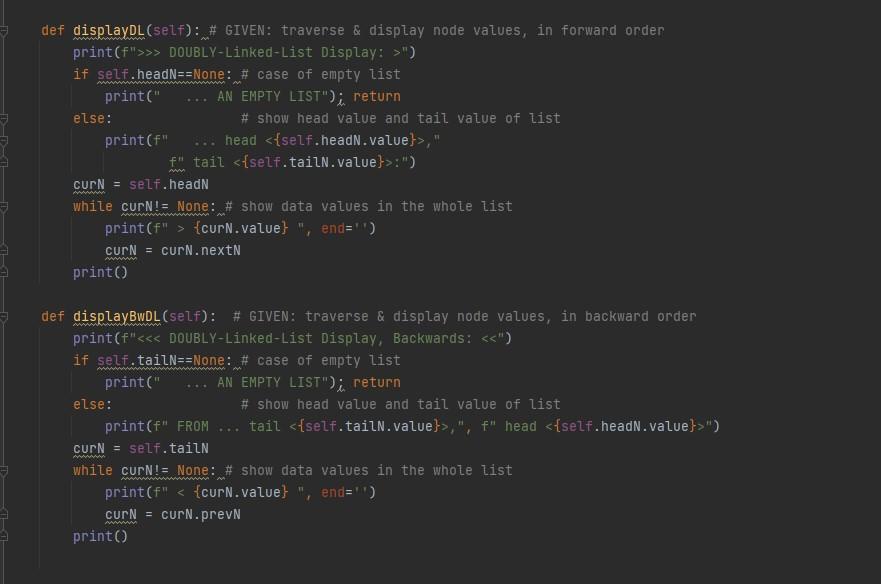
Develop a Doubly-Linked-List, with the given Python file A1B2 .py. Each node in Doubly-Linked-List has two links: one for the next node as in singly-linked list, the other for the previous node. The head node has no previous link and the tail node has no next link. This is implemented as a Python class DLNode and given in our Python file. Some operations could be done for efficiently with this Doubly-Linked-List, which require tracing backward (the previous node of the current node). Given an uncompleted Doubly-Linked-List in A1B2.py (based on the one in our lecture notes, LList.py), with implemented methods below: Complete this Doubly-Linked-List with the Extra Operations below (methods of the class): - At least one line of simple comment for each extra operation required Sample console display output of executing the main testing program MA1B2.py 1. List with Insert items 20,30,40,50,60,70 >> DOUBLY-Linked-List Display: > head 20, tail 70 : >20>30>4>50>60>70 DOUBLY-Linked-List Display, Backwards: FROM .... tail 70, head 20 >> DOUBLY-Linked-List Display: > head 20, tail 70 : >20>30>50>60>70 DOUBLY-Linked-List Display, Backwards: FROM ... tail 70, head 20
Step by Step Solution
There are 3 Steps involved in it

Get step-by-step solutions from verified subject matter experts
 Study Help