







Question: TYPE THE SCREPT & FUNCTION,AND SHOW IF ITS WORK Main topics: Plotting/ subplot 1. Open MATLAB 2. Create a script file named Labl2 (a) Right
TYPE THE SCREPT & FUNCTION,AND SHOW IF ITS WORK
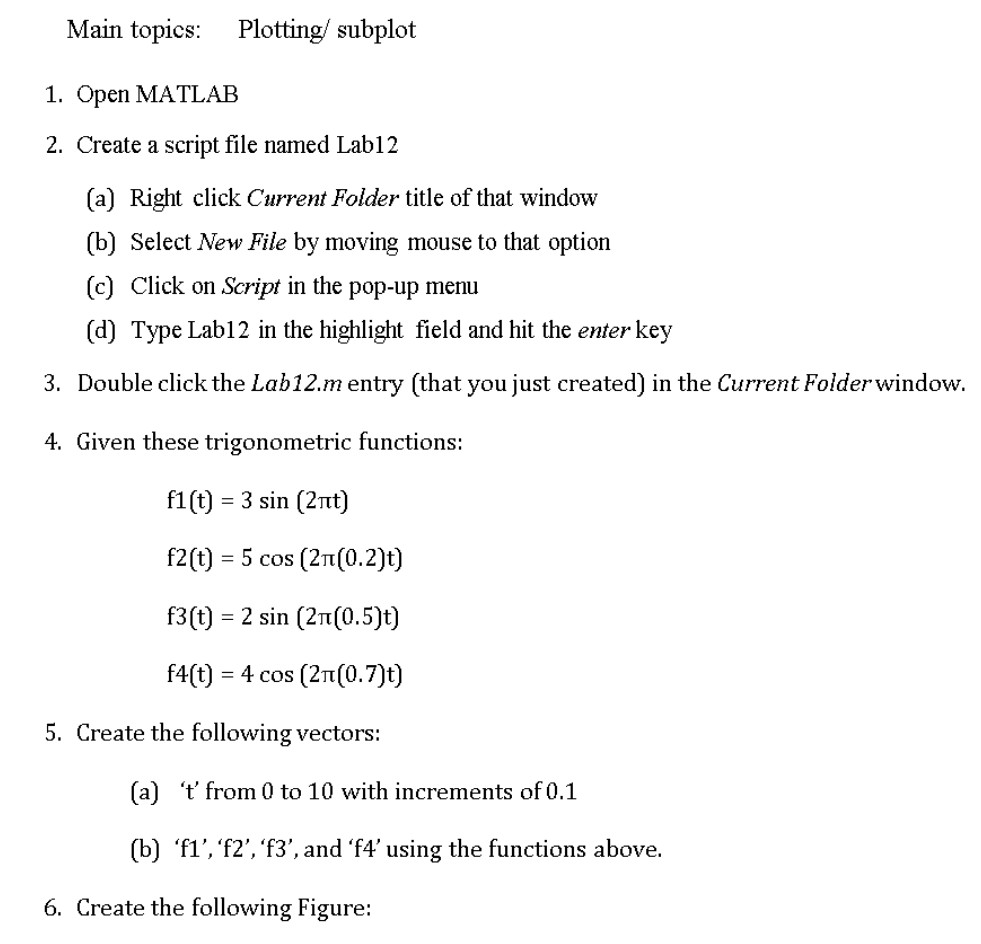
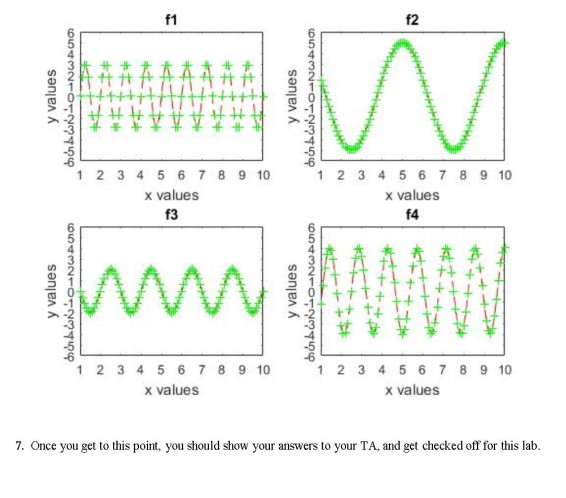
Main topics: Plotting/ subplot 1. Open MATLAB 2. Create a script file named Labl2 (a) Right click Current Folder title of that window (b) Select New File by moving mouse to that option (c) Click on Script in the pop-up menu (d) Type Lab12 in the highlight field and hit the enter key Double click the Lab12.m entry (that you just created) in the Current Folder window. 3. 4. Given these trigonometric functions: f1 (t) -3 sin (2t) f2(t) 5 cos (2T(0.2)t) f3(t) 2 sin (2?(0.5)t) f4(t) = 4 cos (2n(0.7)t) 5. Create the following vectors: (a) '' from 0 to 10 with increments of 0.1 (b) fl', 'f2','f3',and 'f4' using the functions above. 6. Create the following Figure
Step by Step Solution
There are 3 Steps involved in it

Get step-by-step solutions from verified subject matter experts
 Study Help