







Question: Write the Function and Make Sure It's Work Main topics: User Defined Functions Function.m files If familv structure Nested Loops 1. Open MATLAB 2. Create
Write the Function and Make Sure It's Work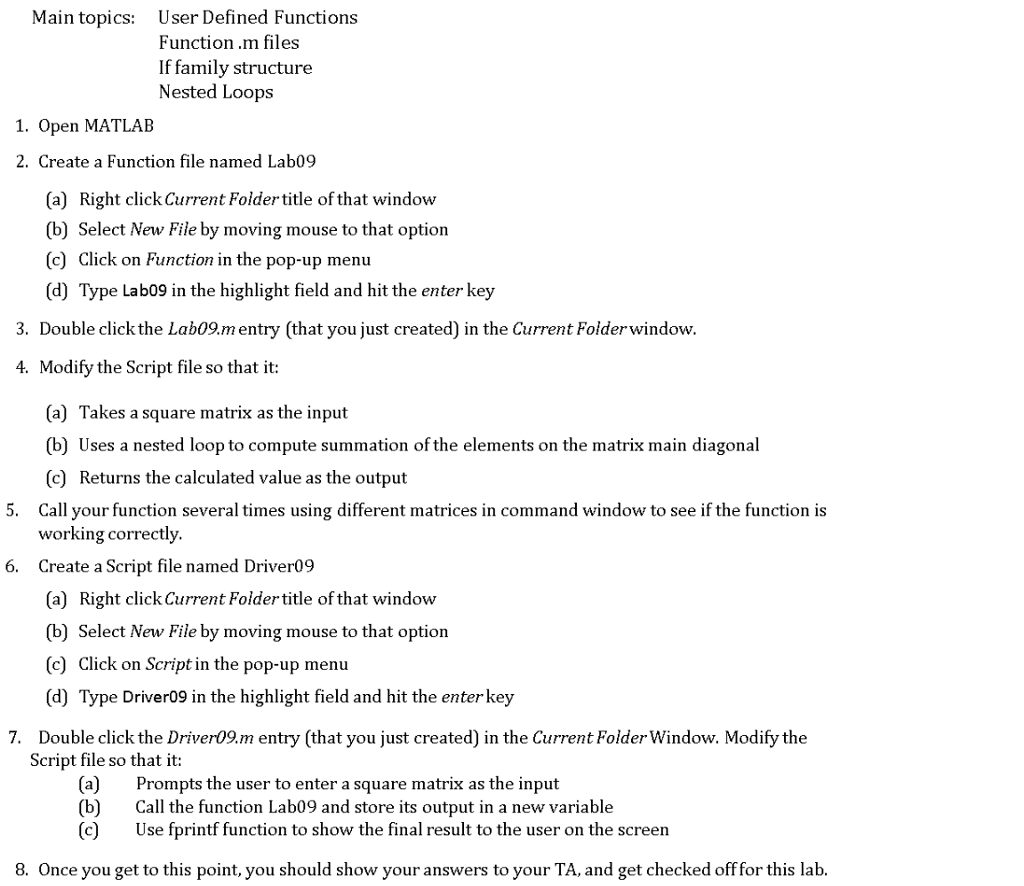
Main topics: User Defined Functions Function.m files If familv structure Nested Loops 1. Open MATLAB 2. Create a Function file named Lab09 (a) Right clickCurrent Folder title of that window (b) Select New File by moving mouse to that option (c) Click on Function in the pop-up menu (d) Type Lab09 in the highlight field and hit the enter key 3. Double click the Lab09.m entry (that you just created) in the Current Folderwindow 4. Modify the Script file so that it: (a) Takes a square matrix as the input (b) Uses a nested loop to compute summation of the elements on the matrix main diagonal (c) Returns the calculated value as the output Call your function several times using different matrices in command window to see if the function is working correctly Create a Script file named Driver09 (a) Right clickCurrent Folder title of that window (b) Select New File by moving mouse to that option (c) Click on Script in the pop-up menu (d) Type Driver09 in the highlight field and hit the enter key 5. 6. 7. Double click the Driver09.m entry (that you just created) in the Current Folder Window. Modify the Script file so that it: (a) Prompts the user to enter a square matrix as the input (b)Call the function Lab09 and store its output in a new variable (c)Use fprintf function to show the final result to the user on the screen 8. Once you get to this point, you should show your answers to your TA, and get checked offfor this lab
Step by Step Solution
There are 3 Steps involved in it

Get step-by-step solutions from verified subject matter experts
 Study Help