







Question: #UDP client #Python UDP Client from socket import* #python's socket library serverName = '127.0.0.1' #hostname:127.0.0.1 serverPort = 95950 #pick a random number as well clientSocket
#UDP client #Python UDP Client
from socket import* #python's socket library
serverName = '127.0.0.1' #hostname:127.0.0.1
serverPort = 95950 #pick a random number as well
clientSocket = socket(AF_INET, SOCK_DGRAM) #create UDP socket for server
message = raw_input('Input lowercase sentece:') #get user input
clientSocket.sendto(message,(serverName,serverPort)) #attach server name, port to message; send into socket
modifiedMessage, serverAddress = clientSocket.recvfrom(2048)
print modifiedMessage #print out received string
clientSocket.close() #all close socket
----------------------------------------------------------------------------------------------------------------
#UDP server #Python UDP Server
from socket import*
serverPort = 95950 #match the number with client
serverSocket = socket(AF_INET, SOCK_DGRAM)
serverSocket.bind(('95950', serverPort))
print 'The server is ready to receive'
while 1:
message, clientAddress = serverSocket.recvfrom(2048) modifiedMessage = message.upper() serverSocket.sendto(modifiedMessage, clientAddress) ---------------------------------------------------------------------------------------------------
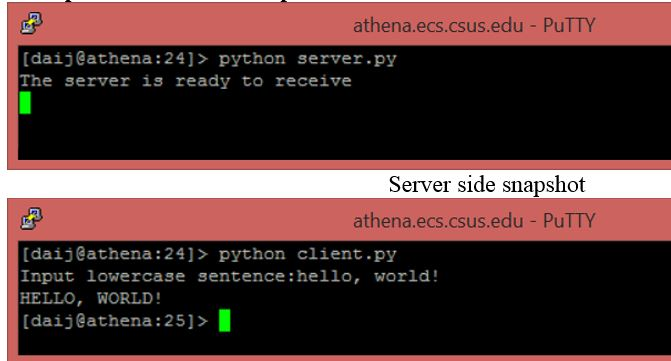
I need help getting the output I have included above. I have included both source code for UDPserver and UDPclient
Step by Step Solution
There are 3 Steps involved in it

Get step-by-step solutions from verified subject matter experts
 Study Help