





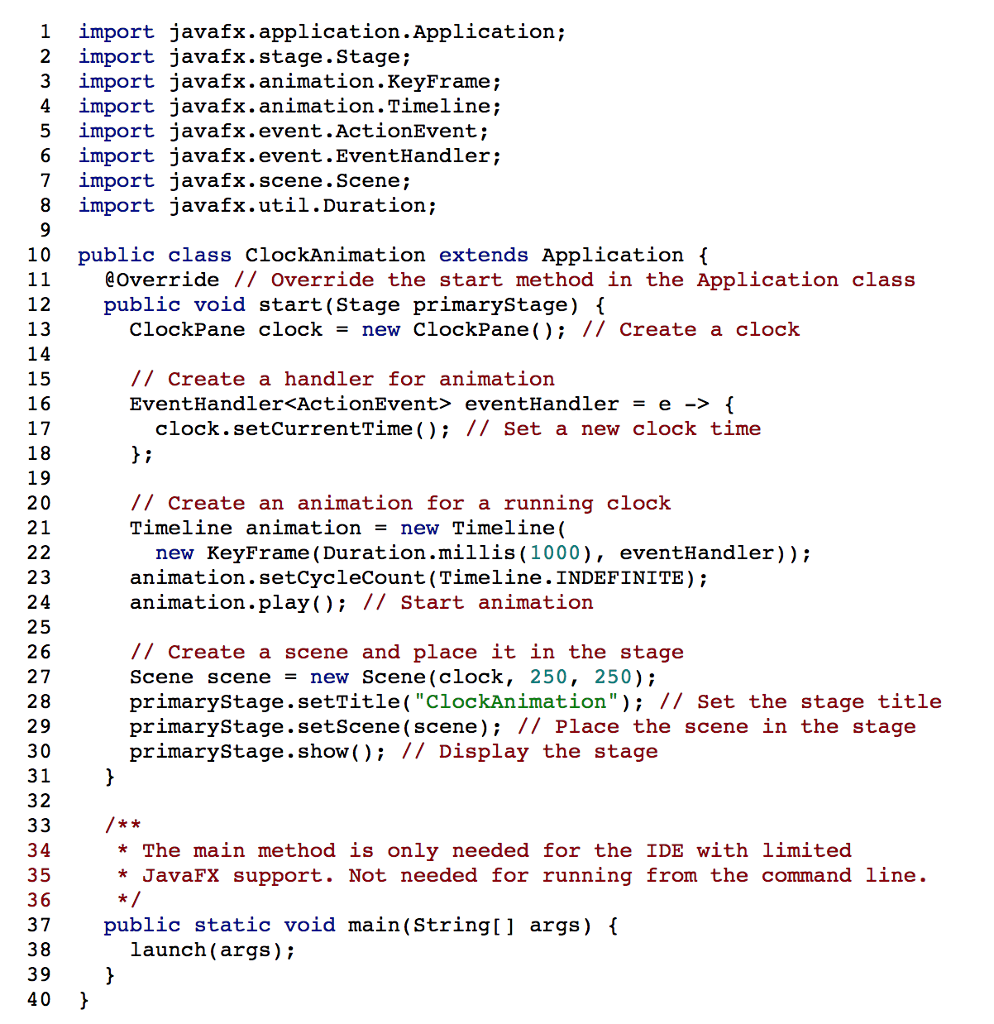
Question: Use the code below in create a ClockAnimation! in javafx on eclipse 1 import javafx.application.Application; 2 import iavafx.stage.Stage: 3 import javafx.animation.KeyFrame; 4 import javafx.animation.Timeline; 5

Use the code below in create a ClockAnimation! in javafx on eclipse
Use the code below in create a ClockAnimation! in javafx on eclipse

1 import javafx.application.Application; 2 import iavafx.stage.Stage: 3 import javafx.animation.KeyFrame; 4 import javafx.animation.Timeline; 5 import javafx.event.ActionEvent; 6 import javafx.event.EventHandler; 7 import javafx.scene.Scene; 8 import javafx.util.Duration; 10 public class ClockAnimation extends Application \ @Override // Override the start method in the Application class public void start(Stage primaryStage) \ 12 13 14 15 16 17 18 19 20 21 ClockPane clock = new ClockPane(); // Create a clock / Create a handler for animation EventHandler eventHandler = e-> { clock.setCurrentTime (); // Set a new clock time // Create an animation for a running clock Timeline animation = new Timeline( new KeyFrame (Duration.millis (1000), eventHandler)); animation.setCycleCount (Timeline.INDEFINITE); animation.play); // Start animation 23 24 25 26 27 28 29 30 31h 32 // Create a scene and place it in the stage Scene scene = new Scene ( clock, 250, 250); primaryStaqe.setTitle( "ClockAnimation" ); // Set the stage title primaryStage.setScene (scene); I/ Place the scene in the stage primaryStage.show // Display the staqe *The main method is only needed for the IDE with limited * JavaFX support. Not needed for running from the command line. 3 4 35 3 6 37public static void main(String[] args) ( 38 39 40 launch (args)

Step by Step Solution

There are 3 Steps involved in it

1 Expert Approved Answer
Step: 1 Unlock blur-text-image
Question Has Been Solved by an Expert!

Get step-by-step solutions from verified subject matter experts

Step: 2 Unlock
Step: 3 Unlock

Students Have Also Explored These Related Databases Questions!