







Question: Using Command line: 1. Create a batch file that will update the user's command line environment to . switch the working directory to the C:
Using Command line:
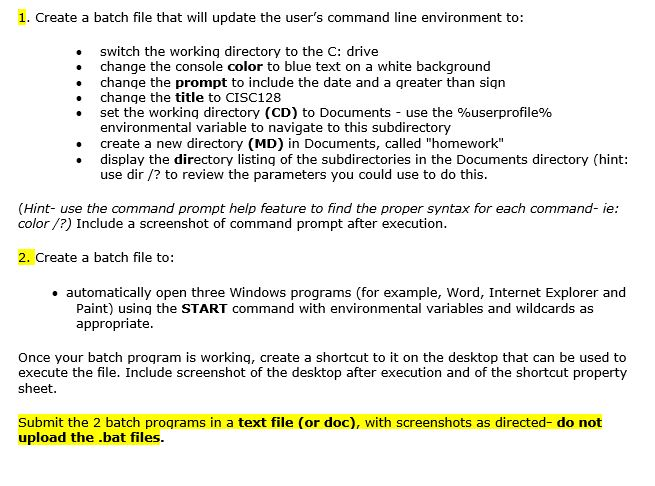
1. Create a batch file that will update the user's command line environment to . switch the working directory to the C: drive change the console color to blue text on a white background . change the prompt to include the date and a qreater than sign change the title to CISC128 set the working directory (CD) to Documents-use the %userprofile% environmental variable to navigate to this subdirectory create a new directory (MD) in Documents, called "homework" . display the directory listing of the subdirectories in the Documents directory (hint: use dir/? to review the parameters you could use to do this (Hint- use the command prompt help feature to find the proper syntax for each command- ie color/?) Include a screenshot of command prompt after execution 2. Create a batch file to: . automatically open three Windows programs (for example, Word, Internet Explorer and Paint) using the START command with environmental variables and wildcards as appropriate Once your batch program is working, create a shortcut to it on the desktop that can be used to execute the file. Include screenshot of the desktop after execution and of the shortcut property sheet. Submit the 2 batch proqrams in a text file (or doc), with screenshots as directed- do not upload the .bat files
Step by Step Solution
There are 3 Steps involved in it

Get step-by-step solutions from verified subject matter experts
 Study Help