







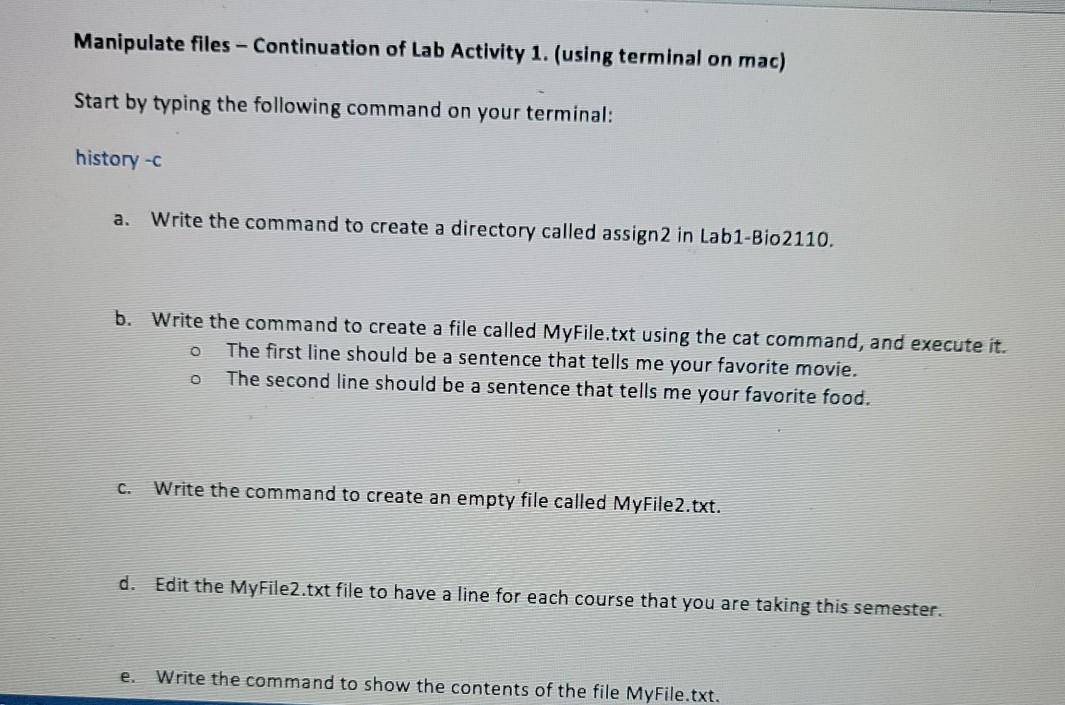
Question: using terminal on mac Manipulate files - Continuation of Lab Activity 1. (using terminal on mac) Start by typing the following command on your terminal:
using terminal on mac
Manipulate files - Continuation of Lab Activity 1. (using terminal on mac) Start by typing the following command on your terminal: history -C a. Write the command to create a directory called assign2 in Lab1-Bio 2110. b. Write the command to create a file called MyFile.txt using the cat command, and execute it. The first line should be a sentence that tells me your favorite movie. The second line should be a sentence that tells me your favorite food. O o C. Write the command to create an empty file called MyFile2.txt. d. Edit the MyFile2.txt file to have a line for each course that you are taking this semester. e. Write the command to show the contents of the file MyFile.txt
Step by Step Solution
There are 3 Steps involved in it

Get step-by-step solutions from verified subject matter experts
 Study Help