







Question: Using the uVision tool, edit assembly program for the Cortex-M processor to convert temperatures from Celsius to Fahrenheit. Details 1. In the memory, declare two
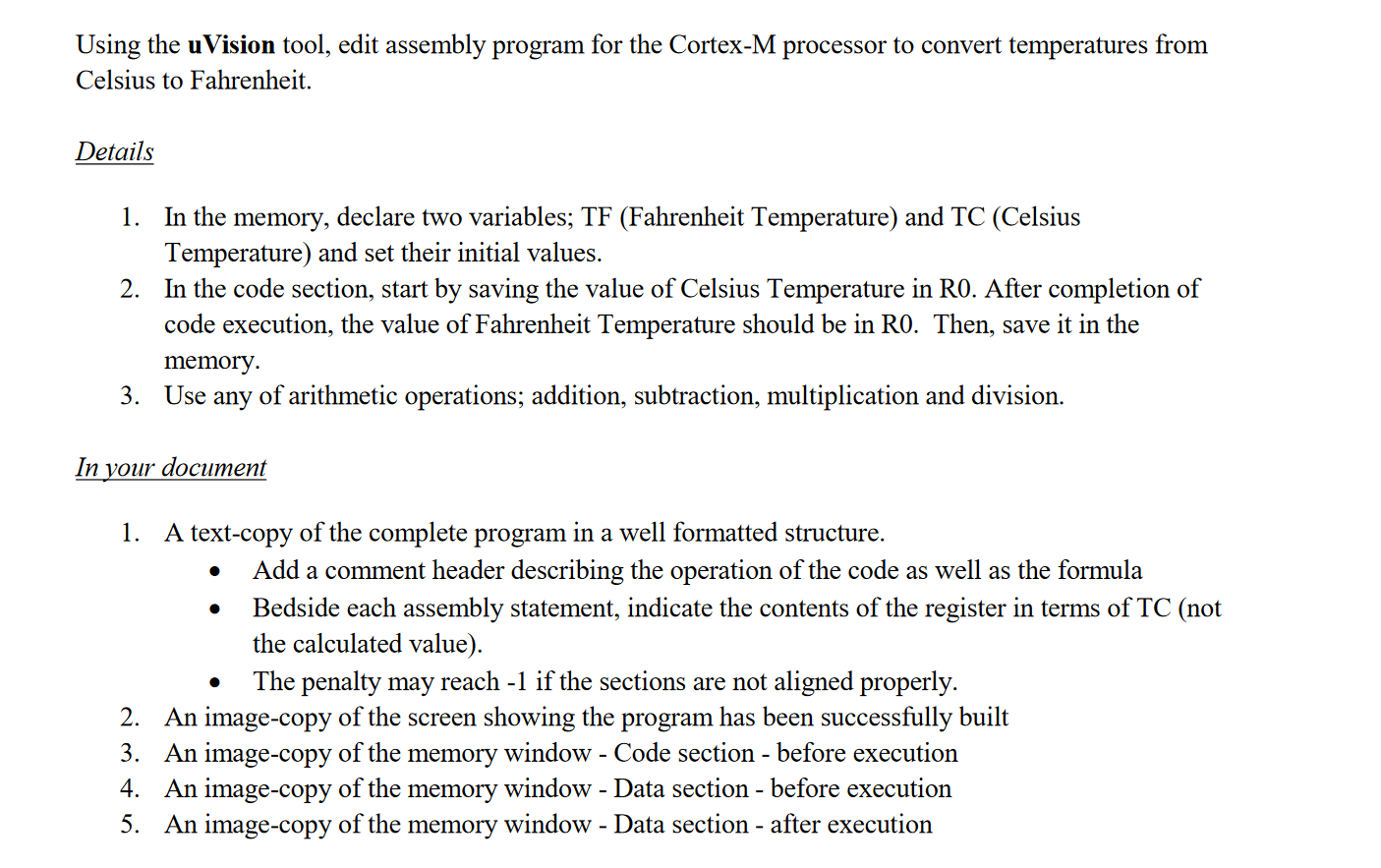
Using the uVision tool, edit assembly program for the Cortex-M processor to convert temperatures from Celsius to Fahrenheit. Details 1. In the memory, declare two variables; TF (Fahrenheit Temperature) and TC (Celsius Temperature) and set their initial values. 2. In the code section, start by saving the value of Celsius Temperature in RO. After completion of code execution, the value of Fahrenheit Temperature should be in RO. Then, save it in the memory. 3. Use any of arithmetic operations; addition, subtraction, multiplication and division. In your document 1. A text-copy of the complete program in a well formatted structure. Add a comment header describing the operation of the code as well as the formula Bedside each assembly statement, indicate the contents of the register in terms of TC (not the calculated value). The penalty may reach -1 if the sections are not aligned properly. 2. An image-copy of the screen showing the program has been successfully built 3. An image-copy of the memory window - Code section - before execution 4. An image-copy of the memory window - Data section - before execution 5. An image-copy of the memory window - Data section - after execution
Step by Step Solution
There are 3 Steps involved in it

Get step-by-step solutions from verified subject matter experts
 Study Help