







Question: Using visual studio. You should lay out the form similarly to the image in this assignment. Use Windows Form Designer to set the names and
Using visual studio.
You should lay out the form similarly to the image in this assignment. Use Windows Form Designer to set the names and initial values of the different objects at design time. You have also been given a printout that shows the code you have to type. Remember that you cant just type the codeit must be connected to the appropriate events or your program wont do anything!
using System; using System.Collections.Generic; using System.ComponentModel; using System.Data; using System.Drawing; using System.Linq; using System.Text; using System.Windows.Forms; namespace Assignment_1 { public partial class Form1 : Form { public Form1() { InitializeComponent(); } /********************************************************************** Executed when the form is first loaded Sets lblDate to the current date */ private void Form1_Load(object sender, EventArgs e) { lblDate.Text = DateTime.Now.ToString("MMM dd, yyyy"); } /********************************************************************** Checks to see if the GPA is valid and if the student is eligible for Honors and displays an appropriate message */ private void btnHonors_Click(object sender, EventArgs e) { double gpa; try { gpa = Convert.ToSingle(txtGPA.Text); lblMessage.Text = ""; if (gpa 4) //Invalid GPA { MessageBox.Show("Please enter a valid GPA", "Invalid GPA", MessageBoxButtons.OK, MessageBoxIcon.Error); } else if (gpa >= 3.75) // Honors { lblMessage.Text = "HONORS STUDENT"; MessageBox.Show("Congratulations " + txtFirstName.Text.ToUpper () + "!! You will graduate with honors.", "HONORS", MessageBoxButtons.OK, ...ces\old Assignments\A1\Assignment 1\Assignment 1\Form1.cs 2 52 53 54 55 56 57 58 59 60 61 62 63 64 65 66 67 68 69 70 71 72 73 MessageBoxIcon.Exclamation); } else // No Honors { MessageBox.Show("Sorry - No honors for you - better luck next time", "No Honors"); } } catch (Exception exc) { MessageBox.Show(exc.Message); } } //********************************************************************** // Exit the program private void btnExit_Click(object sender, EventArgs e) { this.Cl
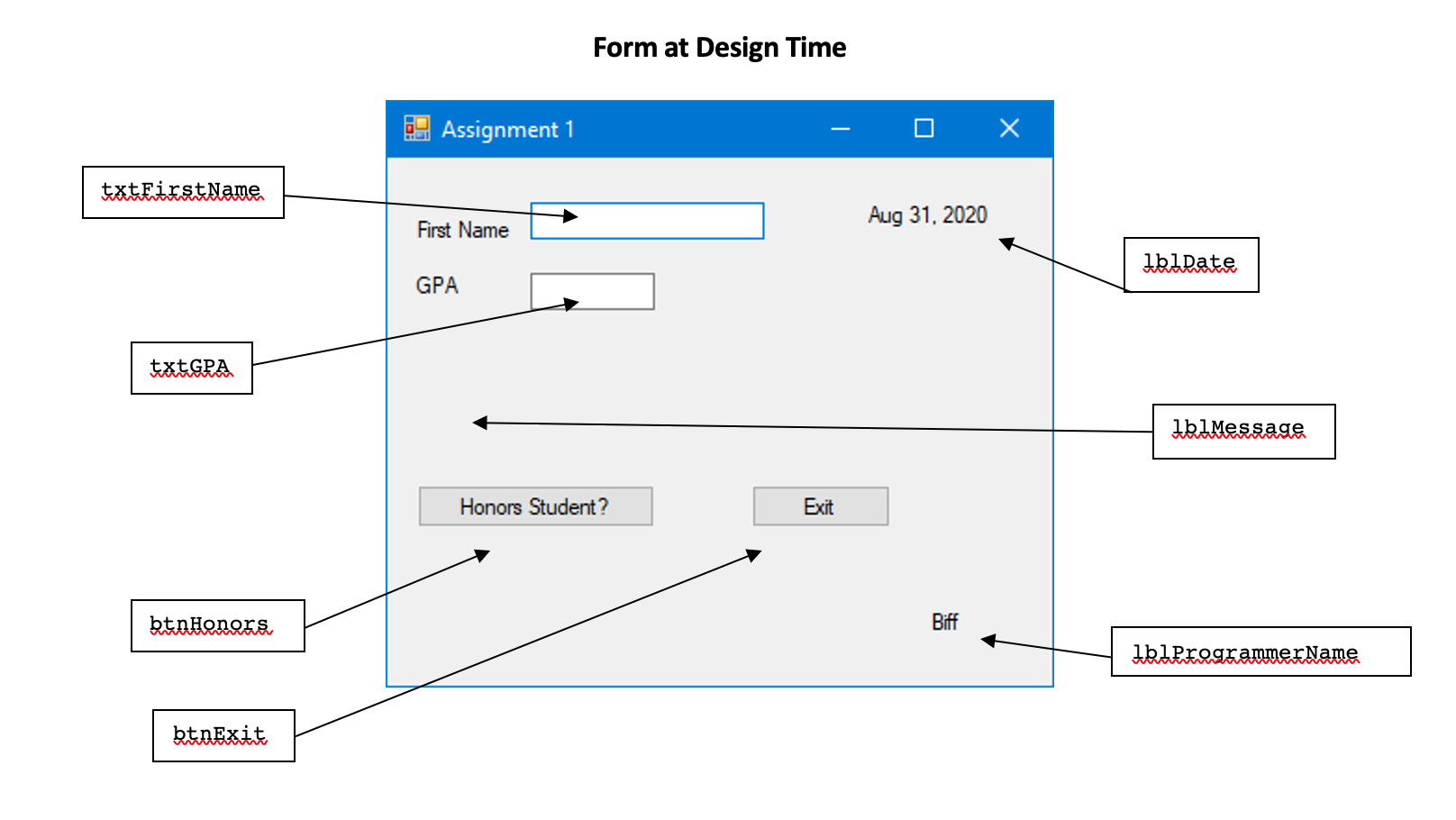
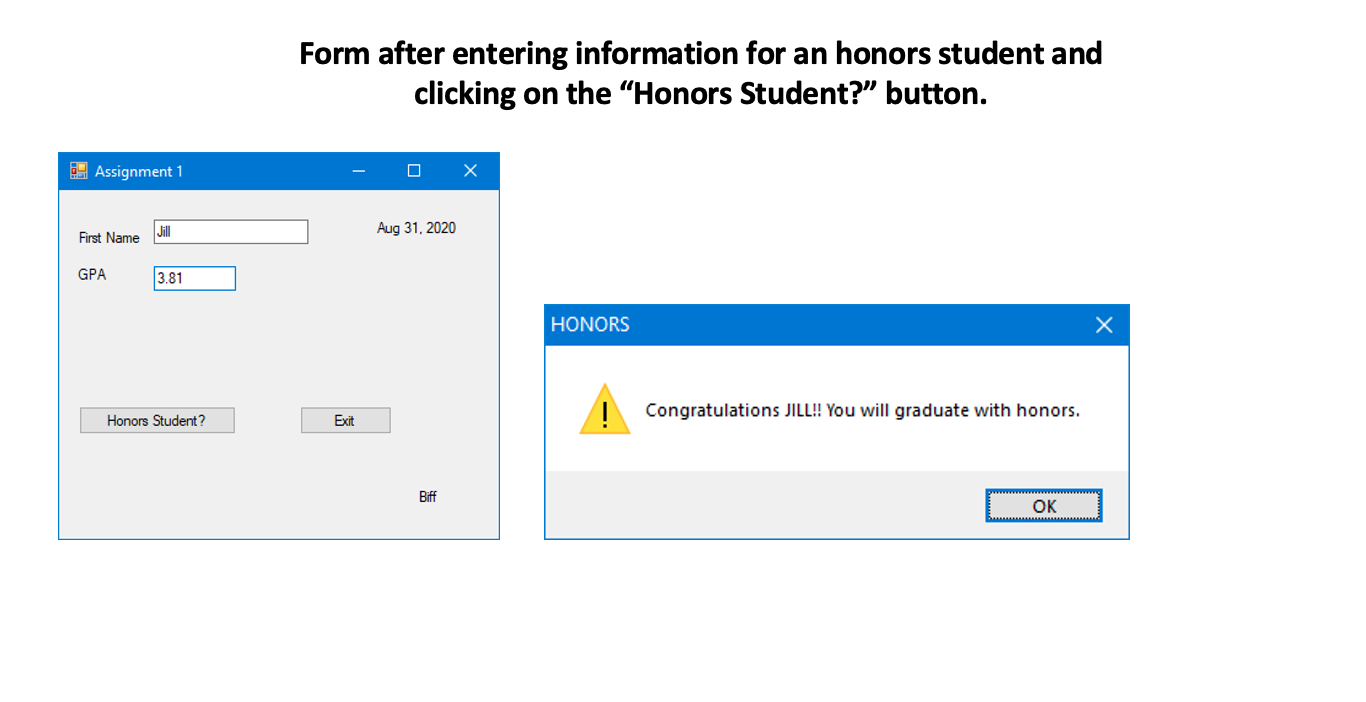
Form at Design Time Assignment 1 X txtFirstName Aug 31, 2020 First Name Ibtdate GPA txtGRA IkiMessage Honors Student? Exit btnhonors Biff IbuprogrammerName btnExit Form after entering information for an honors student and clicking on the Honors Student?" button. - Assignment 1 Jill Aug 31, 2020 First Name GPA 3.81 HONORS Congratulations JILL!! You will graduate with honors. Honors Student? Exit Biff OK
Step by Step Solution
There are 3 Steps involved in it

Get step-by-step solutions from verified subject matter experts
 Study Help