







Question: void splash Reset display attributes and clear terminal screen then output a message screen (void) set display attribute(TERM RESET), clear terminal hide cursor We don't
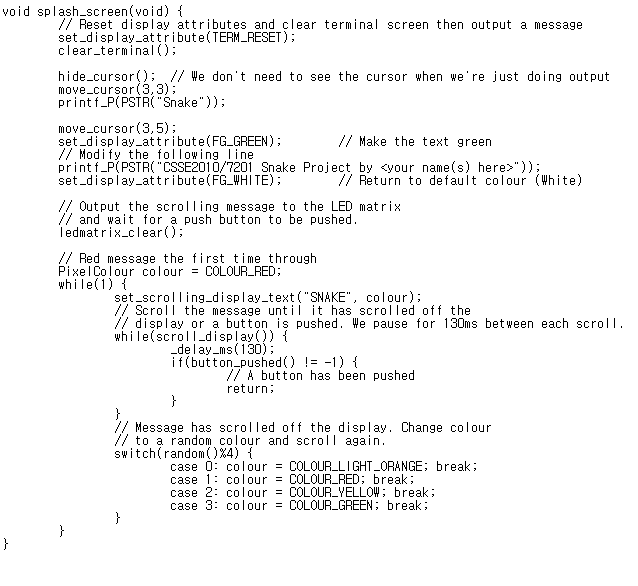
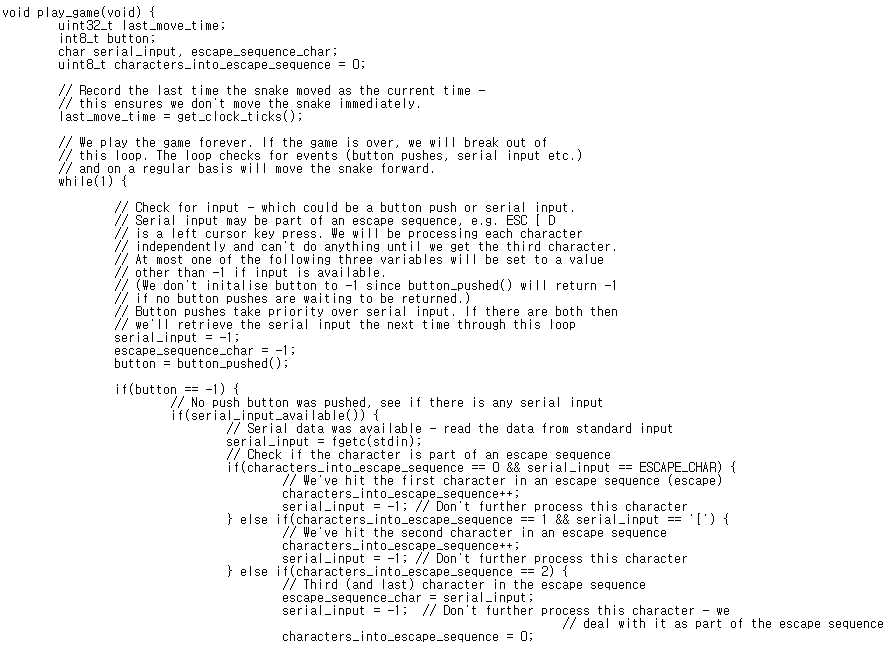
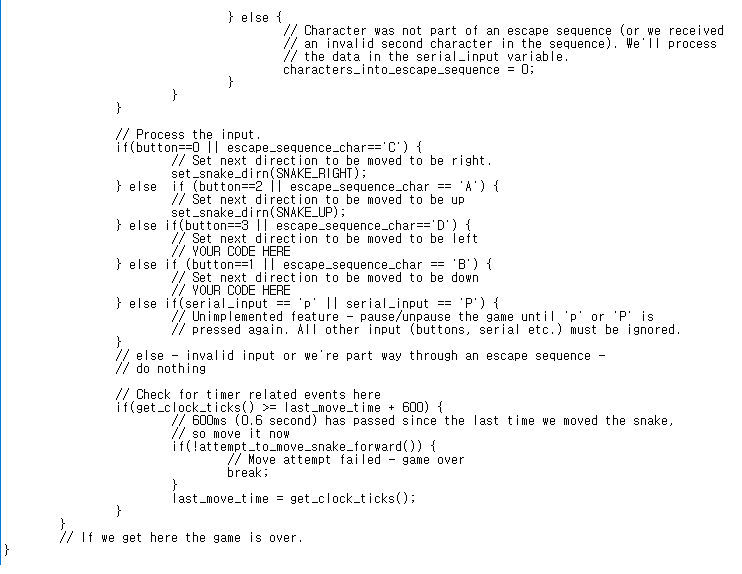
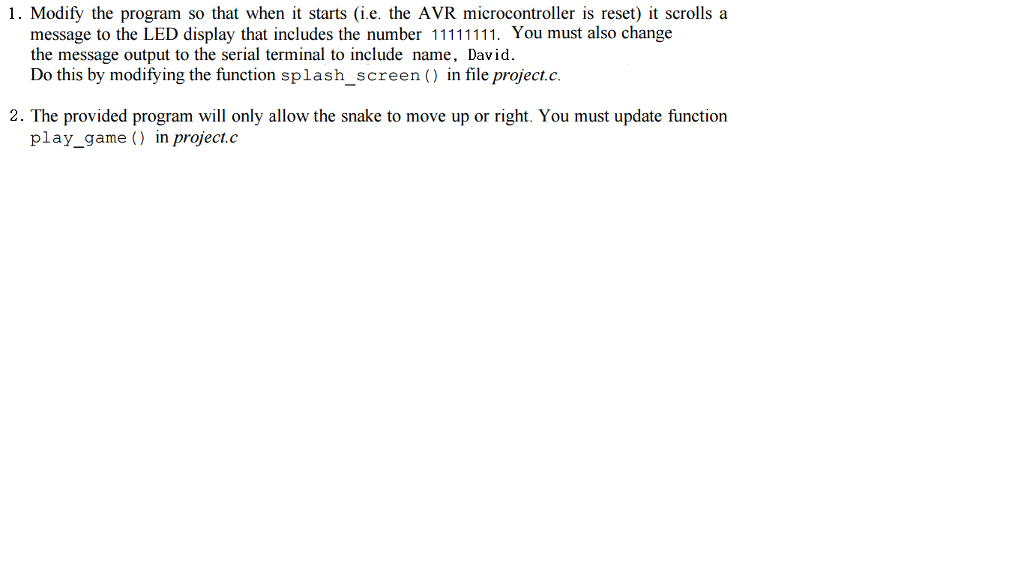
void splash Reset display attributes and clear terminal screen then output a message screen (void) set display attribute(TERM RESET), clear terminal hide cursor We don't need to see the cursor when we're just doing output move cursor (3,3); print f P(PSTR( "Snake")); move cursor (3,5) set display attribute (FG GREEN); Make the text green Modify the following line print f P(PSTR("CSSE2010/7201 Snake Project by kyour name (s) here set display attribute (FG WHITE) Return to default colour (White) Output the scrolling message to the LED matrix and wait for a push button to be pushed led matrix clear Red message the first time through Pixel Colour colour COLOUR RED while (1) set scrolling display text ("SNAKE colour); Scroll the message until it has scrolled off the display or a button is pushed. We pause for 130ms between each scro II while (scro I display t delay ms (130) i f (button pushed -1) 1 A button has been pushed return Message has scro ed off the display. Change colour to a random colour and scroll again switch( random 4) t case 0: colour COLOUR LIGHT ORANGE, break case 1 colour COLOUR RED, break case 2: colour J COLOUR VELLOW break case 3: colour COLOUR GREEN break void splash Reset display attributes and clear terminal screen then output a message screen (void) set display attribute(TERM RESET), clear terminal hide cursor We don't need to see the cursor when we're just doing output move cursor (3,3); print f P(PSTR( "Snake")); move cursor (3,5) set display attribute (FG GREEN); Make the text green Modify the following line print f P(PSTR("CSSE2010/7201 Snake Project by kyour name (s) here set display attribute (FG WHITE) Return to default colour (White) Output the scrolling message to the LED matrix and wait for a push button to be pushed led matrix clear Red message the first time through Pixel Colour colour COLOUR RED while (1) set scrolling display text ("SNAKE colour); Scroll the message until it has scrolled off the display or a button is pushed. We pause for 130ms between each scro II while (scro I display t delay ms (130) i f (button pushed -1) 1 A button has been pushed return Message has scro ed off the display. Change colour to a random colour and scroll again switch( random 4) t case 0: colour COLOUR LIGHT ORANGE, break case 1 colour COLOUR RED, break case 2: colour J COLOUR VELLOW break case 3: colour COLOUR GREEN break
Step by Step Solution
There are 3 Steps involved in it

Get step-by-step solutions from verified subject matter experts
 Study Help